21
5 : CREATING PRESETS
The FX8 has 128 memory slots for PRESETS arranged as sixteen BANKS (lettered A–P) with eight presets
each. Think of each preset as a fully independent pedalboard with its own eects, settings, conguration,
controllers, and more. You create and store presets using the FX8 front panel or the optional FX8-Edit software.
Every memory is a “USER” preset which can be edited or overwritten. Some players will use a lot of presets—
perhaps one for each band, gig, guitar, or even song. Some players will use very few presets, maybe just one.
However you use presets, understanding them is key to understanding the FX8.
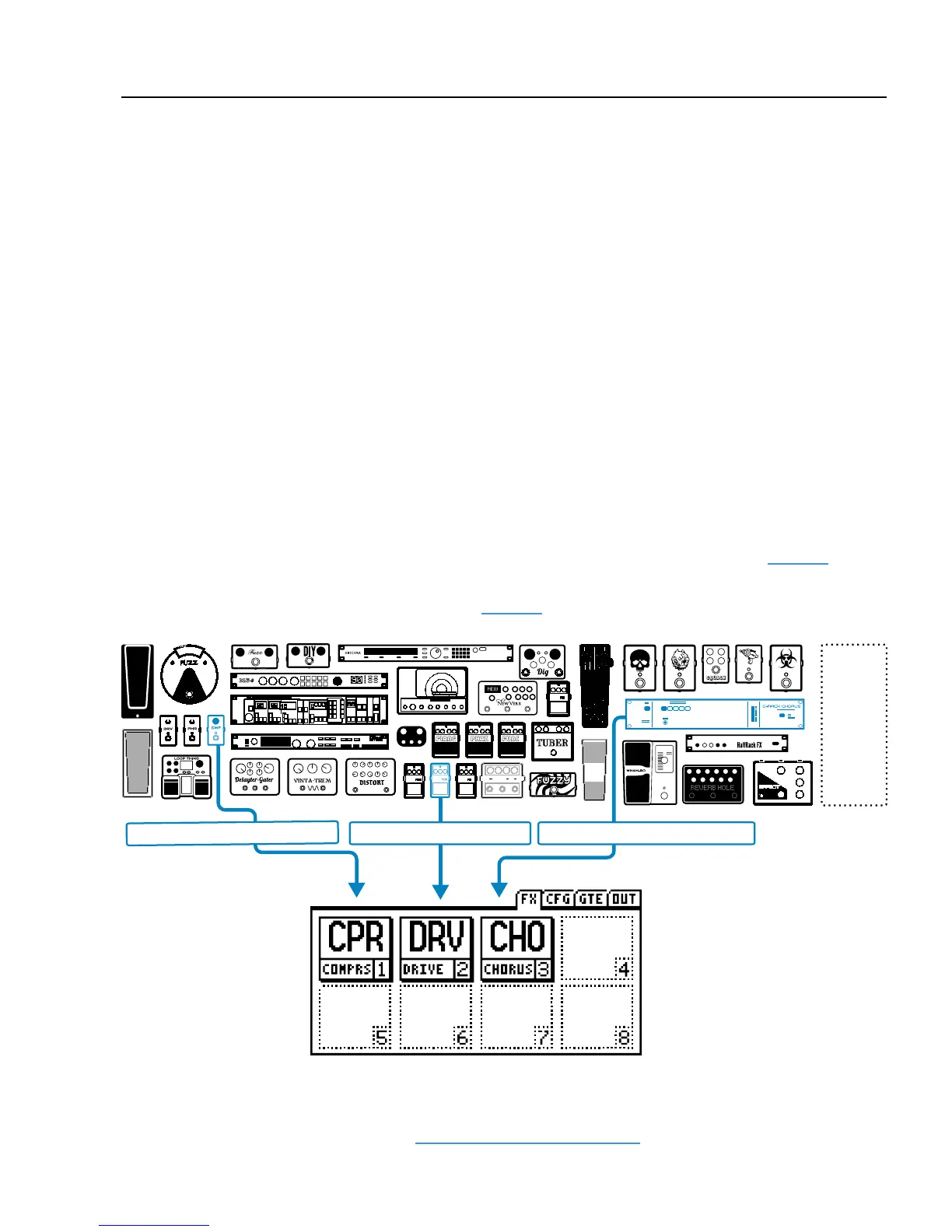
A block is a virtual eect. Each preset has eight slots enabling you to insert up to eight blocks. Some blocks
have a single specic function (e.g. “RELAY 1”) but most represent a general eect category (such as “DRIVE”)
with the ability to select a specic “TYPE” (Such as Face Fuzz, Fat Rat, Treble Boost, etc.). Every preset has its
own complete inventory of blocks—one or two of each type (the complete list appears on page 25).
In the example below, a Compressor Block, a Drive Block, and a Chorus Block have been inserted into the slots
of a sample preset. (You’ll learn to insert eects on page 24.)
WHAT IS A PRESET?
WHAT IS A BLOCK?
AND
MANY
MORE...
Drive 1 set to “Blues OD”Compressor 1 set to “Pedal 1” Chorus 1 set to “Dimension”
...and so on.
Many blocks also oer X/Y switching, which gives them two independent switchable sounds. For
example, the “Blues OD” above might double as a “Shred Distortion” when you press and hold its
footswitch. For more information, see "X/Y Switching" on page 28.
5 : CREATING PRESETS



 To Next Page