50
10 : MODIFIERS
ADVANCED MODIFIER PARAMETERS
The default modier is perfectly linear and direct. You change the source, and the parameter follows
precisely. But you can also tweak the relationship between source and target. Maybe you want to tune the
taper of a wah. Maybe you want a volume pedal which gets quieter instead of louder as you rock it forward.
Maybe you want an external footswitch to glide the rate of your chorus between slow and fast.
Fortunately, a full complement of additional controls allow you to dial in all of this and more. Here is an
overview of the additional parameters you can use to create advanced modiers:
MIN and MAX determine the range of sound changes. These can be very important parameters.
EXAMPLE: The modier for a pedal controlling DELAY MIX has MIN at “20%” and MAX at “40%”.
The mix change will be limited to this range as we move the pedal, even though the parameter might
normally go from 0% to 100%.
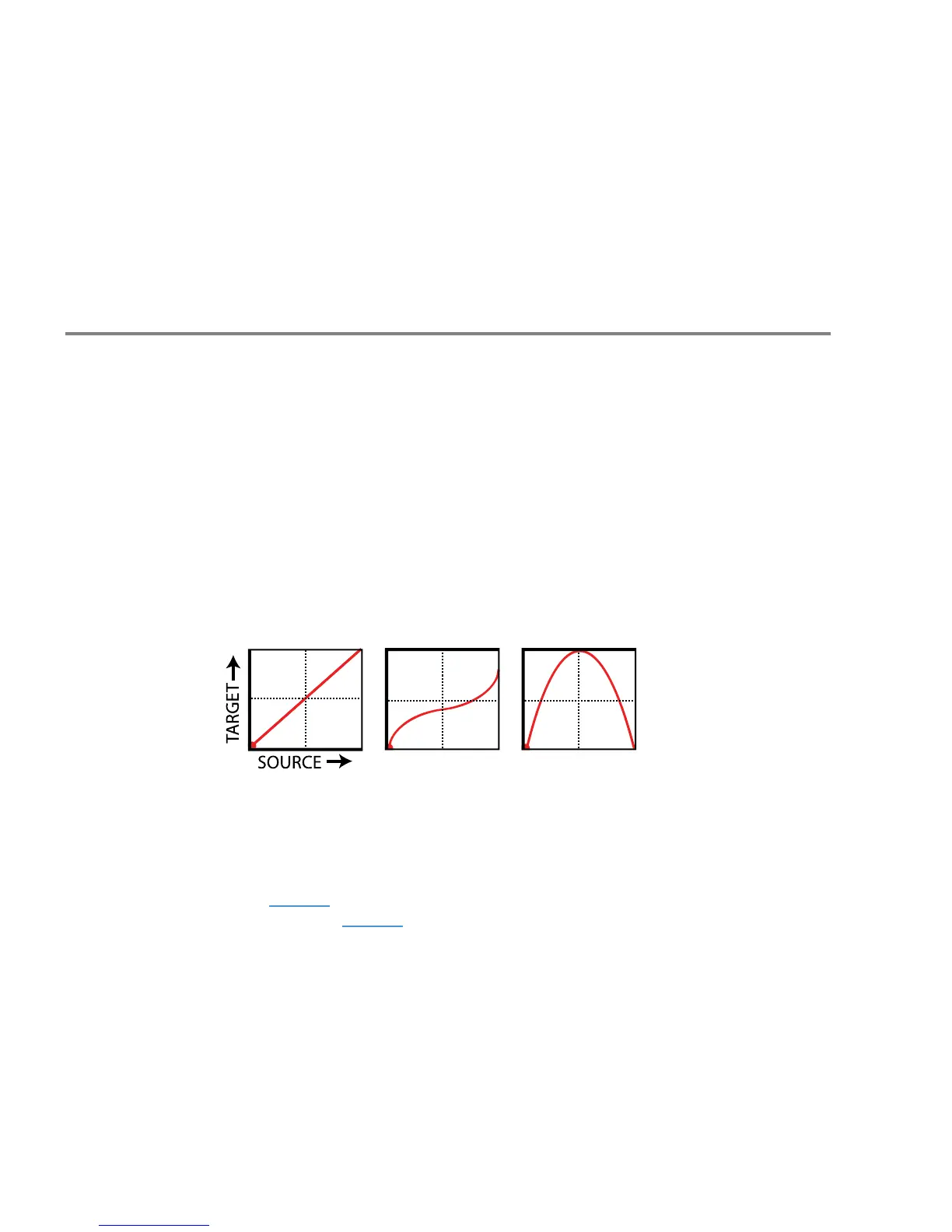
The GRAPH shows the relationship between the source (x-axis) and the parameter (y-axis). The dot on
the graph shows changes in the source in real time.
The default modier graph (rst graph below) shows the direct (red line) relationship between the
SOURCE and the target parameter. As the source increases, so does the value of the parameter.
START, MID, END, SLOPE, SCALE, and OFFSET are used to create custom curves, re-mapping the
relationship between the source and the target. The second two graphs below show examples of the
kinds of curves you can create. The pages which follow contain more on using these parameters.
DAMPING causes parameter changes to be smoother and slower. At low settings, it adds just a little
smoothing. Try a setting of 4–12 ms to “relax” a pedal or to ease the edges of a square LFO to eliminate
clicks and pops. Higher settings cause sound changes to glide like honey.
AUTOENGAGE works with OFF VALUE to create eects which turn ON or OFF automatically whenever
the source controller is moved. This is typically used with a WAH pedal so you don’t need a toe switch.
(Follow the example on page 48 and set AUTO-ENGAGE to “SLOW POS” to try it out!) Find additional
information on AUTOENGAGE on page 52.
PC RESET determines the value of a modier’s external source when a preset rst loads. This allows you
to override the actual position of an external controller until it is moved/updated. Here’s how it works:
even with a modier applied, parameters always show a value which can be edited as usual. If PC RST is
ON, this value will be used for the parameter until the source is updated.



 To Next Page