3
1 : INTRODUCTION
Here is a simple overview of what cables you’ll need to connect your FX8 in three dierent scenarios.
You can nd fully detailed diagrams and descriptions for this subject in Section 3 : Setup Guide.
Humbuster™ cables should ideally be used between FX8 OUTPUTS and your amplier (see page 4)
Important: Do NOT connect anything to the FX8 relays until you read Section 4.
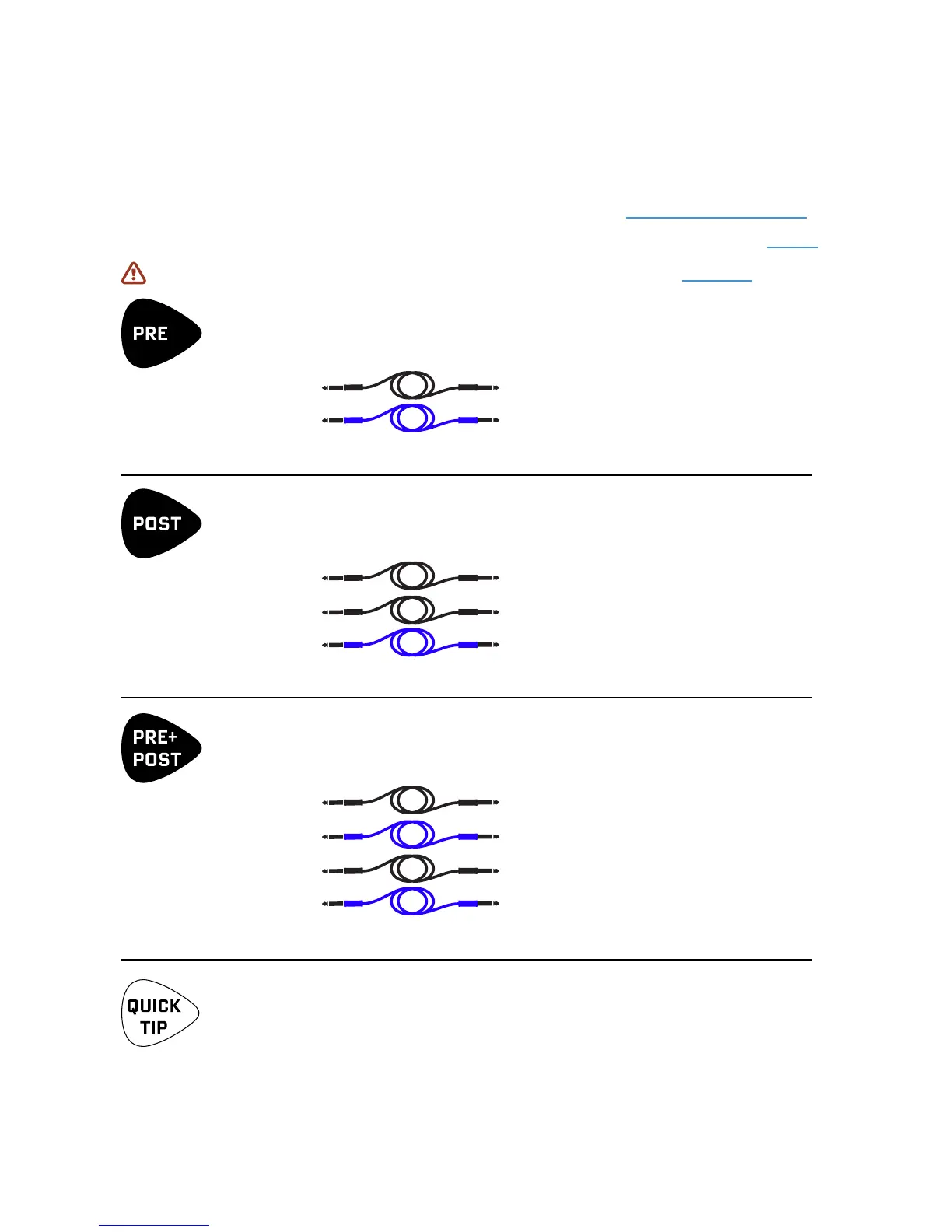
TO USE THE FX8 LIKE TRADITIONAL PEDALS BETWEEN GUITAR AND AMP…
Connect as follows:
Guitar Output Jack
FX8 IN [PRE] LEFT
FX8 OUT [PRE] LEFT (Humbuster™) -> Front input of your amp/modeler
Presets A1 through B8 with eight PRE eects are perfect for this type of setup.
TO USE THE FX8 IN YOUR AMP’S SEND/RETURN LOOP…
Connect as follows:
Guitar Output Jack
Amp’s main Guitar Input
Amp’s FX Loop SEND
FX8 IN [POST] LEFT
FX8 OUT [POST] LEFT (Humbuster™) -> Amp’s FX Loop RETURN
Presets C1 through D8 with eight POST eects are perfect for this type of setup.
TO USE BOTH PRE AND POST IN ONE RIG…
This is also known as the FOUR CABLE METHOD or “4CM.” Connect as follows:
Guitar Output Jack
FX8 IN [PRE] LEFT
FX8 OUT [PRE] LEFT (Humbuster™) -> Front input of your amp/modeler
Amp’s FX Loop SEND FX8 IN [POST] LEFT
FX8 OUT [POST] LEFT (Humbuster™) -> Amp’s FX Loop RETURN.
Presets E1 through G8 with eight POST eects are perfect for this type of setup.
QUICK CONNECT GUIDE
TO INSERT, CHANGE, or EDIT AN EFFECT, and STORE the preset…
Press the desired FOOTSWITCH or turn NAV to select the desired slot (1–8)
Turn VALUE until the desired eect is shown.
Press ENTER to insert the eect. Press EDIT to access its parameters.
To save any and all changes, press STORE, ENTER, ENTER.



 To Next Page