28
5 : CREATING PRESETS
X/Y SWITCHING
In the same way that many ampliers have two fully independent channels, so do many eects on the FX8.
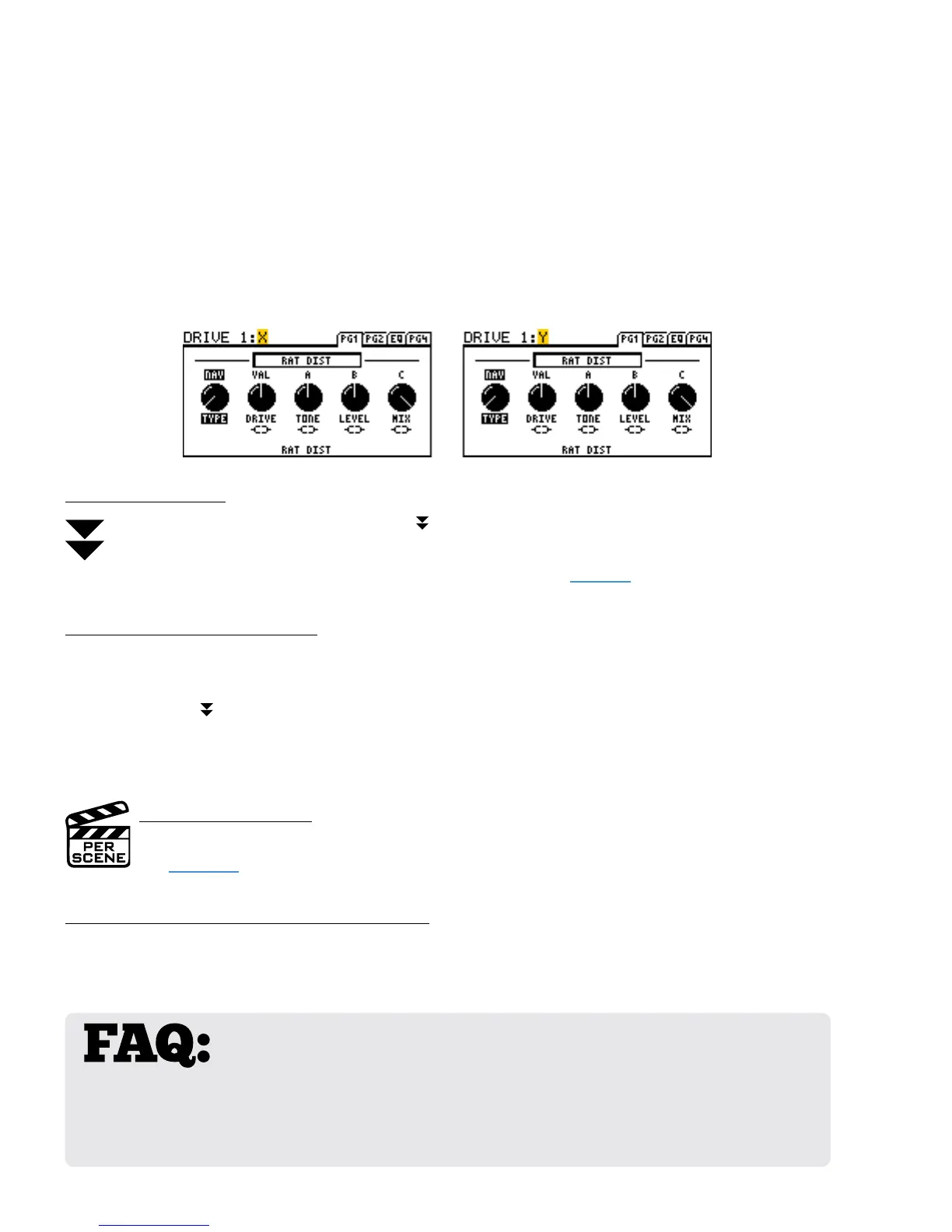
Each block with X/Y switching stores two sets of settings—an “X” set and a “Y” set. This makes it possible to
switch between two dierent eect sounds while using only one block.
Sixteen block types support X/Y Switching. They are: Chorus, Compressor, Delay, Drive, Filter, Flanger,
Gate/Expander, MIDI, Multitap Delay, Phaser, Pitch Shifter, Tremolo/Panner, Relay, Reverb, Rotary and Wah.
X or Y is indicated at the top of the block’s EDIT menu as shown below:
TO SWITCH X/Y...
To switch between X and Y, Press and hold the eect’s footswitch.
The amber “Y” LED lights when the Y state is selected. X/Y can also be switched via MIDI CC#.
CC# assignments appear on the CTRL page of the I/O menu (see page 67)
TO SETUP AN X/Y BLOCK…
Open the desired block for editing. All blocks start with the X state selected.
Dial in all parameters for X.
Press and hold
the eect’s footswitch to switch to Y.
Dial in all parameters for Y.
Save the preset by pressing STORE, ENTER, ENTER.
X/Y IS PER SCENE
The X/Y state of every X/Y block is saved in the current scene.
See Section 7 for more information on Scenes.
X AND Y SHARE THE SAME MODIFIERS
Modiers allow you to control sound parameters in real-time (with an expression pedal or LFO for example.)
It is important to understand that any modier you place on X will also apply to Y. Blocks have only one set
of modiers shared across X and Y.
WHY WOULD I USE X/Y? For a feature with just two letters in its name, the
benets of X/Y are immense. When you’ve already placed both DRIVE blocks but need
a 3rd drive sound, use X/Y! When you have space for only one DELAY but want both wobbly TAPE ECHO
and pristine STEREO DIGITAL DELAY, use X/Y! To go from “a touch of reverb” on rhythms to “spacious”
during a solo, use X/Y! To access three settings instead of two for RELAY and MIDI blocks, use X/Y! When
you consider that scenes can make the X/Y switch for you, it is even better!



 To Next Page