18
3 : SETUP GUIDE
CONNECTING A COMPUTER
Connecting the FX8 to a computer via USB is completely optional, but it does provide some great benets.
Our free utilities provide a great platform for those who want to take their experience to the next level. USB
is also the best way to install rmware updates and make or restore backups.
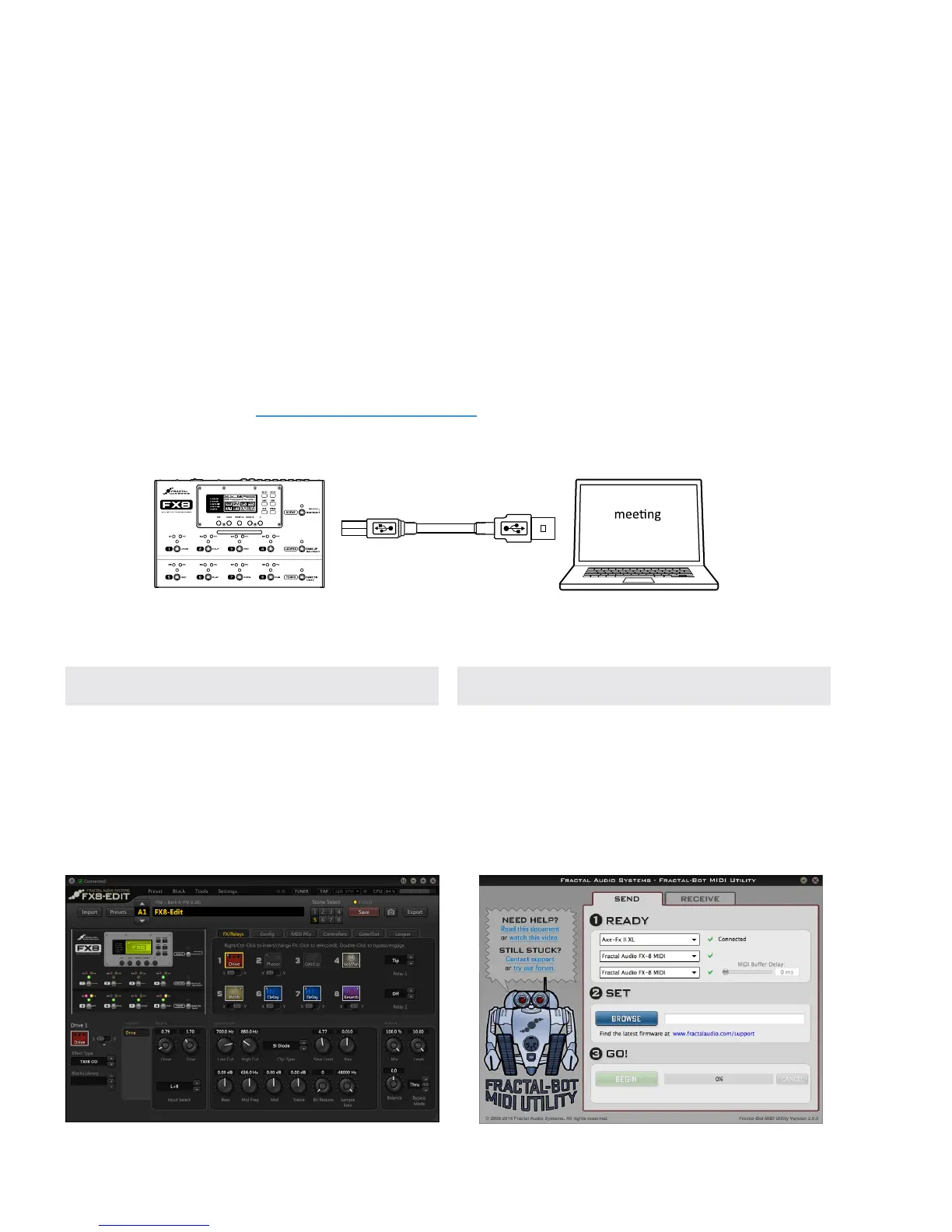
The rst step is to connect your FX8 and computer with a USB cable (not provided).
No driver is required. The FX8 is plug and play.
Install Fractal-Bot™ for rmware updates, backups, and installing presets or banks you download or
keep on your computer or memory stick.
Install FX8-Edit™ for a graphical way to work with FX8 presets.
Find both programs at http://www.fractalaudio.com
Mac Minimum Requirements:
OS X 10.6.8 or newer
CPU: Intel Processor
Memory: 512MB minimum
USB 2.0 Support required
Windows Minimum Requirements:
OS: WinXP (SP3), Vista (SP2), Win7 (SP1) Win8
x86 or x64 version are supported for all.
CPU: Intel Core 2 @1.6 GHz or better,
or AMD equivalent
Memory: 1GB minimum
USB 2.0 support required
FRACTAL-BOT
FX8-EDIT
Mac or PC
minimum
requirements
Computer
FX8 USB Cable



 To Next Page