28
you want to change. Use the Select key to change the field as
desired. Press the Select key again when the date is correct.
Remember: the Down key always moves you to the next screen!
11
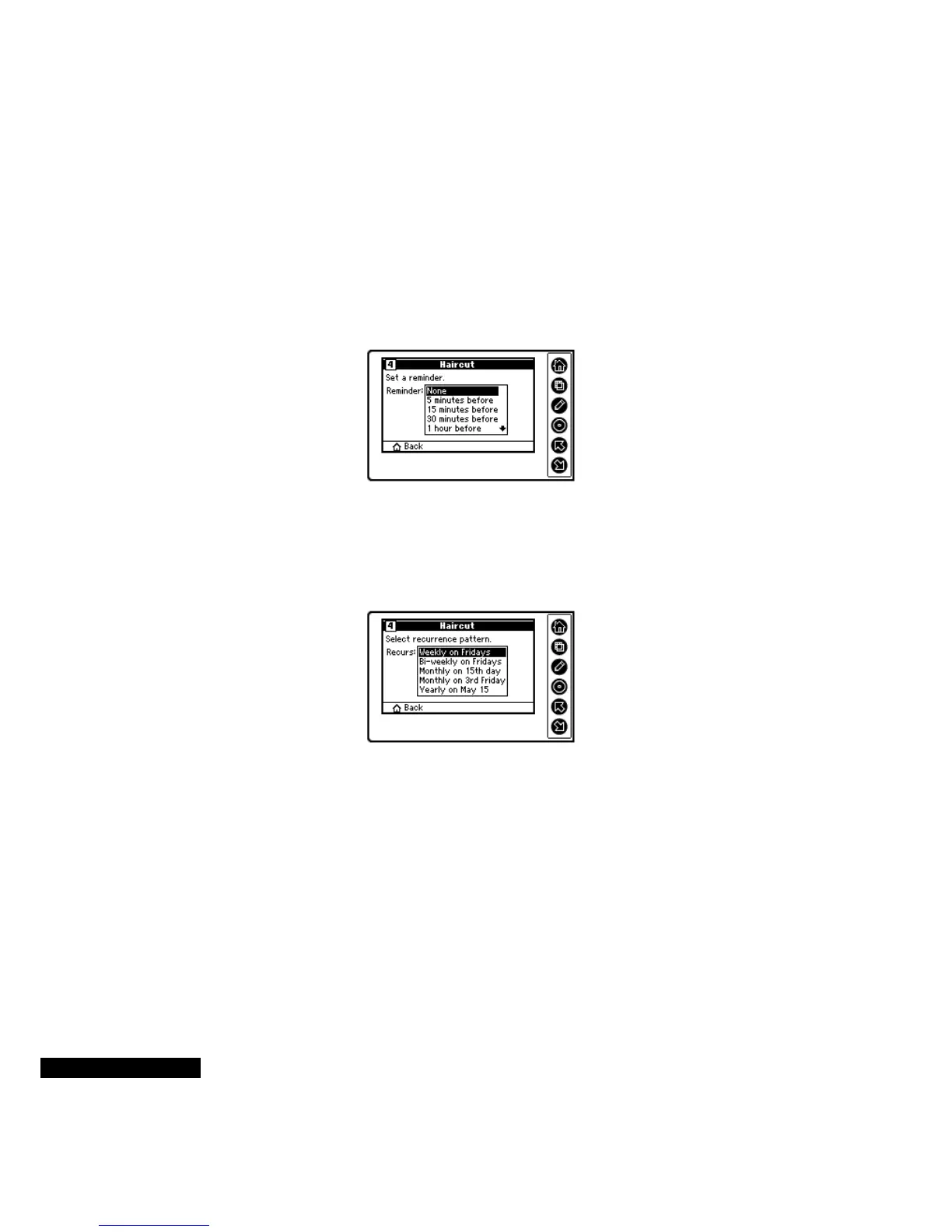
Depending on the event, you may have the opportunity to set a
reminder alarm. (See the section above on Reminder Alarms.) Use
the Up or Down key to scroll through the list, and press the Select
key to make your choice.
12
If you are creating a recurring event, like an Off-Site meeting, you
can choose the recurrence pattern, so that you only need to enter
the original occurrence of the meeting. The follow-up meetings are
automatically entered, based on the selected recurrence pattern.
13
Use the Up or Down key to scroll through the list and highlight a
recurrence pattern. Press the Select key to enter your choice.
14
If you select a recurrence pattern, you will also need to select the
duration, such as “Indefinitely” or “2 Weeks.” Use the Up or Down
key to highlight a duration. Press the Select key to enter your
choice.
15
Now you are ready to confirm the recurrence pattern. Press the
Edit key to make a change, and the Down key to move to the next
screen.
Press the Up or Down
key to scroll through
the list, and then press
the Select key to enter
your choice.
Select a recurrence
pattern from the
list. (This screen
appears only if you
are creating a
recurring event.)



 To Next Page