Alert Messages
The driver message center displays alert messages
when certain conditions occur. They are warnings,
cautions, or other messages that require the driver’s
attention, but not all of them are critical to the opera-
tion of the vehicle.
NOTE: If there is more than one alert message
to display, tap the + switch or the MY INFO
switch to access the next message, and so on,
until all messages have been viewed.
More important messages take priority over less im-
portant messages. The order of priority is:
1.
parking brake set (with the vehicle moving)
2.
parking brake off (with the door open)
3.
low oil pressure or high coolant temperature
4.
hard brake warnings (if equipped with roll stabil-
ity advisor)
5.
low battery voltage
6.
ambient temperature below 35°F (1.7°C)
7.
turn signal on
8.
incoming instant or Qualcomm messages
9.
service warnings
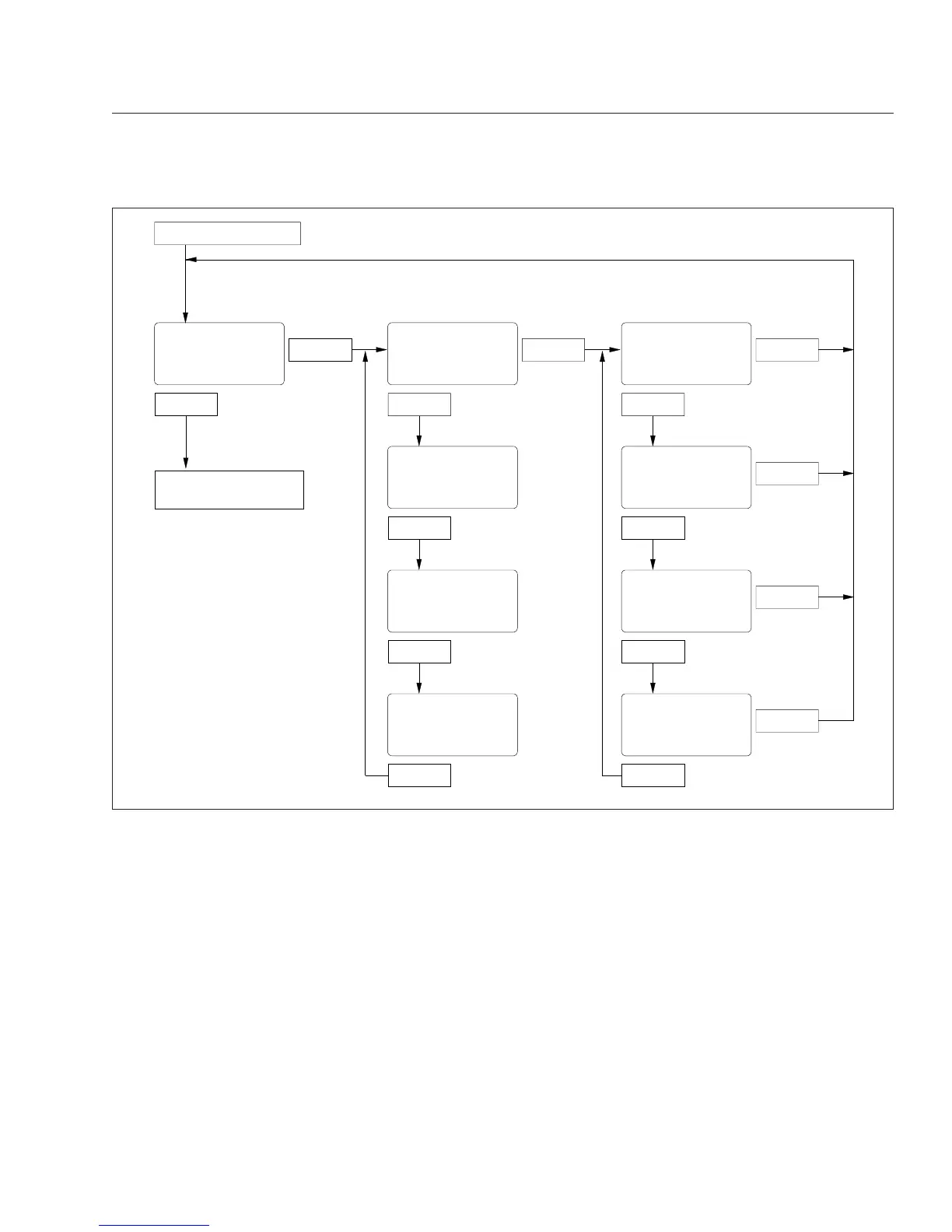
f040802
From Temp Alert Screen
Press & Hold
Tap
Press & Hold
Tap
Press & Hold
Tap
n = Number of
Active Fault Codes
dlAG
n
*FAULT
01
*If fault goes inactive,
display "noFault 1"
*FAULT
nn
*If fault goes inactive,
display "noFault n"
To Setup Screen (or Oil
Level Screen, if equipped)
Press & Hold
AbS 11 ECU 0
Tap Tap
Press & Hold
123456
Tap Tap
Press & Hold
FAIL 03 FAIL 00
Tap Tap
SPN SPN
123456
01/31/2012
Fig. 4.11, ICU4 Diagnostic Screens
Instruments
4.14











 To Next Page