Spotlight
The spotlight switch is located on the pivoting handle
of the spotlight. There may be a single spotlight as-
sembly mounted above the driver’s door, or one
above each door.
Turn Signals
The turn-signal lever is on the left side of the steer-
ing column. See Fig. 5.8.
NOTE: The optional self-canceling turn signal
lever will automatically return to the neutral posi-
tion when the steering wheel returns to the
straight-ahead position after a turn.
Move the turn signal lever downward to turn the left-
turn signal on; move it upward to turn the right-turn
signal on. To manually cancel the signal, move the
lever to the neutral position.
When a turn signal is activated, a green indicator
light flashes on the instrument cluster.
Turn-Tip Feature
The turn-tip feature is advantageous in lane change
situations when the steering wheel does not travel far
enough to cancel a conventional turn signal request.
Pushing the turn-signal lever halfway to the normal
turning position to activate the turn-tip feature. The
signal will flash for a few seconds, then cancel. Acti-
vation of the turn-tip feature is immediately canceled
when a request for the turn signal in the opposite
direction is made.
Utility Lights
Utility lights can be swivel-mounted on upper half of
the cab, mounted on the exhaust support, or flush-
mounted on the back of the cab or sleeper. Press the
upper half of the switch to activate it. Press the lower
f610806
01/05/2012
1
2
3
4
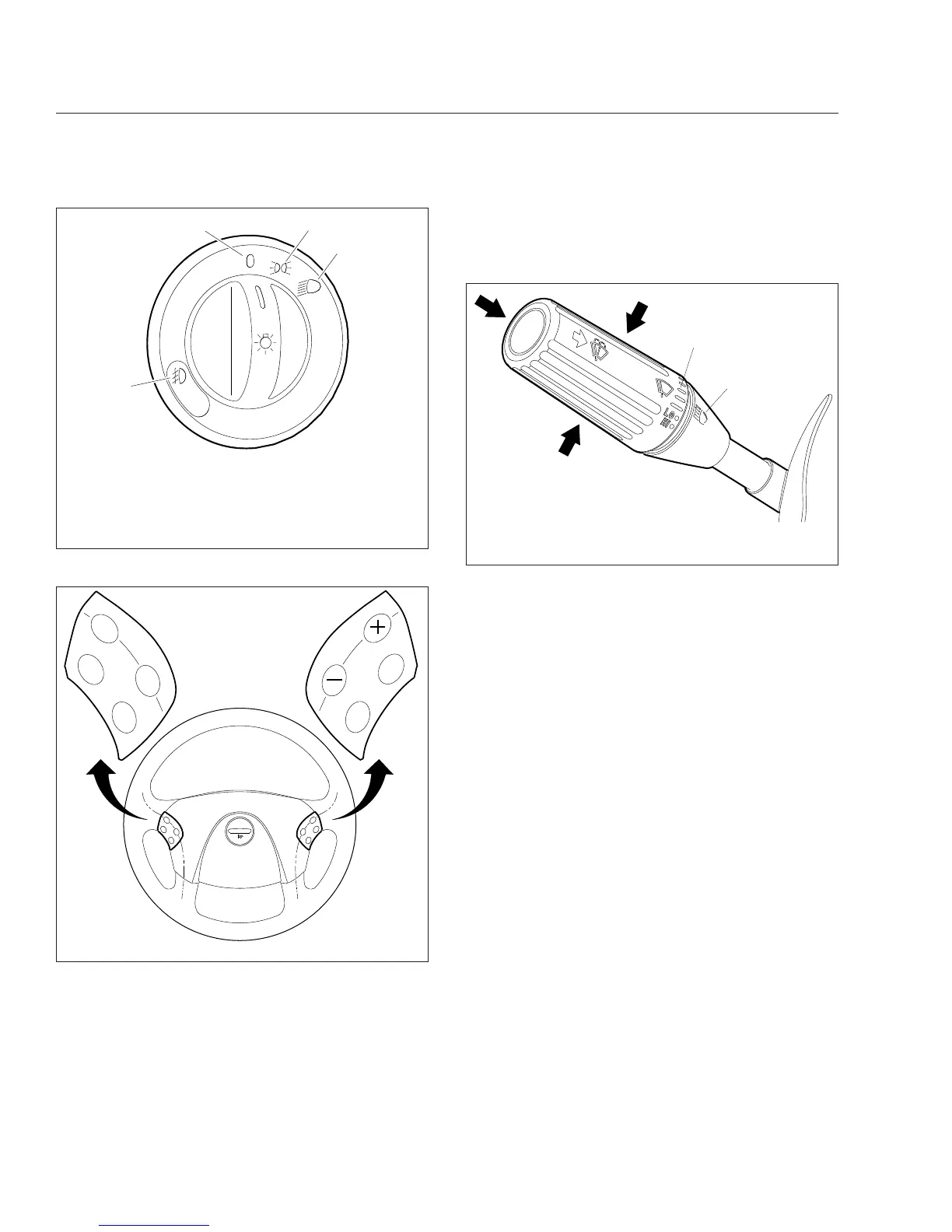
1. Fog Lights (optional)—Activate by pulling the switch
out when the marker lights or headlights are on.
2. Off
3. Marker Lights
4. Headlights
Fig. 5.6, Headlight Switch
05/24/2007 f462049
ON/
OFF
ACC
RES
CNCL
DEC/
SET
MRKR
INT
ENG
BRK
Fig. 5.7, Steering Wheel-Mounted Controls
07/19/2006 f820427
1
2
1. Wiper Control Dial 2. High-Beam Icon
Fig. 5.8, Multifunction Turn Signal Lever
Driver Controls
5.5











 To Next Page