J. Repeat step I for the other nine lockers.
K. Turn the Robomow back on its wheels.
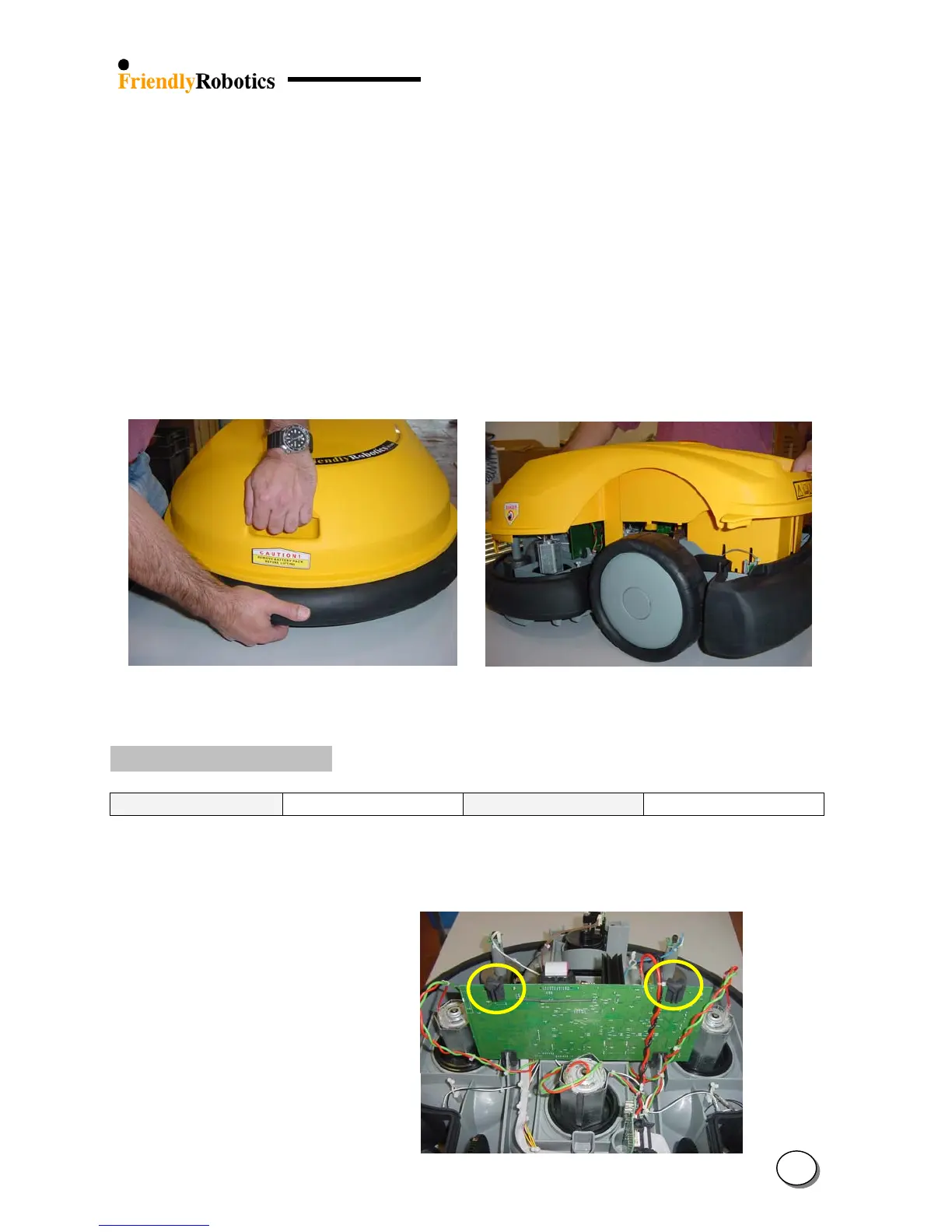
L. Grab the front lift handle in one hand and the bumper below it in another hand and jerk the
two parts apart, as illustrated in Figure 4.2.1.3.
M. After the two parts are separated at the front, repeat the same step for the rear.
N. When the front and rear are completely separated, lift the cover evenly, as illustrated in Figure
4.2.1.4. Beware not to damage the connector board by watching inside the Manual Controller
cavity well for clean separation.
O. Lift the cover all the way carefully as the charging contacts (RL1000 only) on the cover are
still connected to the Connector Board.
P. Collect both main board rubber holders that support the main board to the cover and store
them.
Figure 4.2.1.3 Figure 4.2.1.4
Separating the cover from the base Lifting the cover of the base
4.2.2 Returning the cover
Required tools: None Procedure duration: 10 minutes
A. Make sure the main board is firmly pushed in its position at the base. Make sure the unit is
clean inside and use air pressure to clean it, if necessary.
Figure 4.2.2.1
Main board and its
rubber holders
B. Place both main board rubber holders (marked in circle) on the main board and push them into
place, as illustrated in Figure 4.2.2.1.
4
12








 To Next Page