y search
for the
disconnected wire
Choose an area/wire to
be tested (see detailed
explanation below)
Check each zone separately and find the
problematic zone (by cutting the wires
between the zones to separate them)
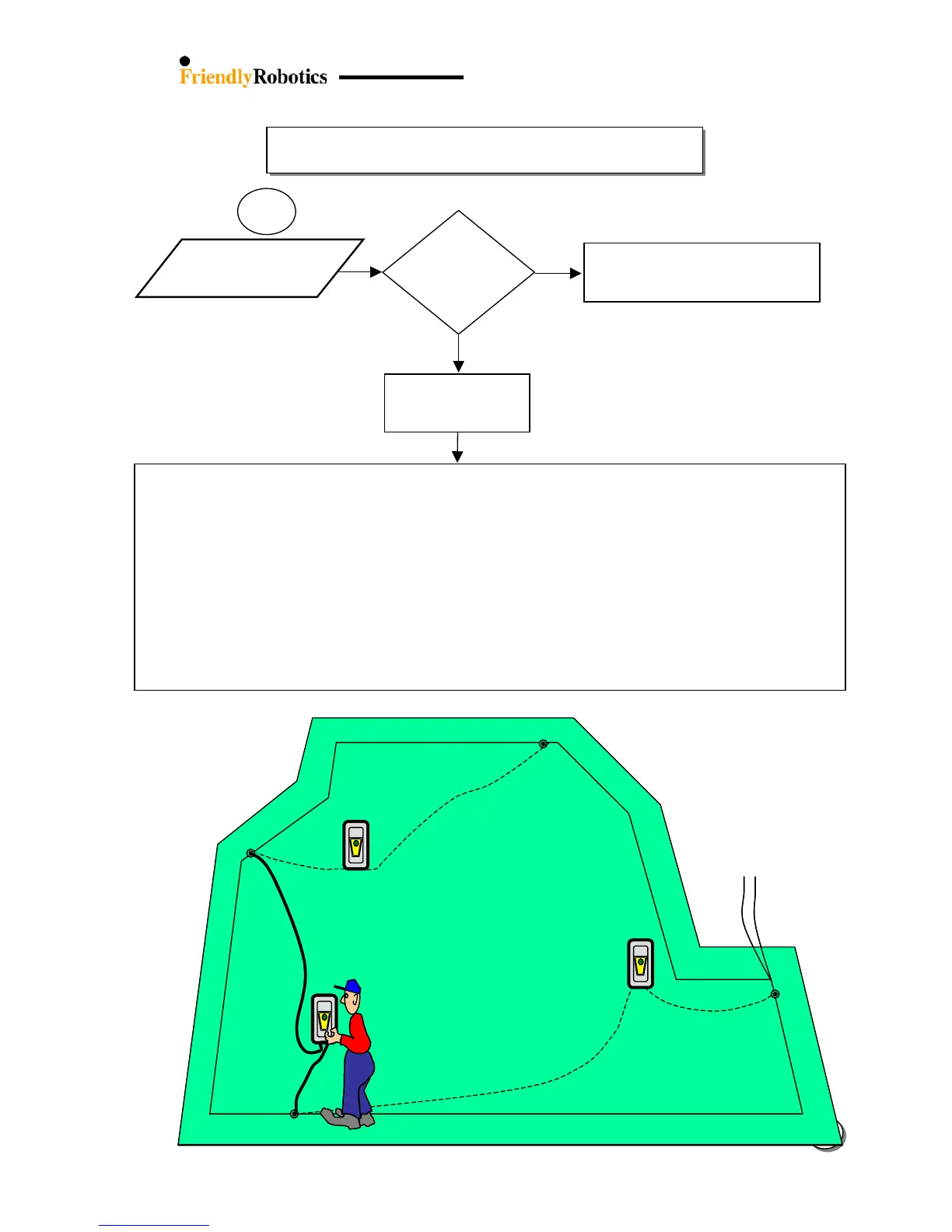
Disconnect the p. switch from the perimeter wire installation (by opening the two screws) and leave the wire ends disconnected.
Prepare two wires – about 6 feet (2m) and 60 feet (20m) long.
Strip back ¼ inch (6mm) of insulation from each wire end and connect the two wires to the p. switch.
Strip back 1 inch (2.5cm) of insulation from the other wire ends.
Define the 2 points on the perimeter wire where you want to isolate it from the main installation in order to check the connection
(the distance between these 2 points should exceed the longer wire which you prepared for the testing).
Strip ¼ inch (6mm) of insulation at each point you want the additional wire connected in order to divide the zone.
Twist the two ends of wires to the points you want to check on the perimeter wire.
Turn on the p. switch and check for disconnection in the specific wire.
If there is no indication of ‘Cut wire’, it means that the tested wire is ok.
Continue to move with the test (p. switch + 2 wires) to the next perimeter wire section to be tested.
When the p. switch indicates ‘Cut wire’, it means that the cut wire is within the tested wire.
It is recommended to divide the suspected wire into 2 sections in order to minimize the wire length.
When the problematic section is short enough, you can look closely to find the cut or loose wire connection and to repair it by
standard wire connectors, or you can cut the wire and install a new wire.
3.2.1.1
a
Keep the two wire
ends disconnected
Wire break
First section was
tested and found o








 To Next Page