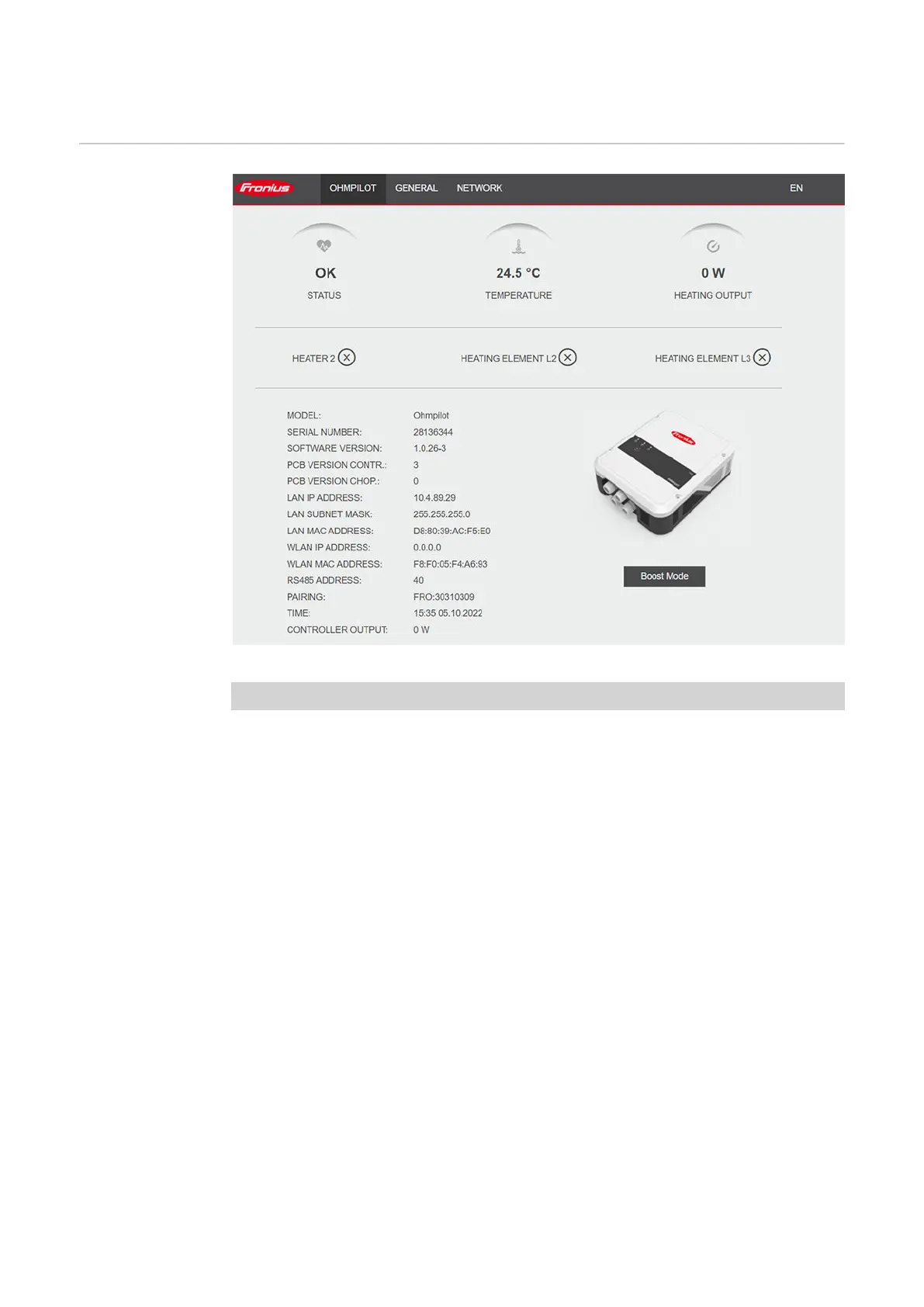
User interface
Status display
Status display, symbolic representation
Status
OK Ohmpilot is operating in normal mode.
Minimum temper-
ature
The minimum temperature has been undershot. Heater 1
heats up to 100%.
Legionella preven-
tion
Legionella prevention program is active. Heater 1 heats
up to 100%.
Boost The Ohmpilot was manually set to Boost Mode. Heater 1
heats up to 100%.
Error An error has been detected. Further information is dis-
played in Fronius Solar.web.
Temperature Current measured temperature. A valid value is only dis-
played when a temperature sensor is connected.
Heat output Current power being used by the Ohmpilot.
Heater 2 Heater 2 is active. Heater 2 may be a second heating ele-
ment, a heat pump or an external source (e.g. gas-fired
heating).
L2 heating element Phase 2 of 3-phase heating element is active.
L3 heating element Phase 3 of 3-phase heating element is active.
44






 To Next Page