Optional settings
Manual settings
for HEATER 1
NOTE!
Application
The settings described here can be implemented for all the application examples
shown above.
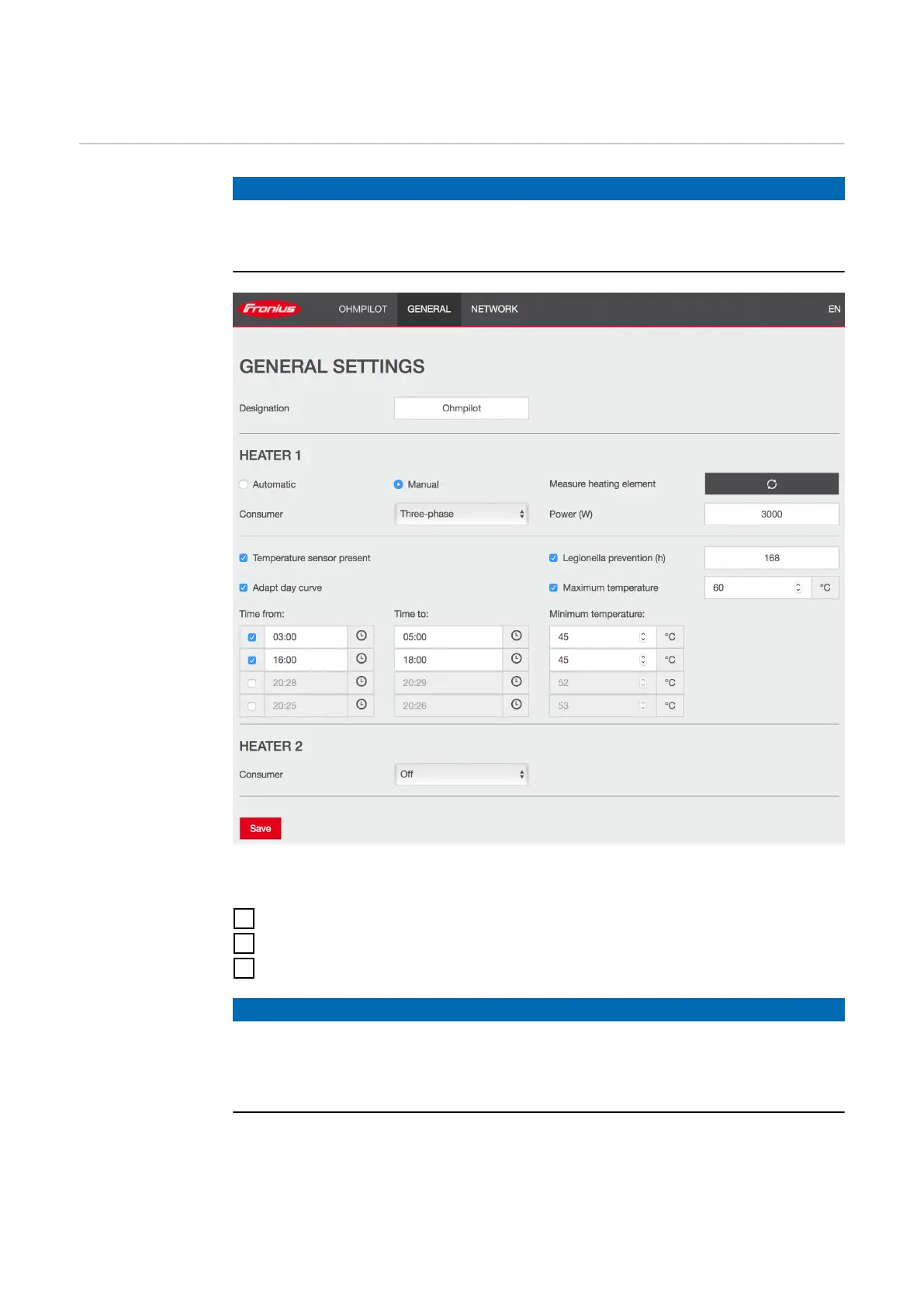
General settings, symbolic representation
Setting the output of HEATER 1 manually:
1
Under HEATER 1, select "Manual"
2
Select "Single-phase" or "Three-phase" for Consumer
3
Enter the output of the load
NOTE!
Automatic measurement of heating element 1
In the case of applications with a 1-phase and a 3-phase heating element, it is
not possible for the Ohmpilot to measure heating element 1 automatically due to
the cabling. In this case, the configuration must be carried out manually.
45






 To Next Page