Page24
Level1:SecuringyourNetwork
Inth eLevel1section,selectthetypeofwirelesssecurity.Depe ndingonyourselection,one
ofthefollowingpagesdisplays.
WEP
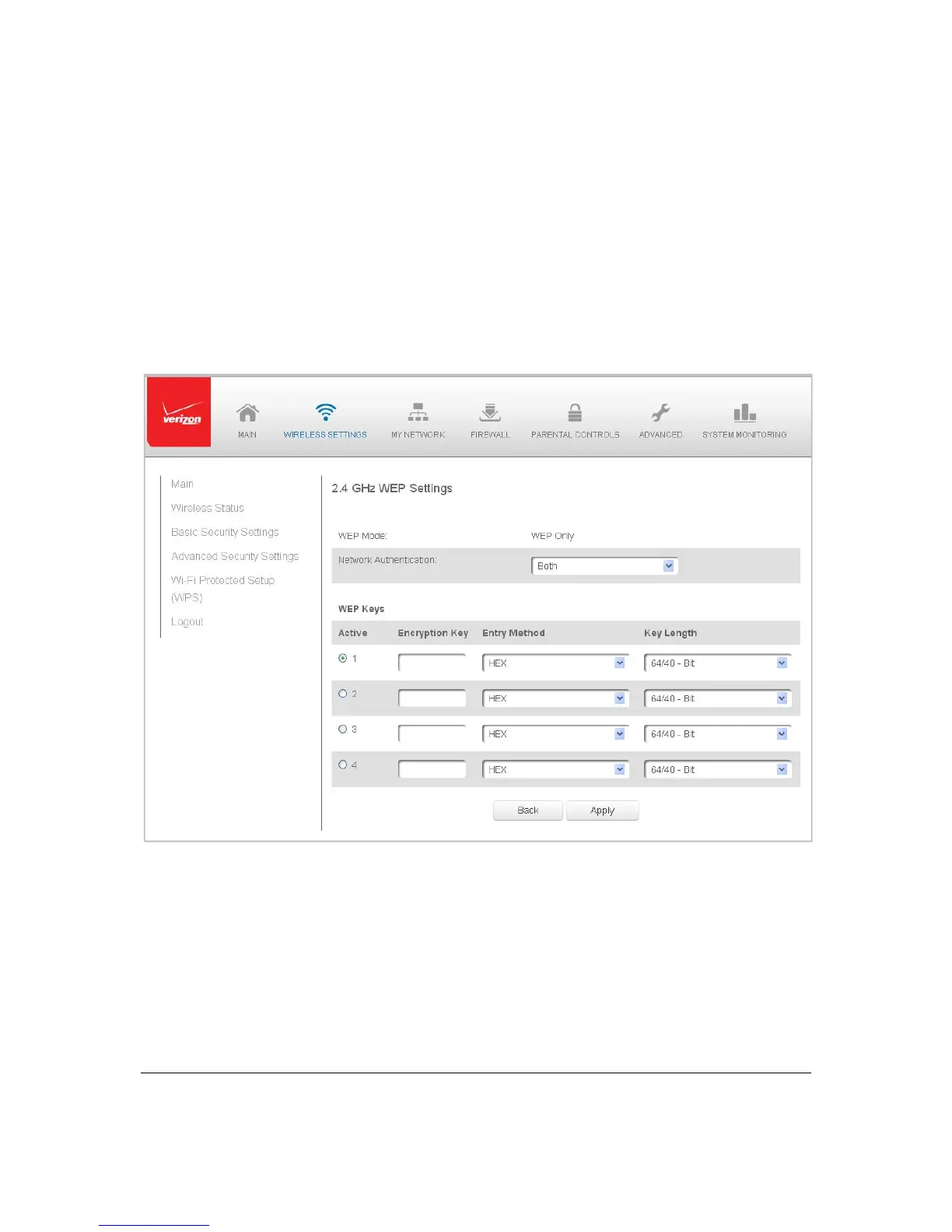
IfWEPwasselected,theWEPSettingspagedisplays.
¾ TosettheWEPsecurity:
1. IntheNetworkAuthenticationfield,selectth eauthenticationlevelasOpen
Syste mAuthen tication,SharedKeyAuthenticationorBoth .
2. IntheWEPKeyssection, activatetheencryptionkeybeente ringthekeyname
intheEncryptionKeycolumn .IfHEX,thekeymustbe
hexadecimaldigits.If
ASCII, any characterscanbeused.
3. Speci fy thelengthofkey1byselecting64/40bitor128/104bit intheKe y
Lengthfield andHEXorASCIIintheEntr yMethodfield.
4. ClickApplytosavechang es.



 To Next Page