Page26
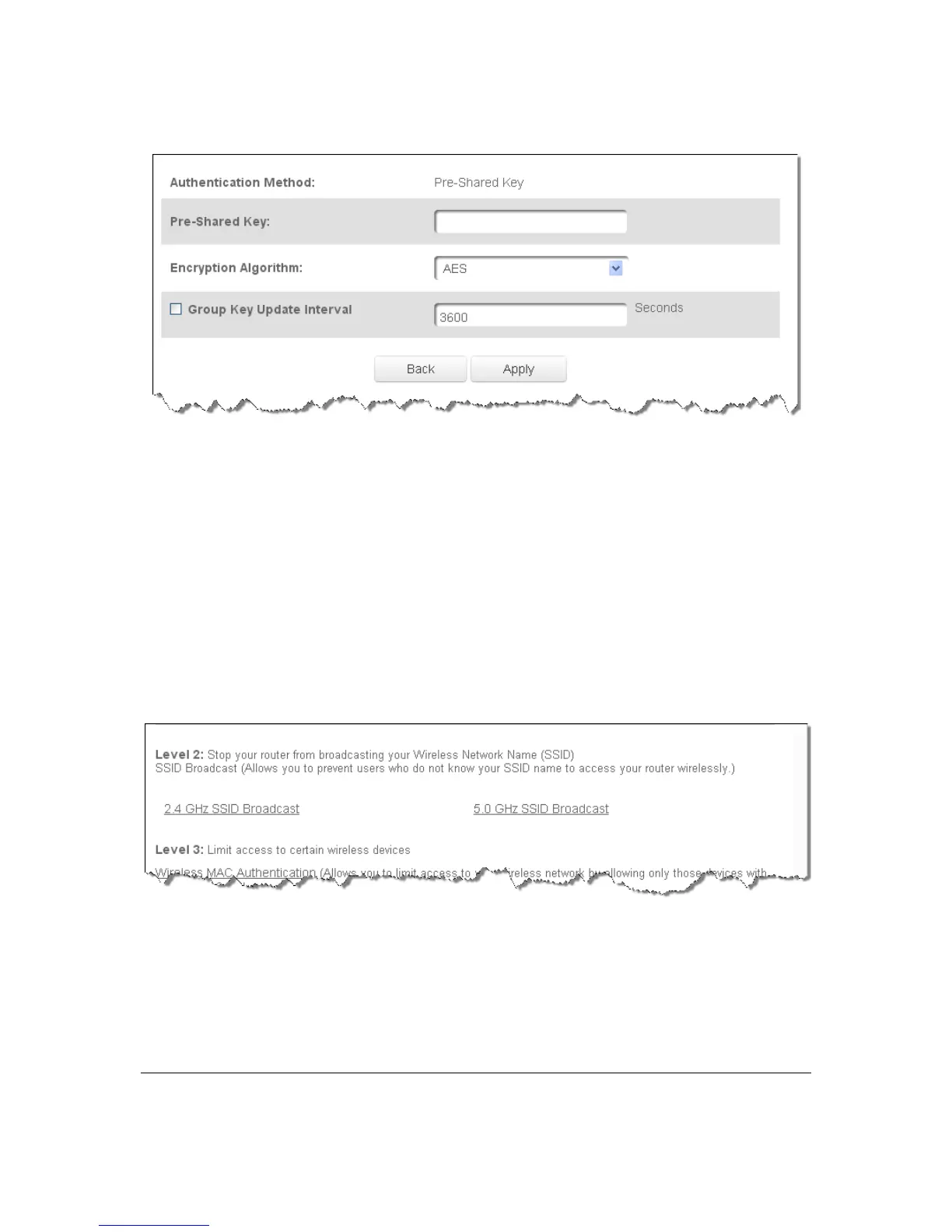
2. Select theencryption algorithmasTKIPand AESorAES.
3. Toactivatethegro up keyupdateinterval,selectth eGroupKe yUpdateIn t e rv al
checkboxand se ttheintervaltimein seconds.
4. ClickApplytosavethechanges .
Level2:SSIDBroadcast
YoucanconfigureyourGateway’sSS I Dbroadcastcapabilitiestoallowordi sallowwireless
devicesfromautomaticallyusingabroadcastSSIDnametodetectyourGatewaywireles s
network.
¾ ToenableordisableSSIDbroadcast:
1. IntheAdvancedSettingspage,lo cate theLevel 2section.
2. Clickthe 2.4GHzSSIDBroadcastor5GHzSSIDBroadcastlinkforthewireless
networkyou wishtomodify.Thefollo wing exampleusesthe2.4GHznetwork.
Thedisplayco nfigur atio n looks
basicallythesameforthe5GHz network.



 To Next Page