Page30
¾ TosetWirel essMACAut hentication:
1. OntheAdvan cedSettingspage,locate theLe vel3section and clicktheWireless
MACAuthenticationlink.Th e Wire lessMACAuthenticationpagedisplays.
2. Toenableaccessco n tr o l , selecttheEnab le Acce ss List checkbox.
3. Select either:
Acceptall deviceslistedbelow
–al lows onlythelisteddevicestoaccessthe
wirelessnetwork.
WARNING:Thiswillblockwirelessnetworkaccessforalldevicesnotin the
list. Onl y devicesin thelist will beable toconnecttothe wi relessnetwork.
Den yalldeviceslistedbelow–denie saccesstothelisted
devices.Allother
wirelessde viceswil lbeabletoaccessthewirelessnetworkiftheyusethe
correctwirelesspassword.
4. Ente rtheMACaddressofadevice,thenclic k Add.
5. Repeatst ep 2toaddadditionaldevices,asneeded.
6. Toremoveaspe cificdevice’sMACaddress,click
theRemovebuttonnexttothe
specificMA C address.
7. Whe n allch an g e s arecomplete,clickApplytosavechanges.
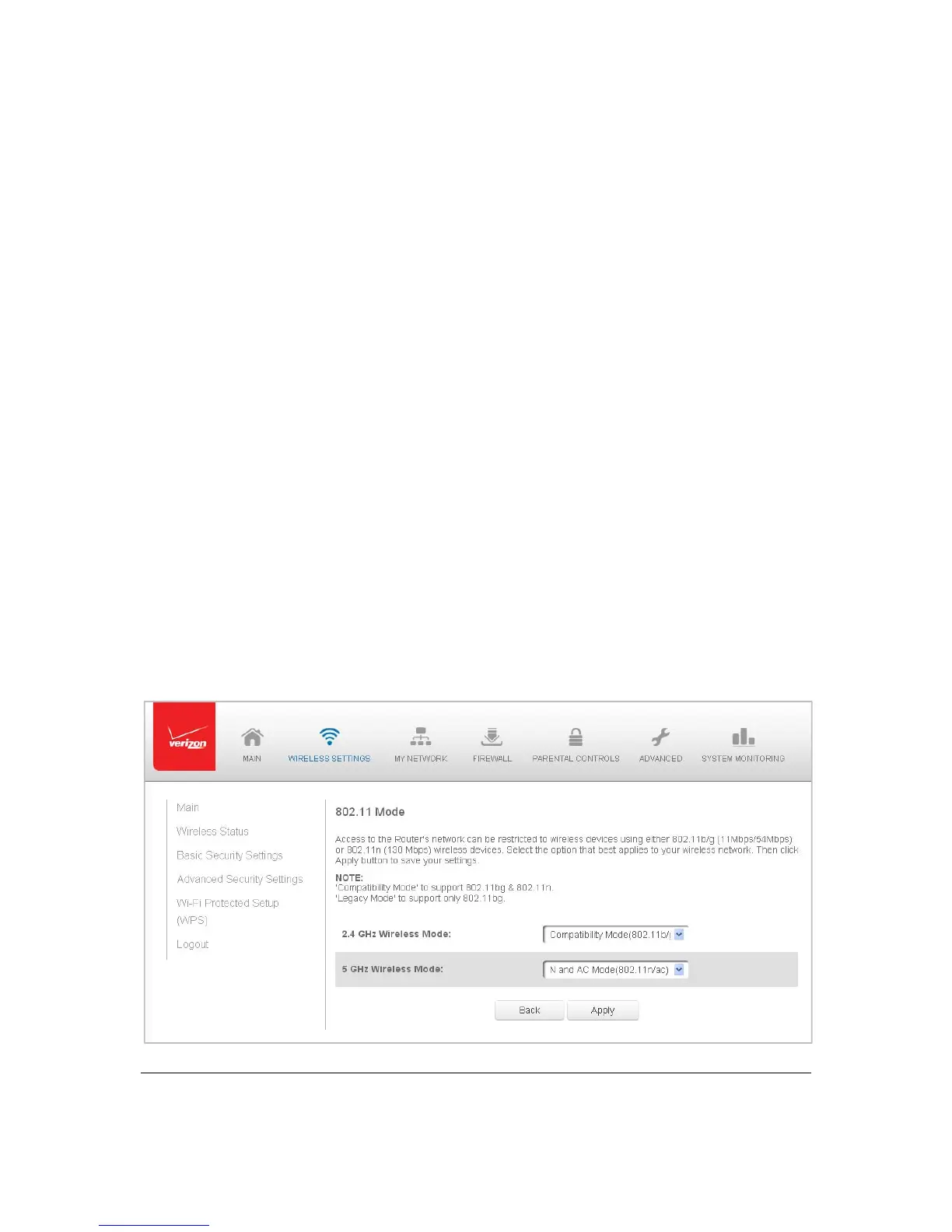
802.11Mode
Fromthe8 02.11 Modepage,youcanli mit thewirelessaccesstoyournetworkbysele cting
the2.4GHzand5GHzwi relesscommunicationstandard (mode)bestsuitedorcompatibl e
withthedevicesyou allowaccesstoyourwirele ssnetwork.



 To Next Page