Page85
4. Toeditthe usernameandsetanewpassword,as needed.
5. Toaddanewuser,specifythefollowingparameters:
FullName–name oftheuser.
User Name–nametheuserenterstoremot elyaccessthehomeoroffice
network.Thisfieldiscase‐
sen sit ive.
6. Tose tanewPassword,selecttheSet anewpasswordcheck box.TheNew
Passwordfie ldsdisplay.
7. Verifythele ve l ofac cessfortheuserinthePermissionsfield.
8. ClickApplytosavechang es.TheUserspageopenswiththeuserinfo rmation
displayed.
9. ClickApply
ag aintosavech an g e s andexit.
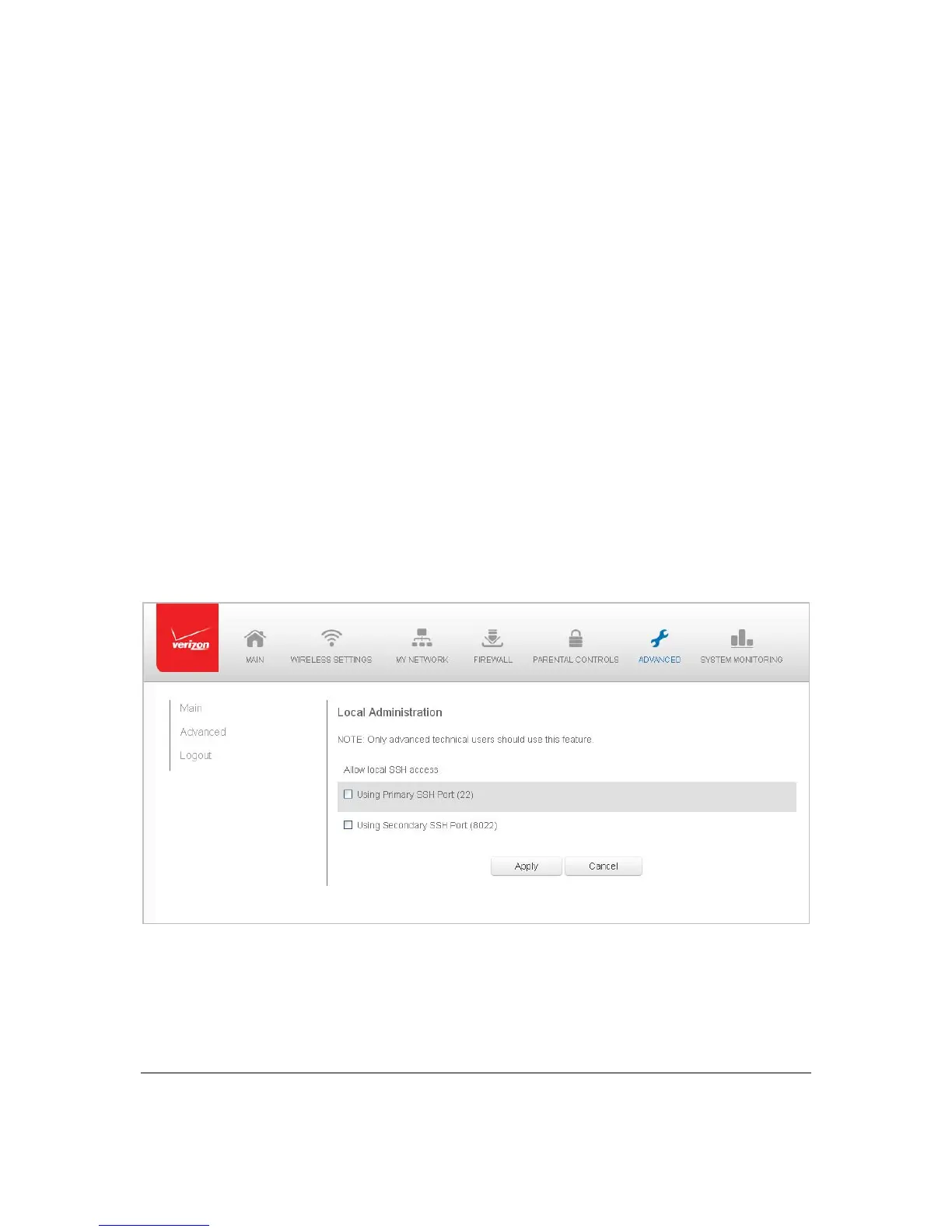
LocalAdministration
Youcangran tlocalaccessonaspecificport.
¾ Togr ant access:
1. Select LocalAdministrationintheAdvancedpage.
2. Tograntaccess,selecttheche ckboxforthespecificSSHaccess.
3. ClickApplytosavechang es.Localacce ssis gr ant e d.
4. Toremoveaccess,cle artheche ckb ox,thenclickApply.Nolocalaccessis
grante d.



 To Next Page