Page63
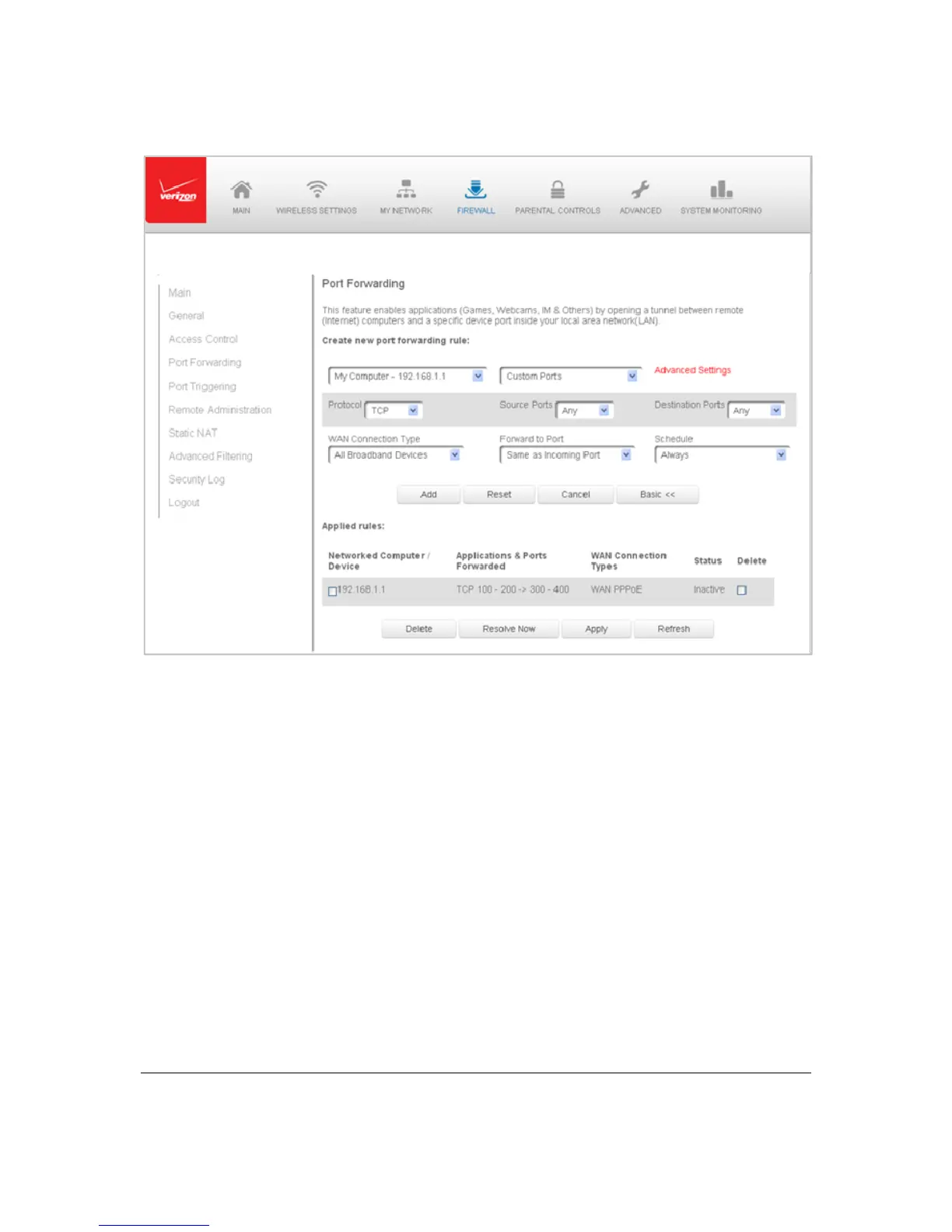
2. Ifn eeded,to sele ctaporttoforw ardcommunicationto,select anoptioninthe
Forward toPortlistbox.
3. Ifasingleportorrangeofportsis selected,atextboxdisplays.Ent ertheport
numbers.
4. Toscheduletherule,selecteitherAlwaysorUser
Define din theSchedulelist
box.
5. ClickAd d.Th eru le displaysintheApplie dRulessection.
6. ClickAp plytosavechanges.



 To Next Page