Q2ec-FM00497
Launcher
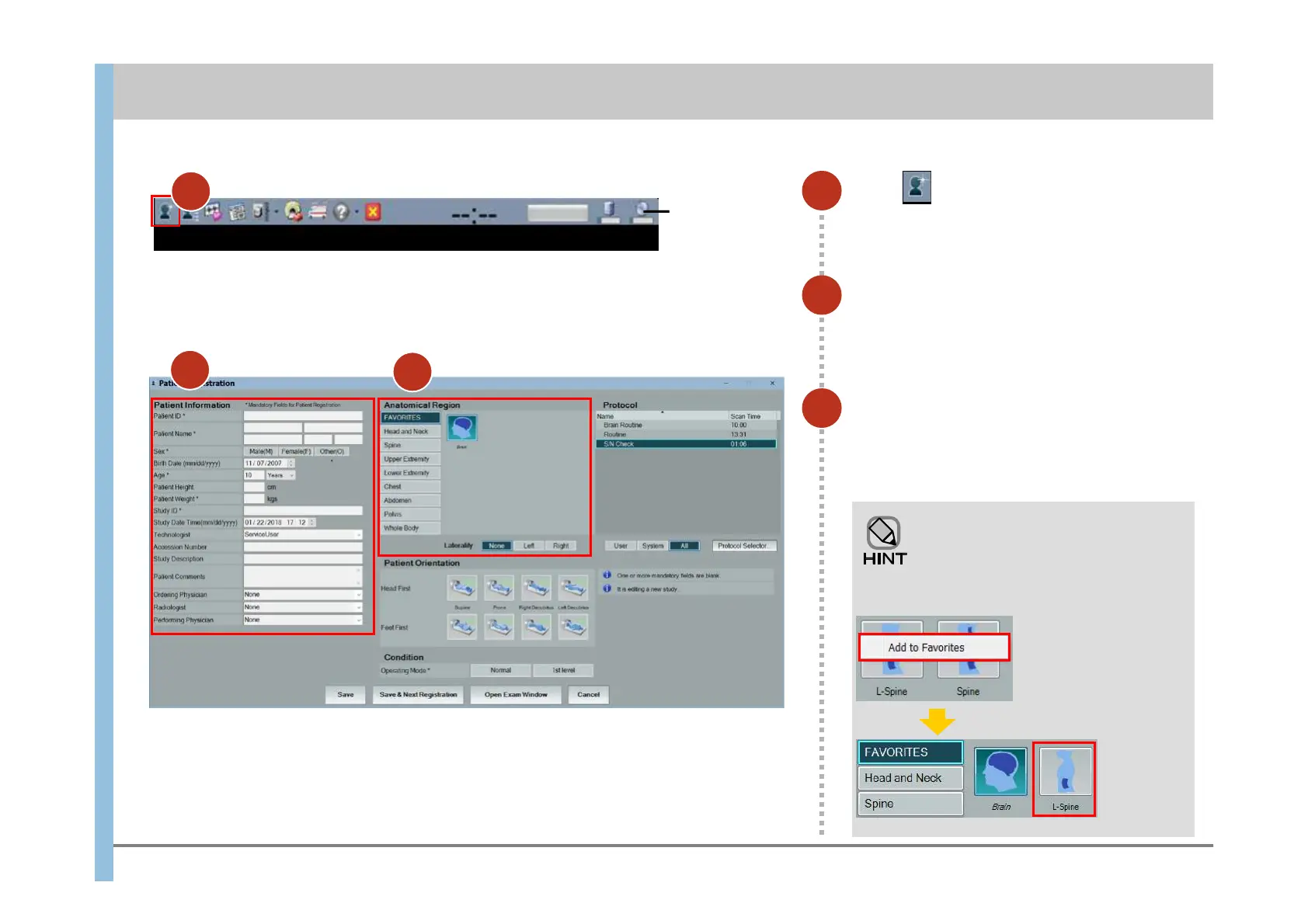
Click in the Launcher.
The Patient Registration window appears.
1
Register patient information.
Items marked with an asterisk (*) are required.
If no information is entered for an item, its
default value is used.
2
Select an anatomical region.
Select a region from the tabs on the left, and
then select one of the detailed areas displayed
in the images on the right.
3
Adding a region to the FAVORITES
tab
For easy use, add frequently
examined regions to the FAVORITES
tab.
Right-click the region
you want to add (in this
example, the L-Spine),
and then click Add to
Favorites.
The region
is added to
the tab.
Chapter 4 Registering Patient Data
1
2
3













 To Next Page