Q2ec-FM004926
2
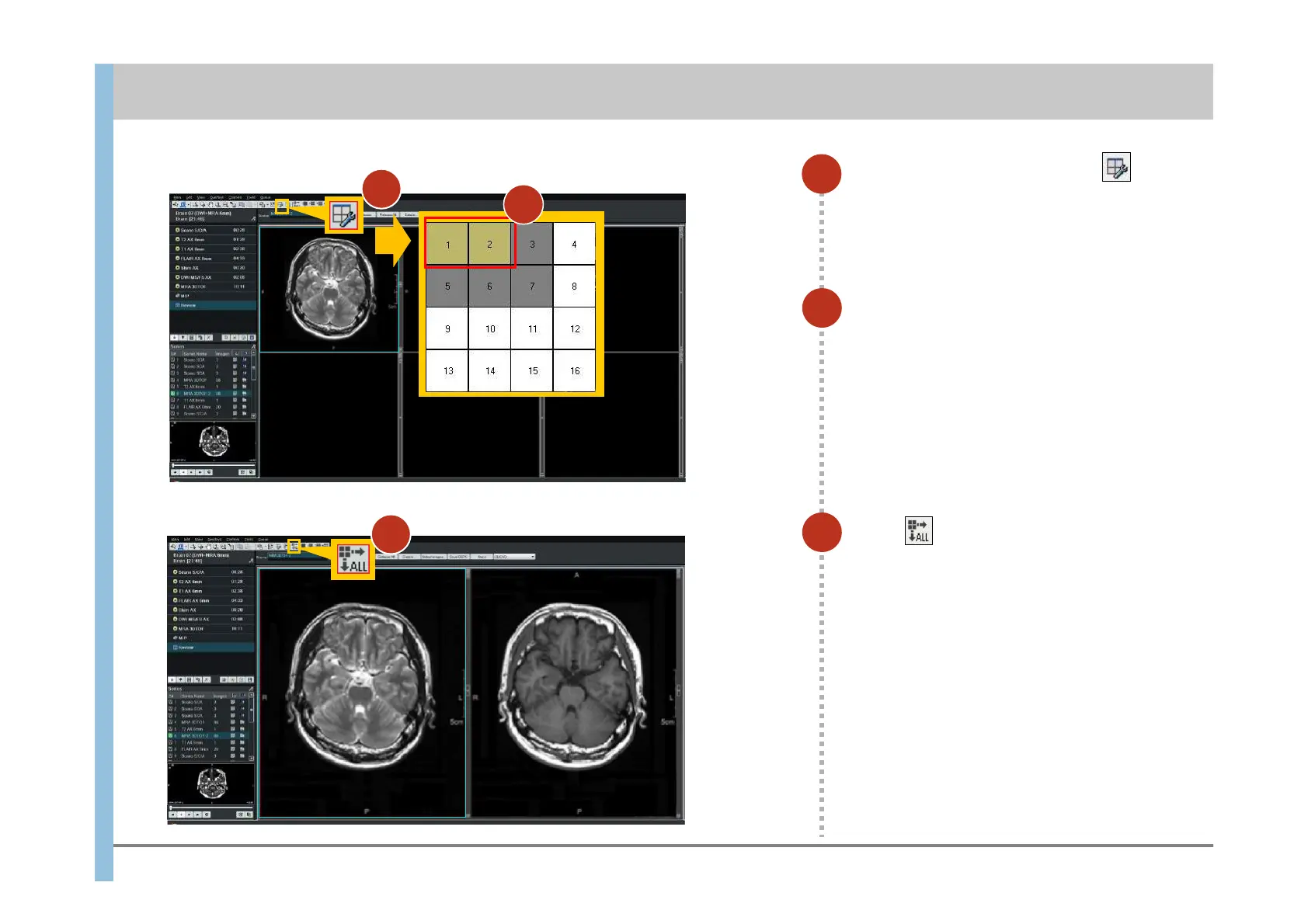
Select the 1 x 2 layout.
The window is divided into two sections.
3
Click .
When you click this button, the layout you
select in the next step will be applied to all
series displayed in the Viewport.
1
In the Review window, click .
The window for selecting a layout appears.
3
7.2 Changing the layout of the Review window
Chapter 7 Reviewing Images
1
2













 To Next Page