Q2ec-FM004912
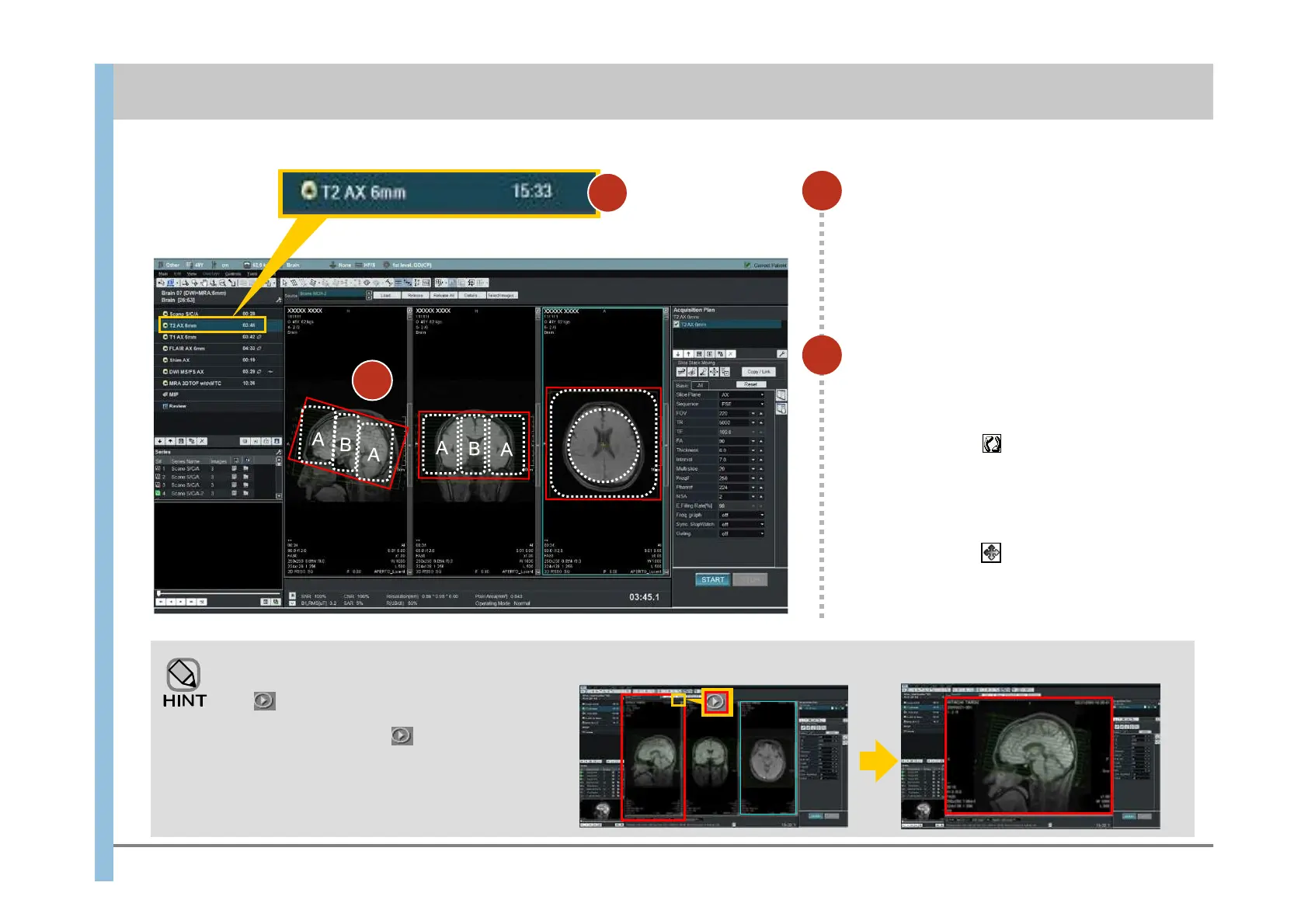
Position the cursor in area B (the cursor
changes to ), and then drag the
cursor to move the slice lines.
Position the cursor in area A (the cursor
changes to ), and then drag the
cursor in the direction you want to
adjust the angle.
1
Select T2 AX 6mm.
2
Position the slice lines.
Click in the top right corner of the image
to display the image in full-screen mode.
In full-screen mode, click again to return
to normal display mode.
If you want to enlarge an image
B
A
A: Set the angle
B: Move
Before enlargement After enlargement
6.2 Imaging of T2 weighted images
2
Chapter 6 Imaging
1













 To Next Page