Q2ec-FM004928
1
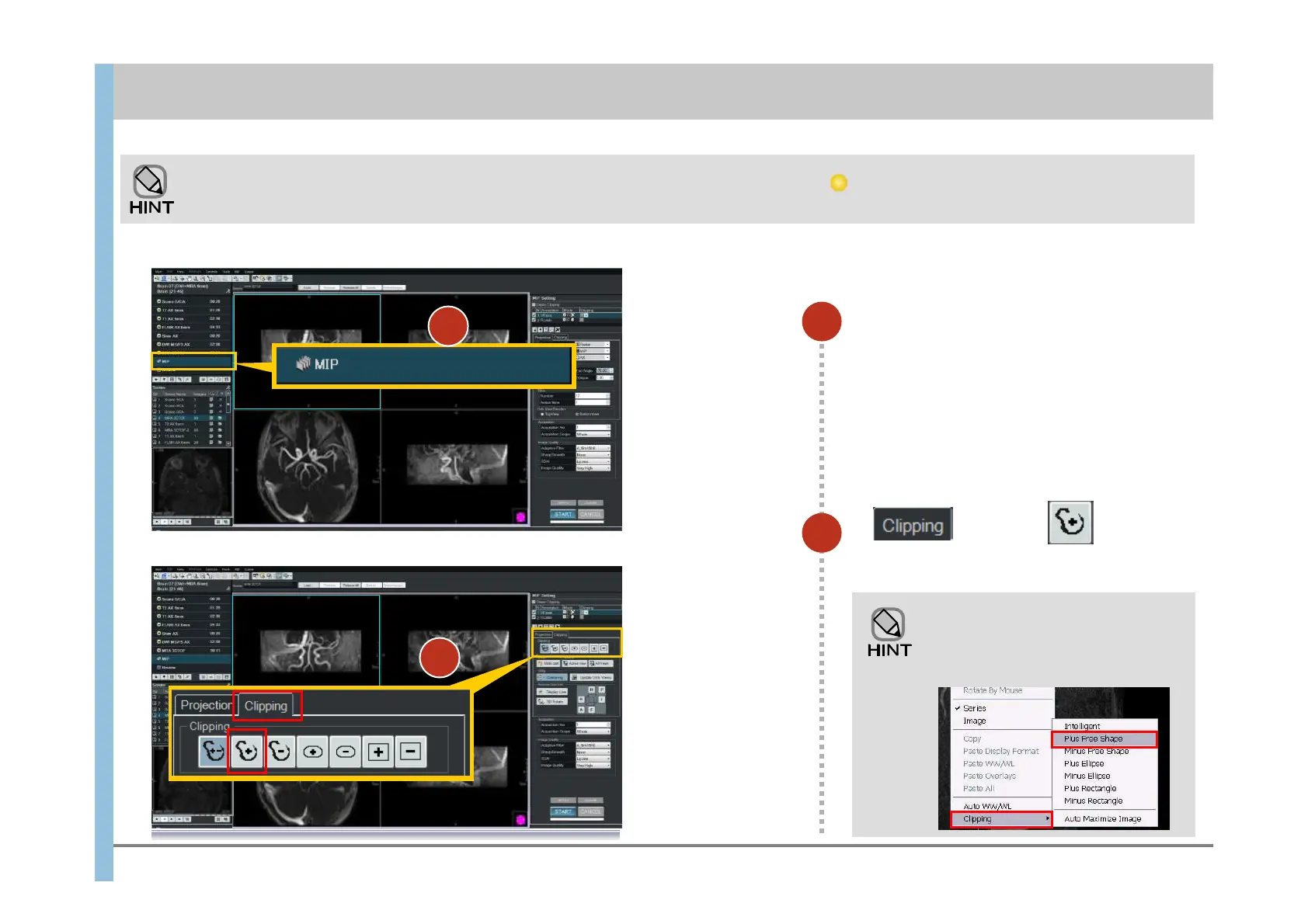
When the MRA imaging has finished,
select MIP.
The MIP images appear in the Viewport.
2
In Tab, click , and
then select Plus Free Shape.
Right-clicking in the window also
displays a menu from which you can
choose Clipping and then Plus
Free Shape.
MIP processing is automatically performed when the MRA imaging has finished. The indicator is displayed to the left of MIP during
processing, and then disappears when processing finishes.
1
8.1 Clipping processing and MIP rotation
Chapter 8 Image Processing
2













 To Next Page