Q2ec-FM004929
3
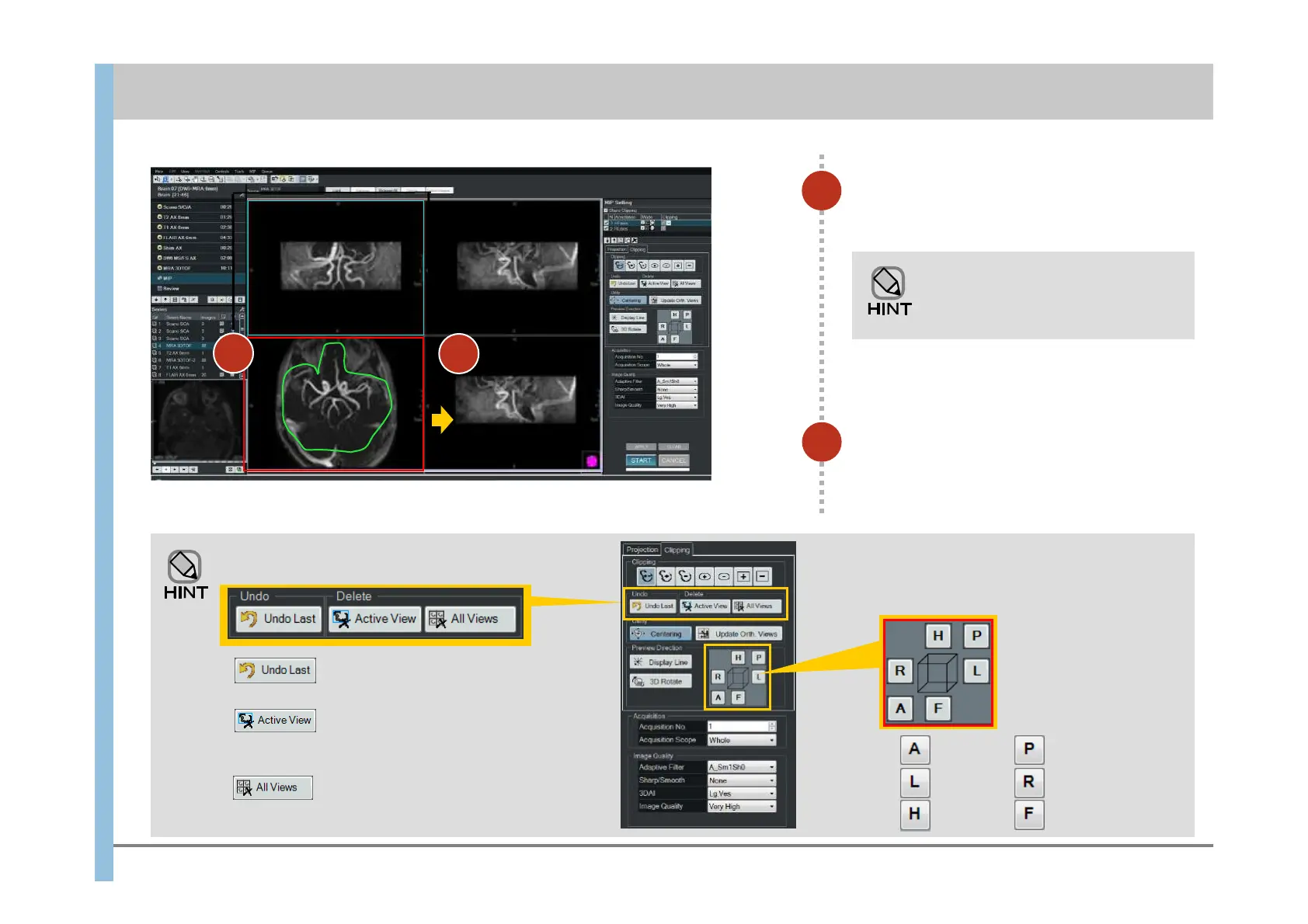
Drag to enclose the required region
in the lower left image.
Clipping lines change to green
when dragged or selected.
Otherwise, they are white.
4
4
The result of the operation is
displayed at the lower-right area.
Only the area you enclosed remains in the
lower-right image.
Chapter 8 Image Processing
- 8.1 Clipping processing and MIP rotation -
3
Undoing a clipping operation
In Tab, click the appropriate button.
Undoes the previous operation.
Undoes all operations for the selected image
(enclosed in an orange frame).
Undoes all operations for all displayed images.
Changing the viewpoint operation
A viewpoint changes by selecting the
button in the bottom.
Anterior
Left
Right
Posterior
Head
Feet













 To Next Page