Q2ec-FM004920
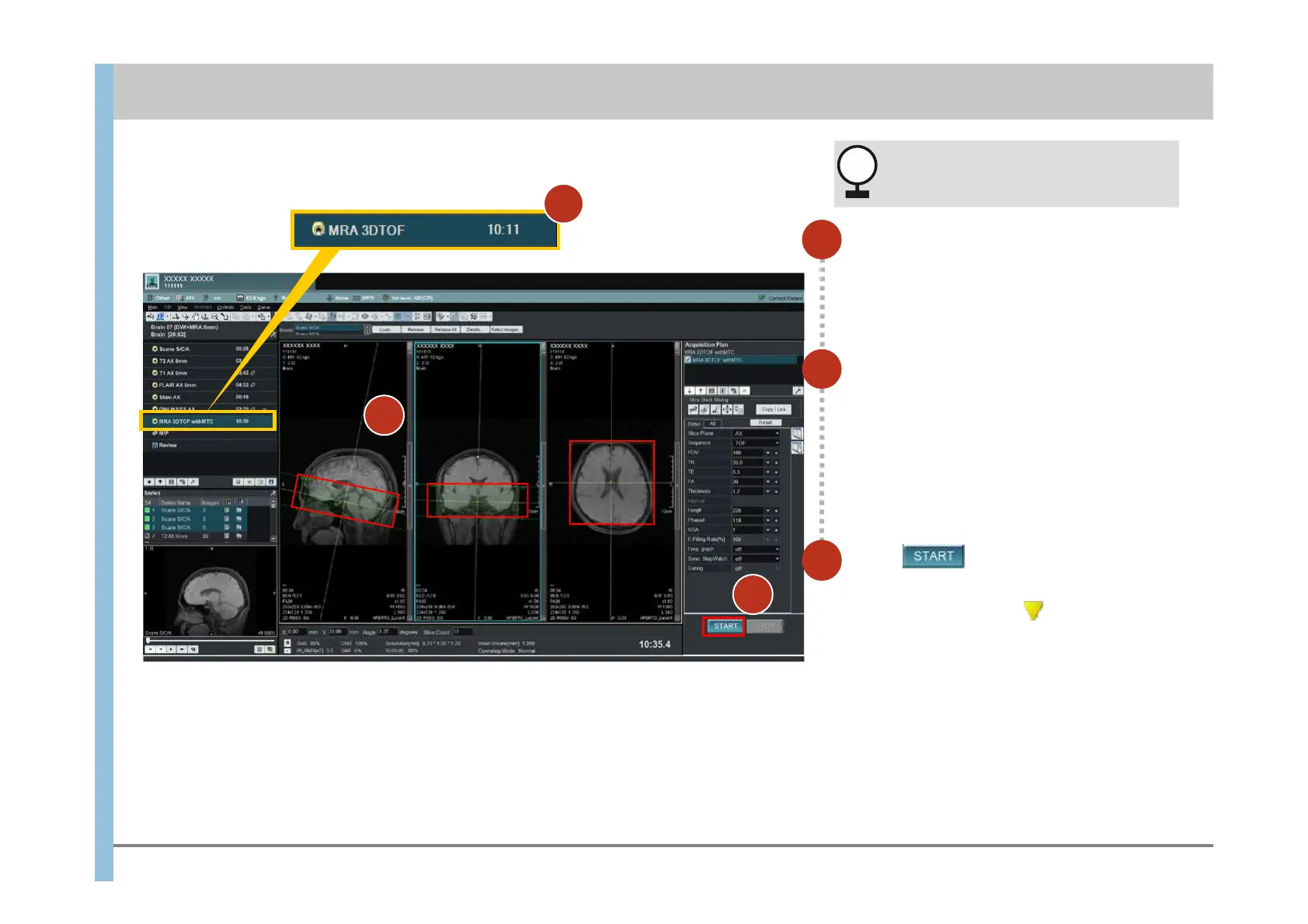
6.5 Imaging of MRA imaging (reservation)
Select MRA 3DTOF.
1
Position the slice lines.
The imaging range is different from that for
other types of images, such as T2 weighted
images. Position the slice lines for MRA.
2
3
3
If you are planning to perform DWI, do
so before starting MRA imaging.
Click .
Imaging is reserved.
The reservation indicator appears to the left
of MRA 3DTOF.
When the imaging operation has finished,
check the images in the Review window if
necessary, and then proceed to image
processing.
For details about the Review window, see
Chapter 7. For details about image processing,
see Chapter 8.
Chapter 6 Imaging
NOTICE
1
2
3













 To Next Page