Q2ec-FM00499
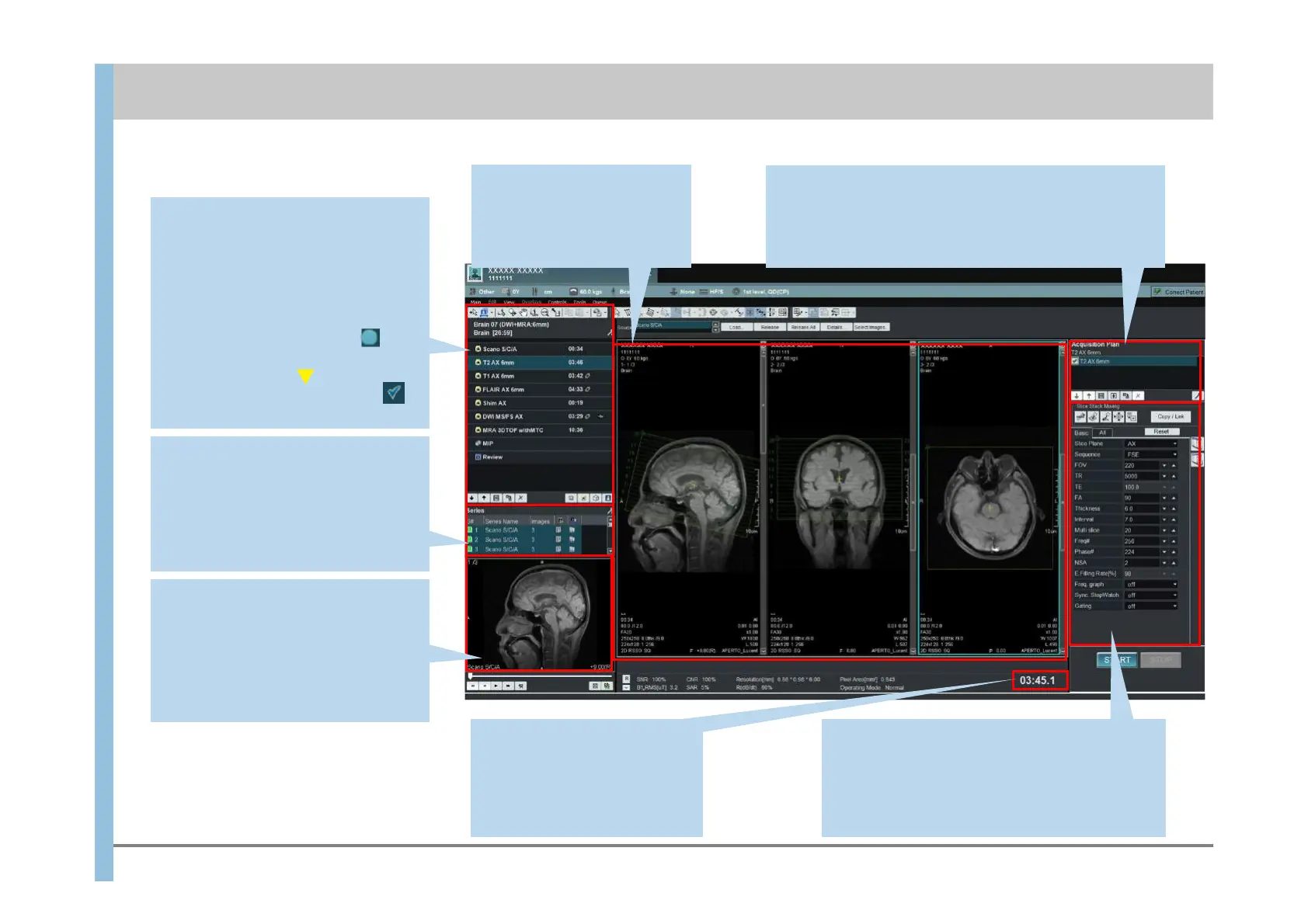
Acquisition Plan
The scan tasks in the acquisition plan are displayed.
A maximum of eight scan tasks displayed in the
Acquisition Plan area are automatically executed in
succession during a single operation.
Scan Parameters
You can specify parameters related to imaging.
You might find it helpful to specify frequently
used parameters on the Basic tab. To add
parameters to the Basic tab, click Config
at the bottom of the All tab.
Viewport
Positioning images are
displayed. You can set the
slice line positions in this
area.
Scan time
The time required for imaging
is displayed. (This time does
not change as imaging
progresses.)
Preview window
The images produced by imaging are
automatically displayed. When you
select a series under the task
(Protocol Properties) or under Output
Series, the images in the selected
series are displayed.
Output Series
The series for which imaging has
finished are displayed in black.
By double-clicking a series or
dragging and dropping the series into
the Viewport, you can use images in
the series for positioning.
5.1 Exam window – Imaging
Chapter 5 Explanation of Window Items
Protocol Properties
The tasks in the protocol and the
image series are displayed.
Tasks can be added and deleted.
The tasks are composed of the scan
tasks, the image processing tasks
and the review task.
During the tasks are running is
displayed, and during imaging of the
tasks are reserved is displayed,
and when imaging has finished
is displayed.













 To Next Page