Q2ec-FM004922
6.7 Position Links
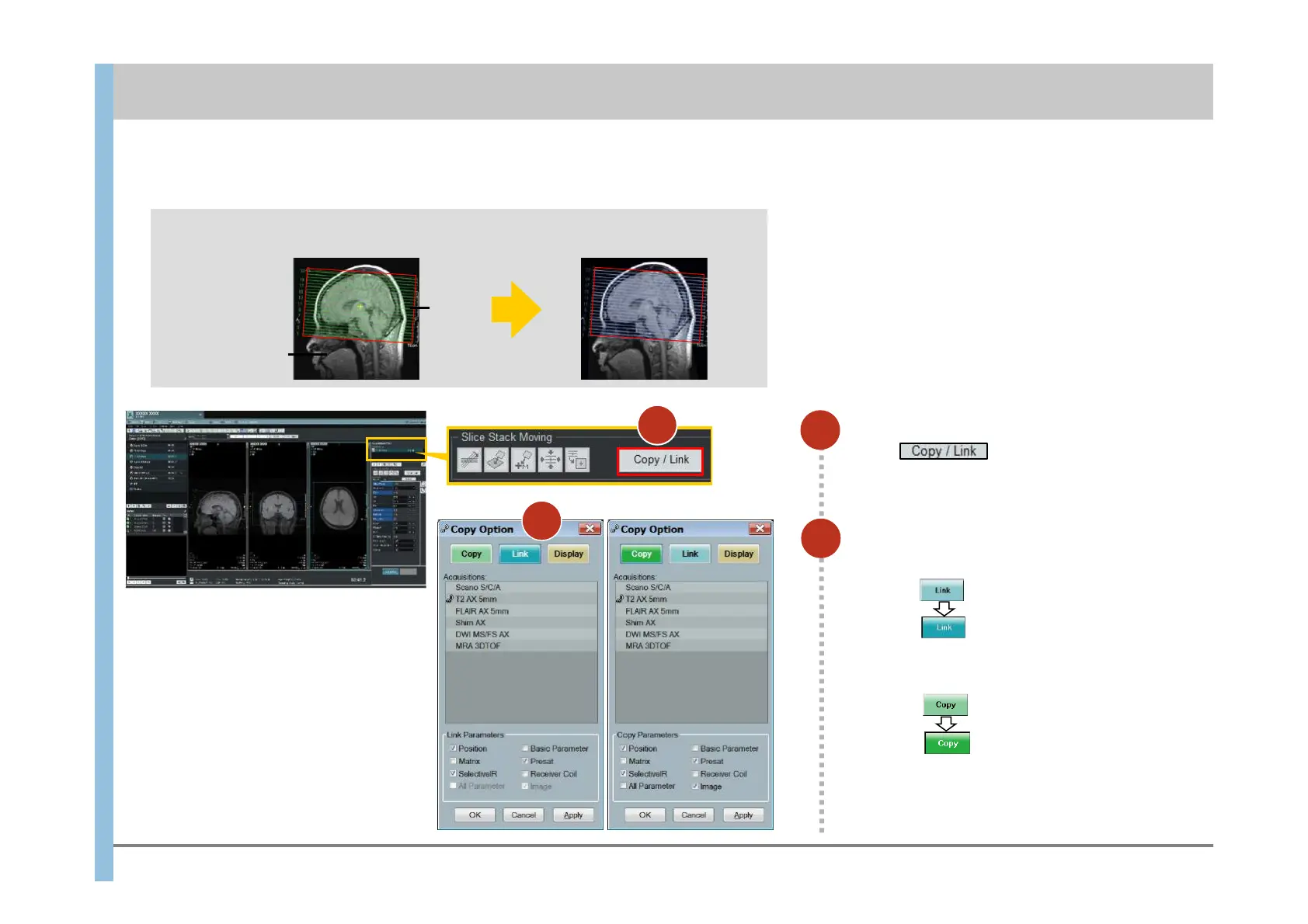
In Slice Stack Moving,
click .
The Copy Option window appears.
1
2
Slice lines and positioning images cannot be
modified at link targets.
If slice lines or positioning images are modified at
the link source, the slice lines or positioning
images at the link target are also modified.
To apply the slice lines and positioning images set for one imaging operation to other imaging operations, use position links.
Relationship between link sources and targets
Setting for T2 weighted images
<Link source>
Example:
Slice
lines
Positioning
image
Select Link.
To establish a link:
Select Copy.
Click
(The button text turns white.)
( The button text turns white. )
To establish a copy(you can set the parameter):
Click
Chapter 6 Imaging
Applied to T1 weighted images
<Link target>
2
1
Click













 To Next Page