Q2ec-FM004913
3
Chapter 6 Imaging
- 6.2 Imaging of T2 weighted images -
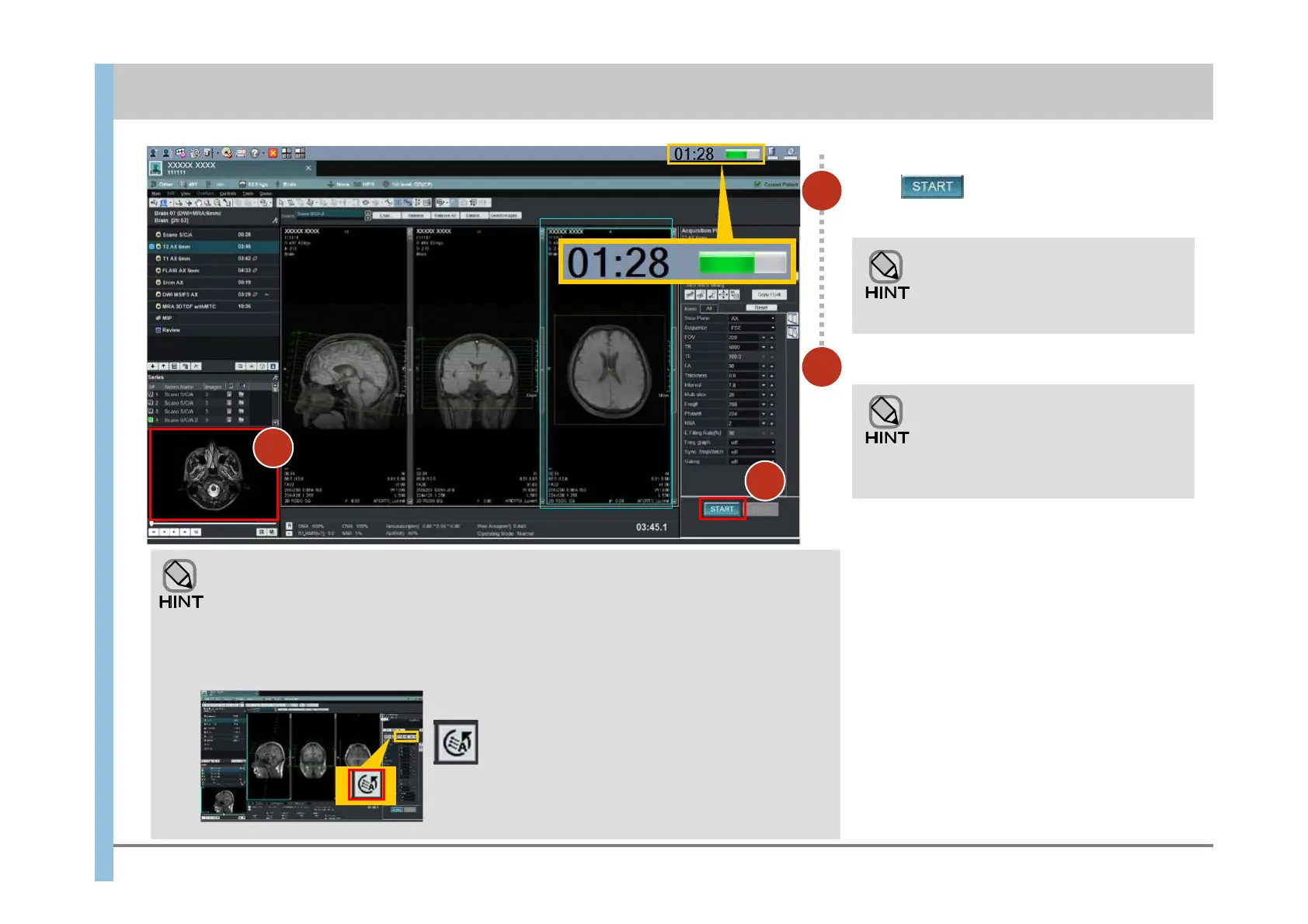
Click .
Imaging starts.
3
4
Check the images.
You can reserve the next imaging
operation before the current
imaging operation has finished. To
reserve the next imaging operation,
go to 6.3.
You can check the images in the preview
window. You can also switch the display to the
Review window to check the images there.
The Review window displays the images in a
series at the same time, or displays multiple
series side by side. For details about the
images displayed in the Review window, see
Chapter 7.
When imaging starts, the progress
indicator and the remaining time
appear at the far right of the
Launcher.
4
About the AutoPose function
Auto Pose Brain function analyzes scanogram images by acquired 2D scanogram
sequence. This function can be executed in the imaging of a head only. Please perform
normal imaging in the examination of the region except a head. About the Auto Pose
basic slice position, you can change in the Auto Pose Setting window.













 To Next Page