Q2ec-FM004915
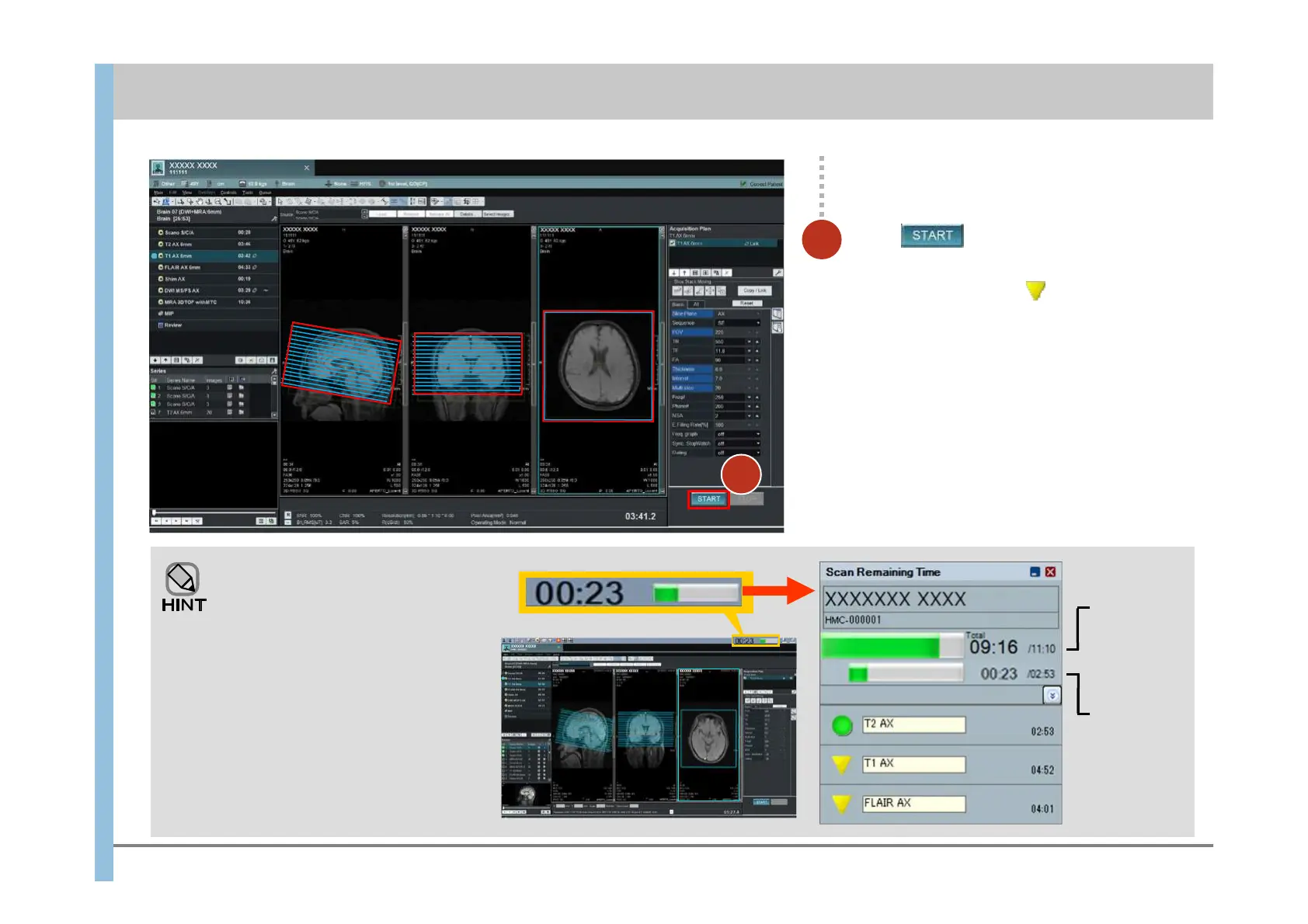
Checking the progress of imaging
Click .
Imaging is reserved.
The reservation indicator appears to the left
of T1 AX 6mm.
Click
The progress indicator and the remaining
time appear at the far right of the
Launcher. Clicking this indicator displays
the Scan Remaining Time window,
where you can check the following:
- The required and remaining time for
performing or reserved imaging
operations
- The required and remaining time for
the imaging currently being performed
Remaining
time/required
time for all
imaging
Remaining
time/required
time for the
imaging being
performed
3
Chapter 6 Imaging
- 6.3 Imaging of T1 weighted images or FLAIR images(reservation) -
3













 To Next Page