Q2ec-FM004934
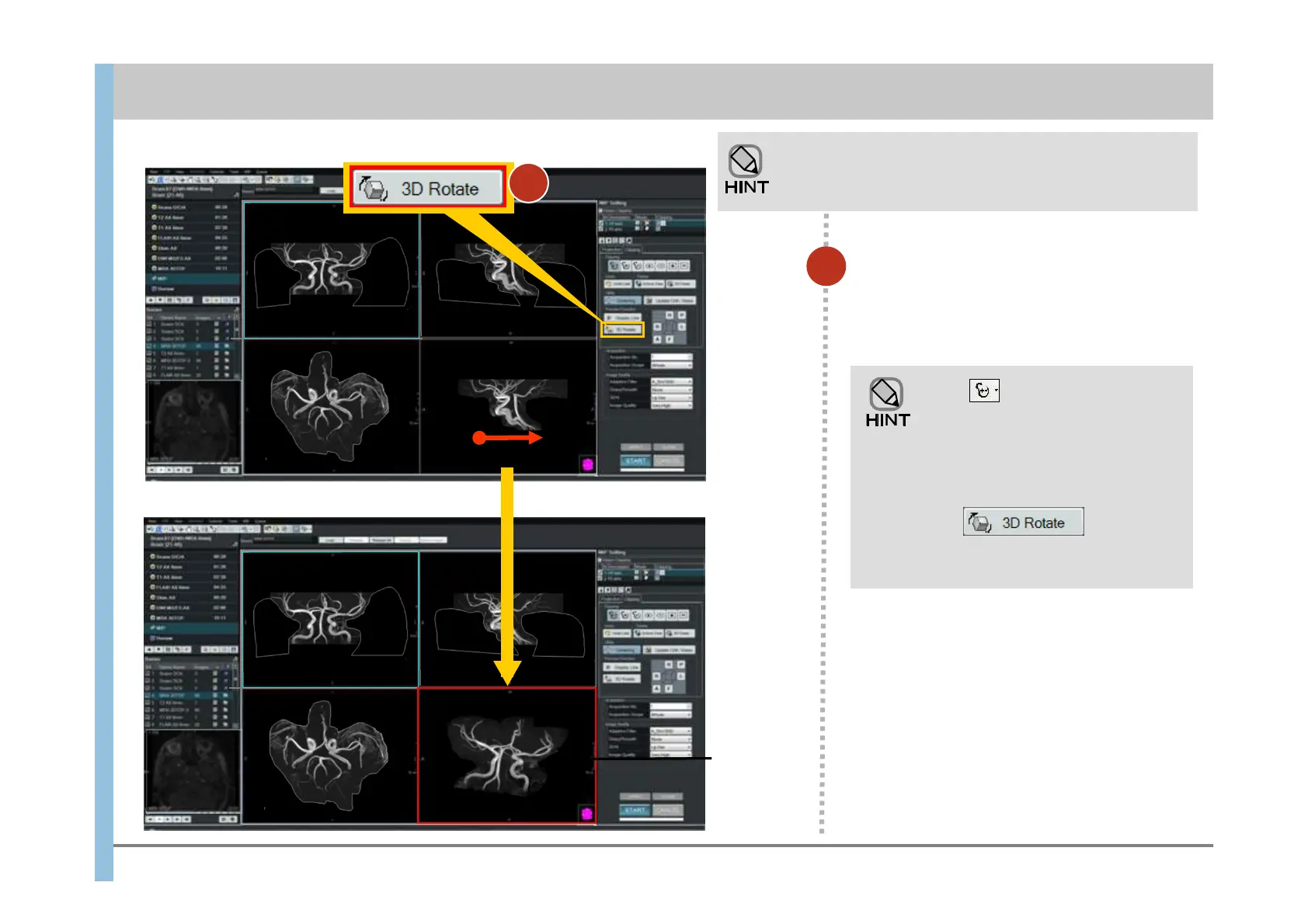
In the lower right image, drag the
mouse in the direction you want to
rotate the image.
If you need a more detailed selection, you can perform
processing while rotating the lower-right image.
Perform the following steps when you have finished step 8.
11
When (clipping) is selected,
you can rotate an image by holding
down the Ctrl key and dragging on
the image (the cursor changes to the
rotation shape). When you release
the Ctrl key, you can clip the image.
When (rotation) is
selected, you can clip the image the
same way as described above.
Rotated
image
Chapter 8 Image Processing
- 8.1 Clipping processing and MIP rotation -
Drag
11













 To Next Page