Accessories for your Tablet PC (opti
onal)
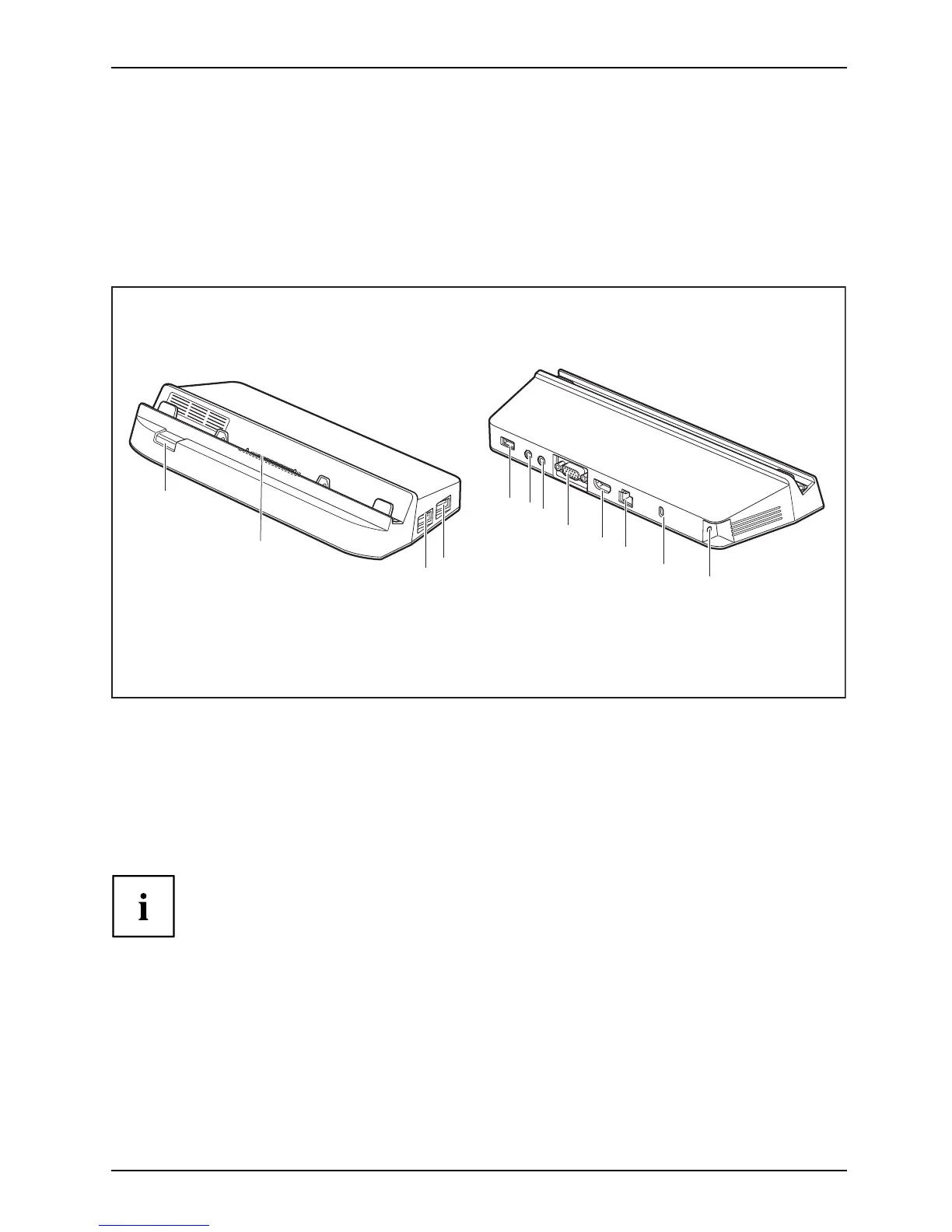
Your performance docking cradle (optional)
As well as fast charging, your performance docking cradle is a device that also allows you to
quickly connect your Tablet PC to your peripherals such as a monitor, keyboard, mouse, etc.
You only need t o dock the Tablet PC to be able to work with your peripheral devices.
Cradle components
PortsPortsCradle
1
2
3
4
5
6
12
7
8
9
10
11
1 = Dock release button
2 = Docking port
3=USBport2.0
4=USBport2.0
5=USBport2.0
6 = Microphone port
7 = Headphone port
8 = VGA monitor port
9 = Display Port
10 = LAN port
11 = Security Lock device
12 = DC jack socket (DC IN)
With STYLISTIC Q555 the USB ports on your cradle support only USB 2.0.
With STYLISTIC Q555 the LAN port of the multifunctional cradle
does not support Wake-on-LAN.
With STYLISTIC Q5 55 an additional external monitor c an be connected either to
the VGA monitor port or to the Display Port of the performance docking cradle.
The simultaneous use of two external monitors is not supported.
Fujitsu 41



 To Next Page
 Loading...









