3.14.6
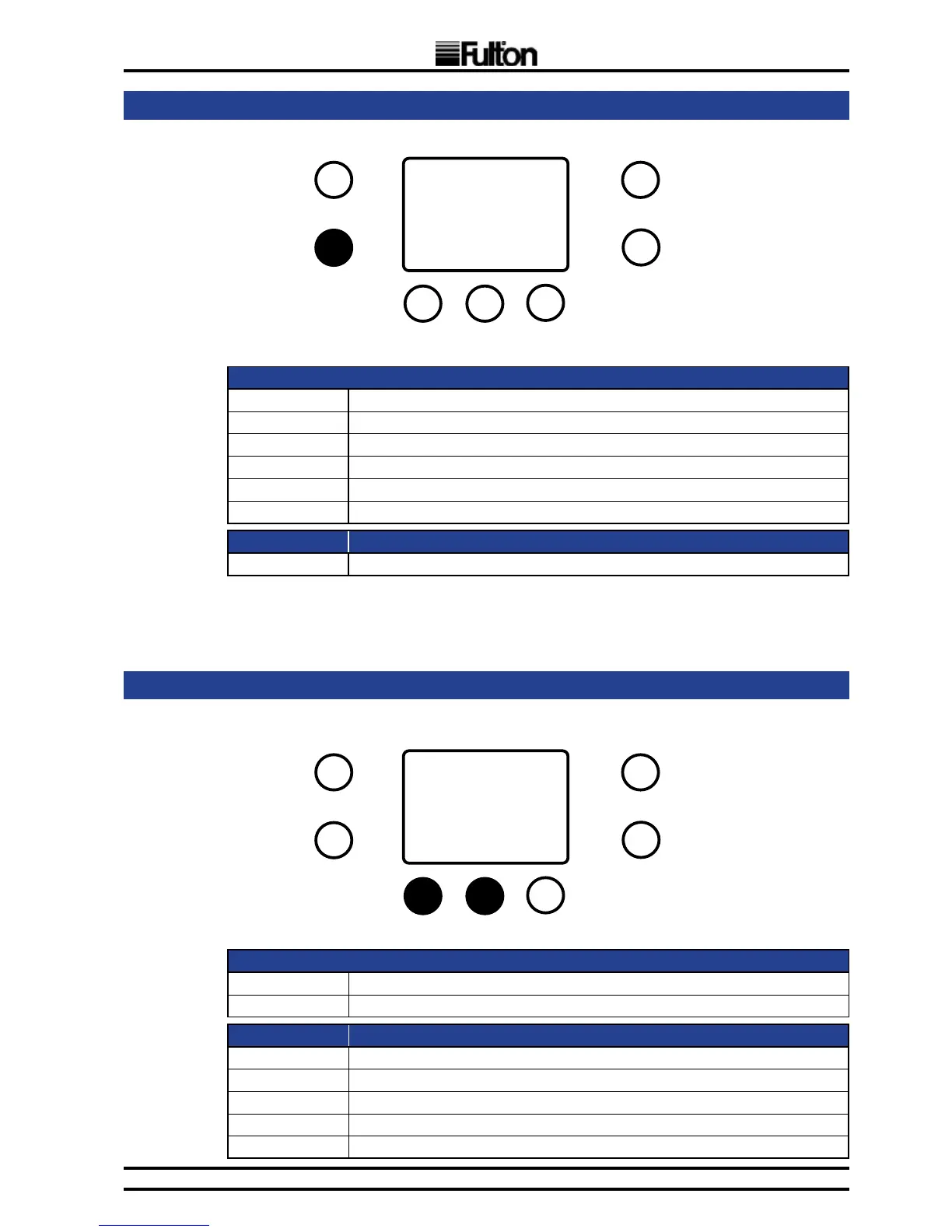
AUTO DETECTION MODE
LCD:
seg1 to seg4 Displayed blinking text “Auto” during local MAXSYS detection
Displayed blinking text “PArA” during parameter load from MAXSYS0
Displayed text “bu” when asking for burner count conrmation & burner count
Displayed blinking text “Auto” during cascade DSP detection
col Blinking when asking for burner count conrmation
P2 Blinking when asking for burner count conrmation
Button Press: Function:
Briey B Conrmation of burner count, when asked
Note: Auto Detection invalidates cascade structure information. If burner count is not conrmed by installer,
normal operation is blocked by F97 error. To allow the system to function correctly, all devices must be present,
cascade must be started again and burner count must be conrmed by installer.
3.14.7
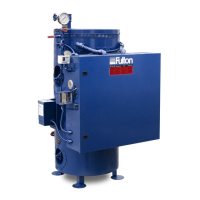
CASCADE TEST MODE
LCD:
seg1 Displayed “C”
seg2 to seg4 Percentage of power demand of the cascade
Button Press: Function:
A+B for 3 sec. Exit cascade test mode
D (autorepeat) Decrement power demand
E (autorepeat) Increment power demand
Briey F Set power demand to 0% (absolute minimum).
Briey G Set power demand to 100% (absolute maximum).
D for 3 sec.
A
B
C
E
D
G
F
A
B
C
E
D
G
F
A + B for 3 sec.


 To Next Page