1. OPERATION
1-16
3. Select [Graph Location], then push the ENTER knob.
4. Select the location of the window, then push the ENTER knob.
5. Press the MENU/ESC key several times to close the menu.
How to move the window to the desired location
1. Press the key to assign the function of moving the fish size histogram window
to the touchpad.
The frame color of the window changes from gray to orange.
2. Move your finger across the touchpad to move the window.
3. Press the key to assign the function of adjusting the measuring area to the
touchpad.
The frame color of the window changes from orange to gray, and window is fixed.
1.13 How to Set Measuring Area for Fish Size Histo-
gram (FCV-1900G Only)
There are four measuring modes to set the measuring area for the fish size histogram:
• [Entire Area] mode: Measure fish whose depth is shallower than bottom.
• [Specific Area] mode: Measure fish in a specific area.
• [Bottom Trace] mode: Measure fish in an area near the bottom.
• [Specific Range] mode: Measure fish in a specific depth range.
To switch the measuring mode, press the key consecutively. The measuring mode
changes in the sequence of [Entire Area] → [Specific Range] → [Bottom Lock] →
[Specific Area] → [Entire Area] → ….
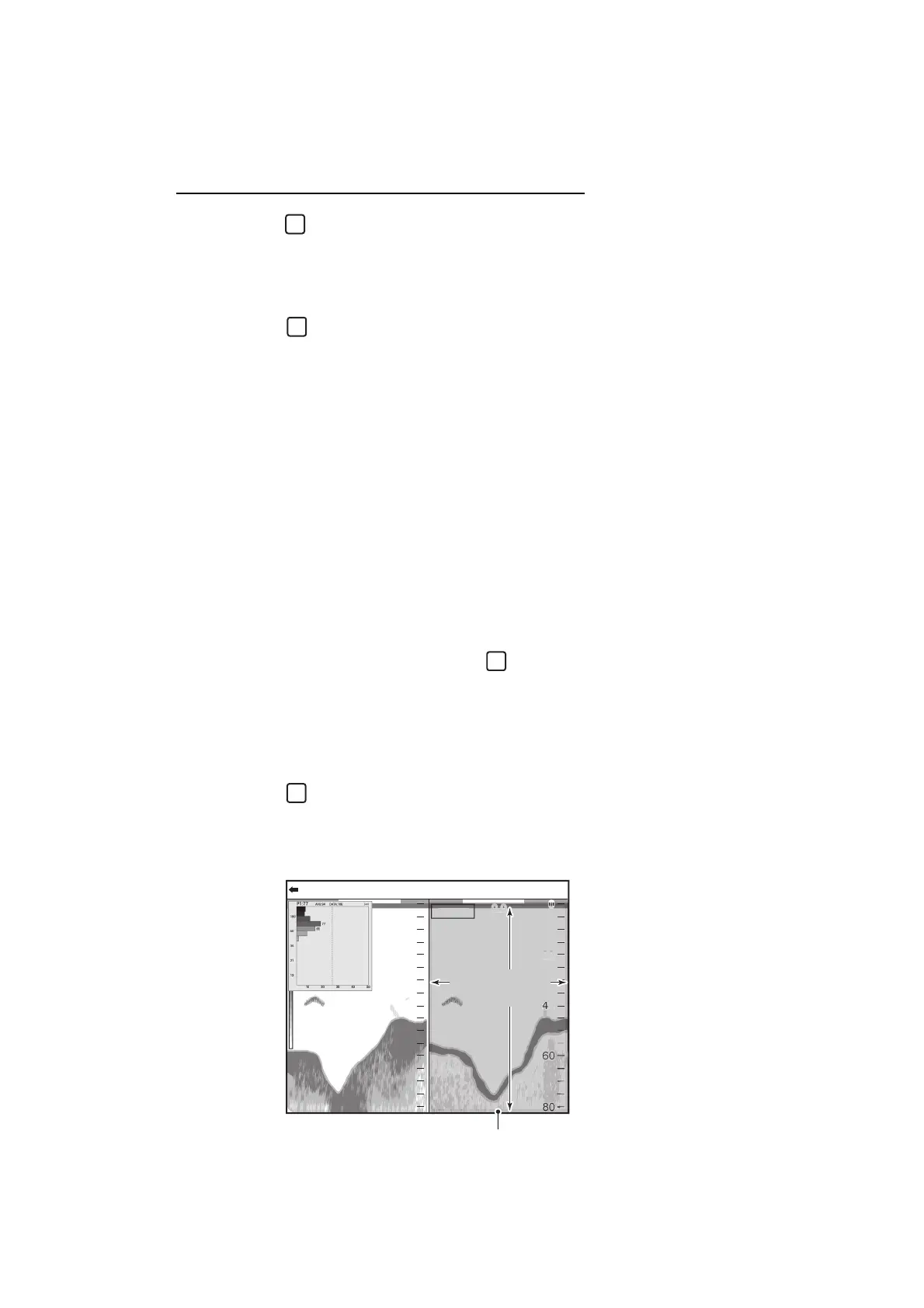
1.13.1 Measuring fish in entire area
1. Press the key several times to select the [Entire Area] measuring mode.
The measuring marker (yellow frame) appears. According to the screen division
and layout, the location of the measuring marker changes (vertical split: right, hor-
izontal split: upper, four-way split: upper right).
1
47.6
m
0.0
20
40
0
20
40
60
80
0
0/99
x
1
x
1
x
1
VRM 0.0
HF: 2.0LF: 2.0
:
.
Measurement marker (yellow frame)
Measuring
area



 To Next Page