2. SYSTEM MENU
2-11
2.10 [Stabilization] Menu
The [Stabilization] menu compensates for the effects of heaving, and requires a Sat-
ellite Compass
™
. It is inoperative when there is no data from the Satellite Compass
™
.
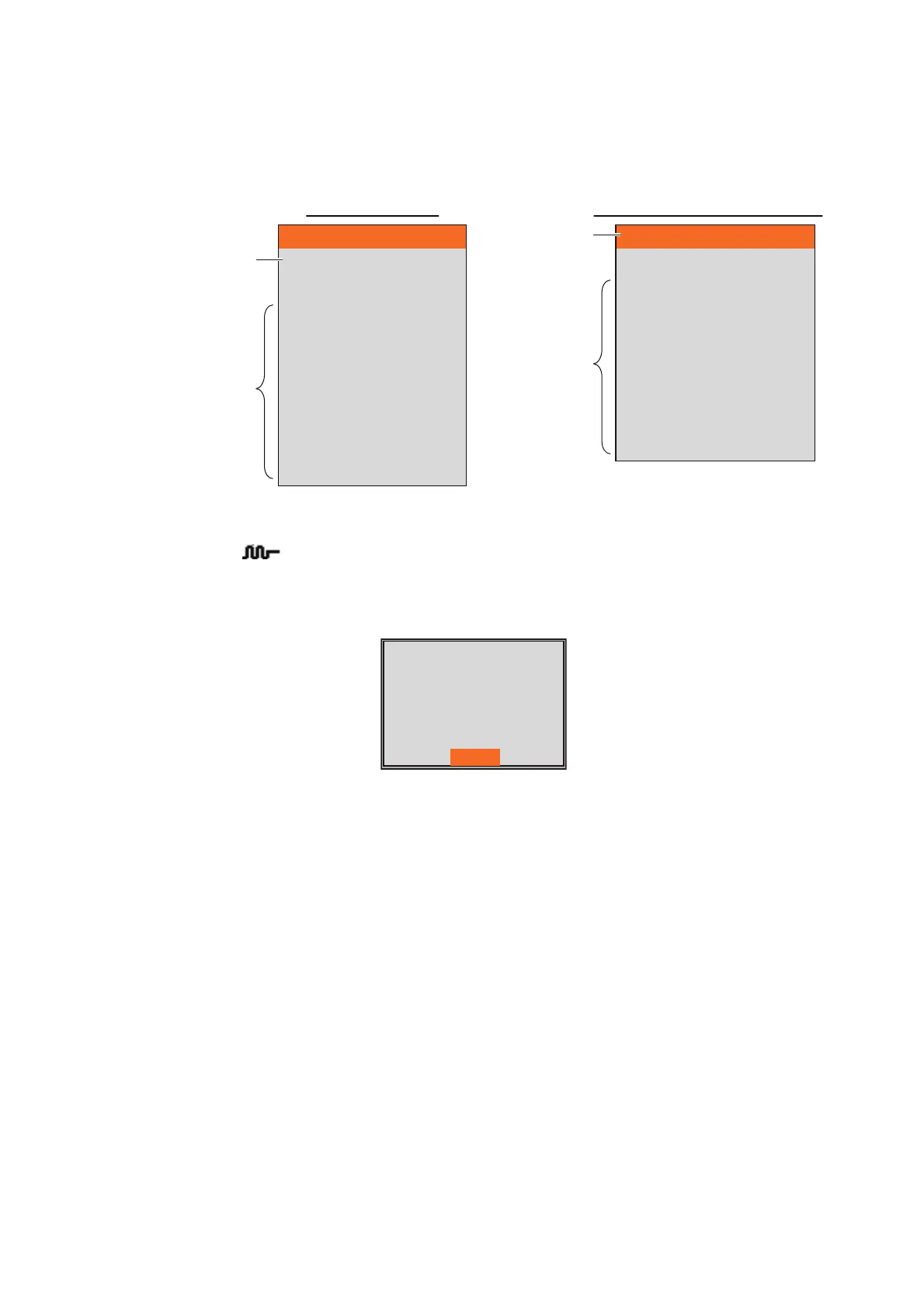
[Stabilization]: Turn heaving compensation on or off. Turn it on when seas are rough,
to get stable echoes, regardless of sea conditions. When turned on, the stabilization
icon ( ) shown on the right appears at the upper left of the screen. If the antenna
position of the Satellite Compass
™
is not set when installing, the message shown be-
low appears. Contact your dealer to set the antenna position of the Satellite
Compass
™
.
[Stabilization Area]: When heaving exceeds the value set here, stabilization is
stopped and the stabilization icon at the top of the screen disappears. However, [Sta-
bilization] is kept [On]. When heaving is once again less than the value set here, sta-
bilization is restarted and the stabilization icon reappears.
Stabilization
Stabilization Sensor
Stabilization Area
[HF]
TD fore-aft
TD port-stbd
AND TD height
[LF]
TD fore-aft
TD port-stbd
AND TD height
On
SC-50
15m
0.0m
0.0m
0.0m
0.0m
0.0m
0.0m
Set by installer.
Do not change.
Set by installer.
Do not change.
Stabilization Sensor
Stabilization Area
[HF]
TD fore-aft
TD port-stbd
AND TD height
[LF]
TD fore-aft
TD port-stbd
AND TD height
SC-30
15m
0.0m
0.0m
0.0m
0.0m
0.0m
0.0m
Set by installer.
Do not change.
Set by installer.
Do not change.
For [Setting] tab For [External fish finder] tab
Antenna to Transducer
distances (bow-stern,
port-starboard, height)
are not set. Have a
FURUNO technician
adjust your settings.
Yes


 To Next Page