1. OPERATION
1-21
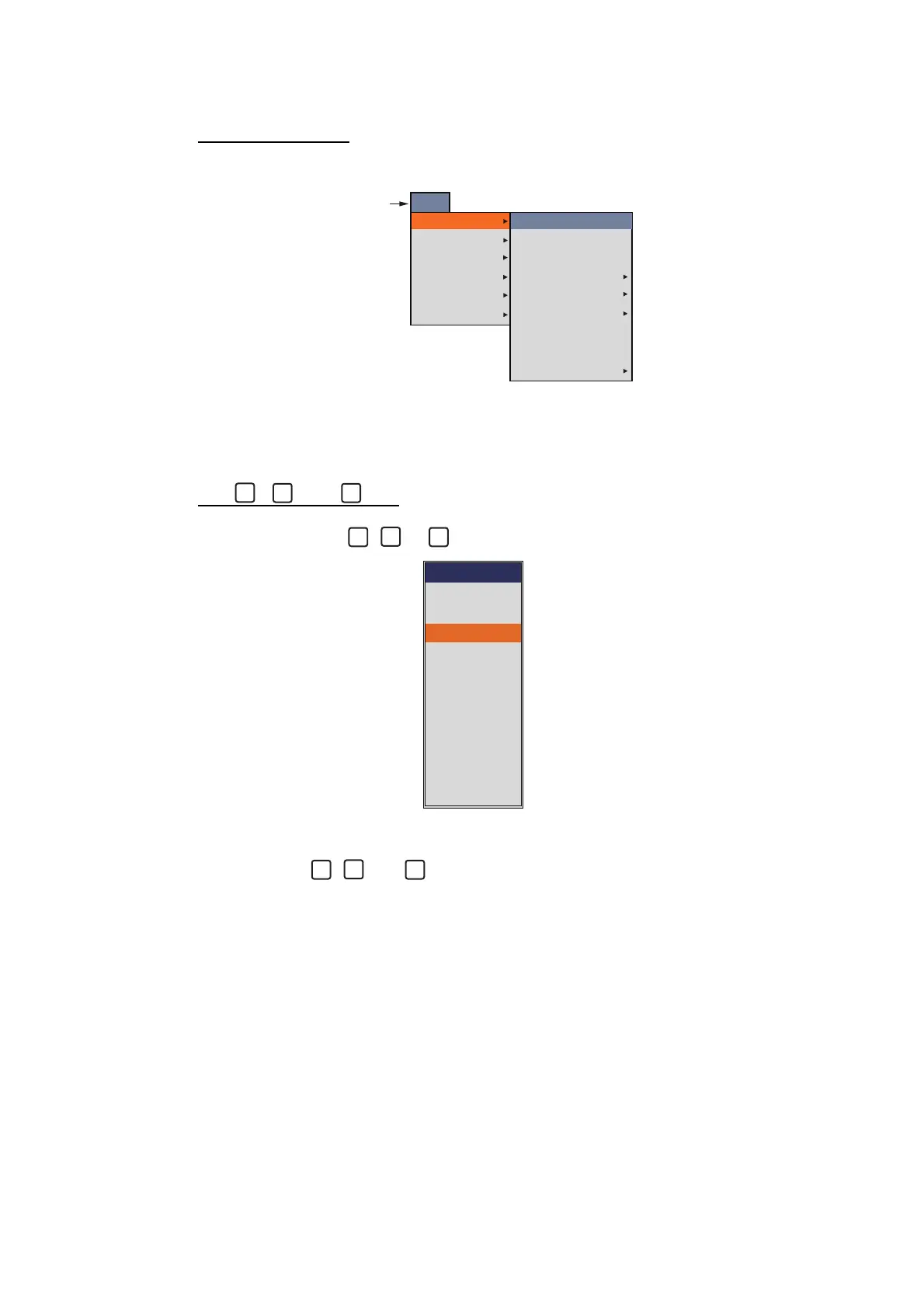
1.15.2 How to program the function keys
For F1 and F2 key
1. Long press the F1 or F2 key until the [FUNC] tab appears.
2. Select the item you want to program to the function key.
The grayed out menu item can not be programmed to the function key. When
[Function Display] on the [Display] menu is set to [Key(F1/F2)], function names for
F1 and F2 key appear at the bottom left of the display.
For , and key
1. Long press the , or key until the setting window appears.
2. Select the item you want to program to the function key.
When [Function Display] on the [Display] menu is set to [Key(1/2/3)], function
names for , and key appear at the bottom left of the display.
FUNC
Sounder
Display
Measurement
Alarm
Data
System
Interference
Color Erase
White Edge
Clutter
TVG
STC
Pic. Advance
Smoothing
Bottom Zone
Medium
0%
Off
x1
3
[FUNC] tab
1
3
FUNC
Off
TVG
Pic. Advance
Color Erase
A-Scope
Interference
Clutter
White Edge
STC
Bottom Zone
Freq Control
1
2



 To Next Page