1. OPERATION
1-38
1.27.2 [Display] menu
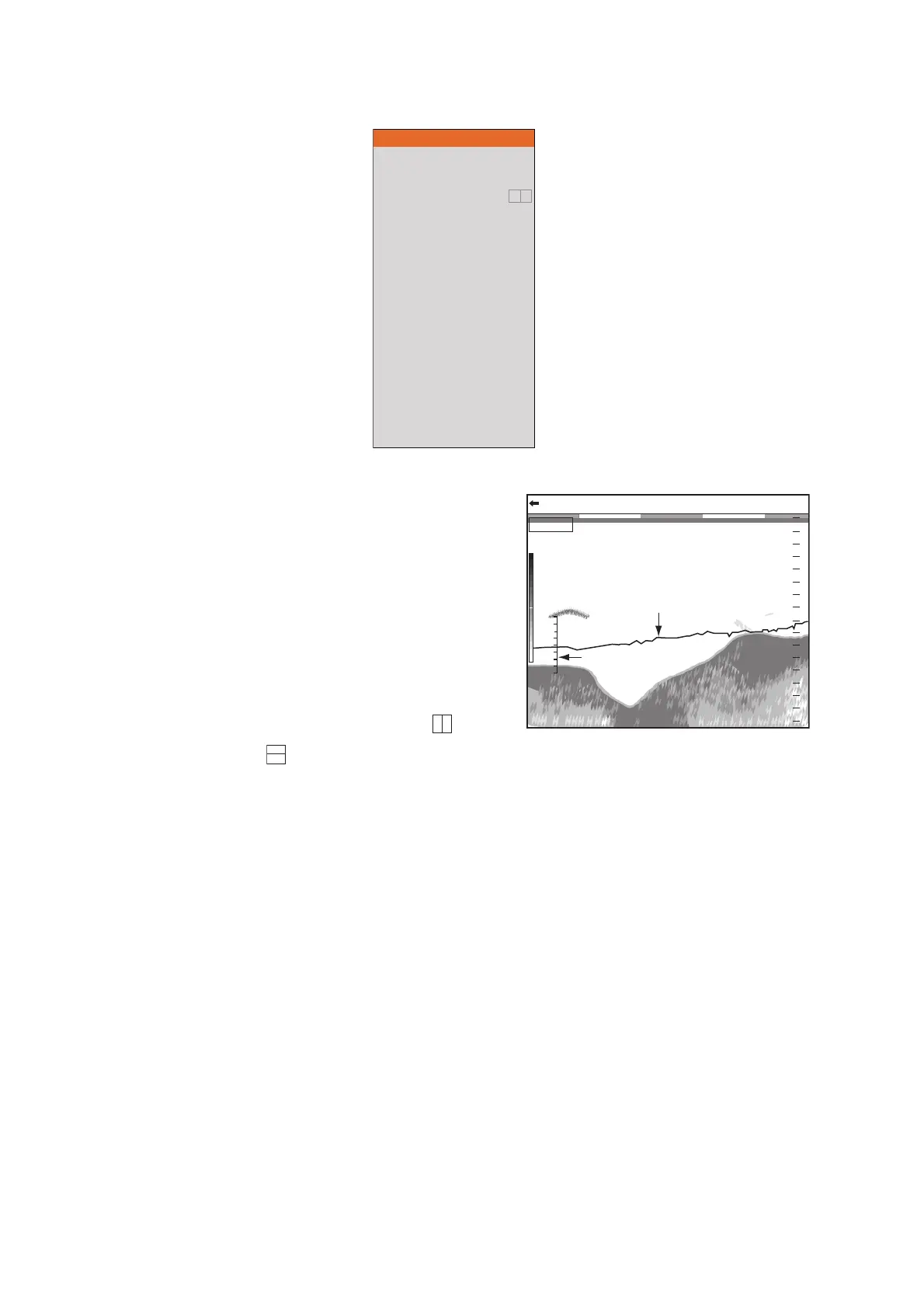
[Temp Graph]: Turn the temperature graph
on or off and select graph scale, from [Nar-
row], [Normal] or [Wide]. [Narrow] is 16 °F,
[Normal] is 24 °F and [Wide] is 32 °F.
[Temp Graph Color]: Select water tempera-
ture graph color. The default color is light-
blue.
[Display Division]: Select display division in
dual frequency and combination displays
(zoom+normal). The choices are (verti-
cal split) or (horizontal split).
[Window Size]: Select the division ration of the display in the dual frequency and com-
bination displays (zoom+normal).
[Zoom Mode]: Select the zoom mode for the zoom display. For the description of each
zoom mode, see section 1.4.3.
[Zoom Marker]: Turn the zoom marker on or off on the zoom displays.
[Colors]: Select the number of colors to display.
[Hue]: Change the color arrangement of the echo image. For how to change the user
color setting, see page 2-2.
[Background]: Change the background to suit your current environment. This feature
is inoperative when [Hue] is selected to [Custom].
[Window Color]: Select the background color for the menu window. [Day] is white
background. [Night] is black background.
[Depth Size]: Change the size of the depth indication. When [Off] is selected, the
depth indication is turned off.
For [Setting] tab
A-Scope
Temp Graph
Temp Color
Display Division
Window Size
Zoom Mode
Zoom Marker
Colors
Hue
Back Ground
Window Color
Depth Size
Depth Scale
Distance Scale
Color Bar
Function Display
Mode&Gain Display
Off
Off
Std
1:1
Bottom Lock
On
64
Std
Dark Blue
Day
Normal
Right
Top
On
Key(F1/F2)
On
47.647.6
mm
2020
4040
6060
8080
00
0.00.0
0/99
x
1
x
1
x
1
VRM 0.0
LF: 2.0
00
1616
1212
44
88
Graph scale
Water temperature
graph



 To Next Page