3. MAINTENANCE & TROUBLESHOOTING
3-2
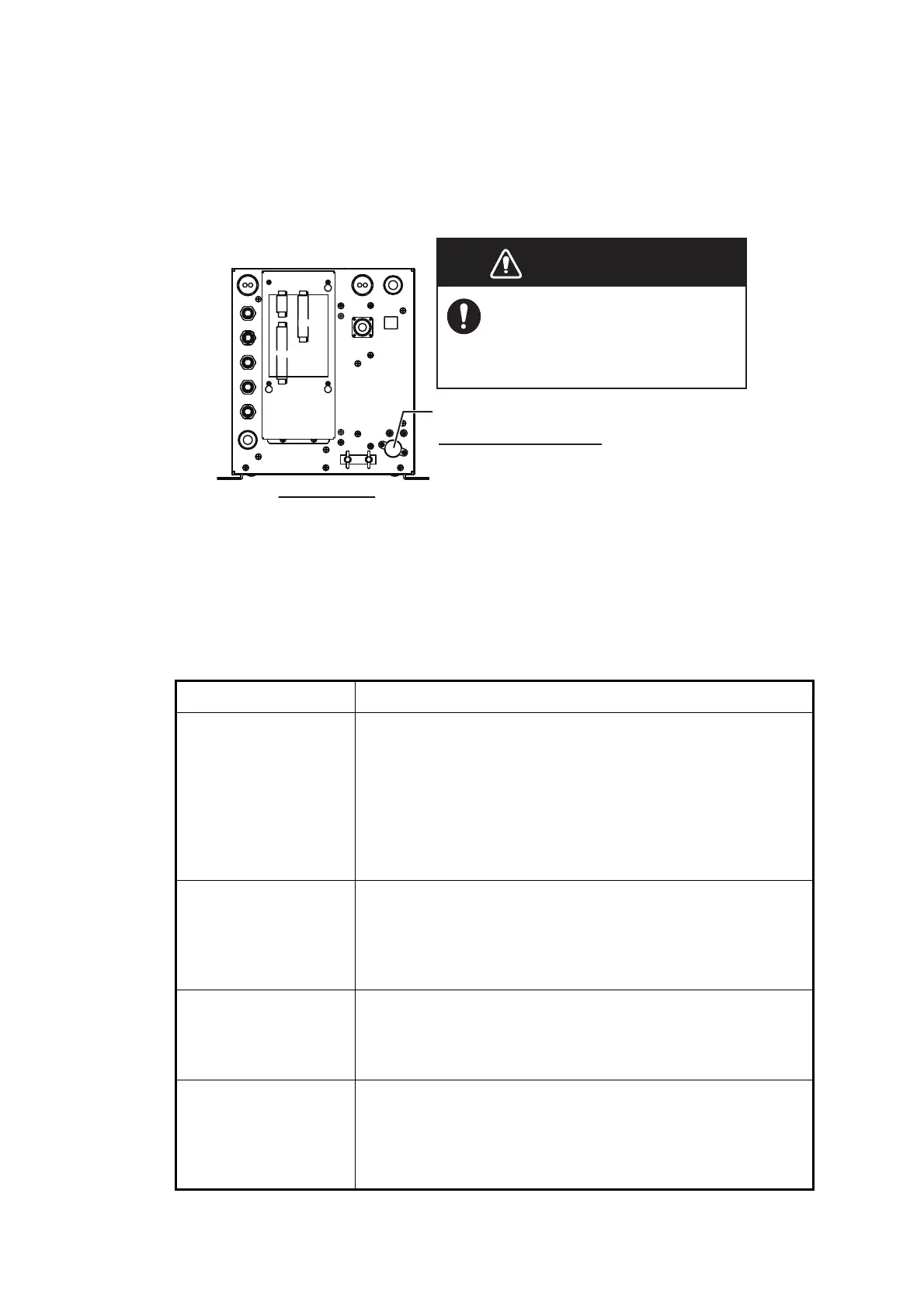
3.2 Fuse Replacement
The fuse (Type: FGB01 250V 20A, Code No.: 000-155-775-10) at the rear of the pro-
cessor unit protects the processor unit from overvoltage and internal fault. If a fuse
blows find the cause before replacing it. If it blows again after replacement, contact
your dealer for advice.
3.3 Troubleshooting
The table below provides basic troubleshooting procedures which the user may follow
to restore normal operation. If you can not restore normal operation, do not check in-
side the unit. Contact your dealer to check the equipment.
Problem Reason, remedy
Cannot turn on power. • The power cable is disconnected or damaged. Check the
power cable. If damaged, replace it.
• The cable connected to the control unit is disconnected or
damaged. Check the cable, and reconnect or replace it as
necessary.
• Check ship’s mains.
• Check the fuse on the processor unit. If the fuse has blown,
find the cause then replace it.
There is no response
when a key is pressed.
• The cable connected to the control unit is disconnected or
damaged. Check the cable, and reconnect or replace it as
necessary.
• Reboot the system. If you do not get a response, the key
may be damaged. Contact your dealer for instructions.
No echo appears but
fixed range scale ap-
pears.
• Picture advance is stopped. Set [Pic. Advance] on the
[Sounder] menu to other than [Stop].
• Transducer cable is disconnected or damaged. Check the
cable, and reconnect or replace it as necessary.
Echo appears but no
zero line.
• The range shift is set to “0”. Set scale to show zero line.
• The zero line rejection is turned on. Turn it off on the [Calib]
menu.
• The setting of the draft line is improper. Check the setting for
[Draft] on the [Calib] menu.
WARNINGWARNING
Use the proper fuse.
Use of a wrong fuse can cause
fire or damage the equipment.
Processor Unit
Fuse holder
How to replace the fuse
Unscrew the fuse holder and replace the
fuse. Then screw in the fuse holder.



 To Next Page