2. SYSTEM MENU
2-8
2.8 [NMEA Port Set&Monitor] Menu
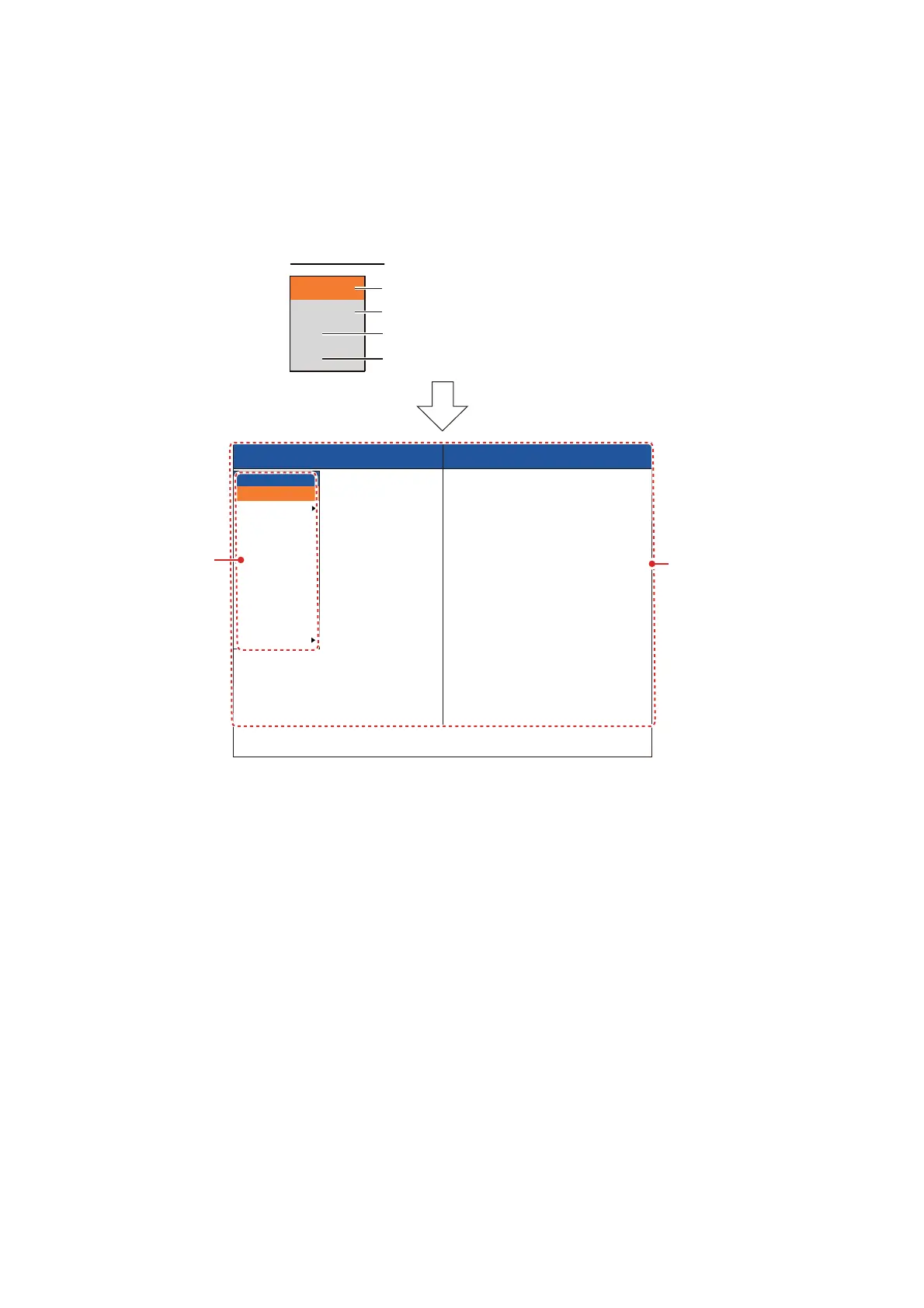
The [NMEA Port Set&Monitor] menu sets up the NMEA ports and provides information
for the input/output data sentences of the NMEA ports.
To set up the NMEA port, select the port that you want to set up and open the [Setting]
window.
[NMEA0183]: Select NMEA0183 version of navigation equipment connected to the
NMEA port. This menu item is not available for [SC] and [CIF]. Setting range: [Ver1.5],
[Ver2.0], [Ver3.0], [Special]. [Special] is for use with a navigation equipment whose
baud rate is 600 bps.
[Output Data]: Select the data to output from the NMEA port to navigation equipment.
This menu item is not available for [SC] and [CIF].
• [Depth]: Output the depth data.
• [Water Temp]*: Output the water temperature data. Requires the water temperature
sensor.
• [Bottom Discrim]*: Output the bottom discrimination data. Requires BBDS1.
• [Fish Size]*: Output the fish size data. Available with FCV-1900G.
*: Not available when [NMEA0183] is set to [Special].
[TLL Output]: Select the TLL data type to output from the NMEA port to a chart plotter.
This menu item is not available for [SC] and [CIF].
• [Off]: Not output TLL data.
• [TLL]: Output latitude/longitude*
1
data only.
NMEA1
NMEA2
SC
CIF
Set up the CN-10 (NMEA1) port.
Set up the CN-11 (NMEA2) port.
Set up the CN-12 (NMEA3) port.
Set up the CN-6 (SONDE/TRIG) port.
NMEA Port1 Input NMEA Port1 Output
[MENU/ESC] : Setting
Select Exit menu to exit
$GPGNS,102716.01,8900.0413,N,17859.99
99,E,A,00,0.0,0.0,0.0,0.0,0.0,S*4F
$GPMTW,27.30,C*32
$GPVHW,0.00,T359.94,M,8.10,N,,*1C
$GPVTG,359.95,T,359.95,M,6,6.48,N,,,A*7C
$GPZDA,102716.20,24,02,2015,00,00*65
$SDDBT,102.6,f,31.3,M,17.1,F*05
$SDDPT,31.3,0.0,200.0*66
SSDDBT,T102.6,f,31.3,M,17.1,F*05
$SDDPT,31.3,0.0,200.0*66
Setting
NMEA0183
Output Data
TLL Output
NMEA Port Setting
Baud Rate
Start Bit
Data Length
Stop Bit
Parity
Clear Window
Exit
Ver1.5
TLL
600
1bit
8bit
1bit
none
Port selection
[Setting] window
Communication port
monitor display
(see chapter 3.)



 To Next Page