1. OPERATION
1-22
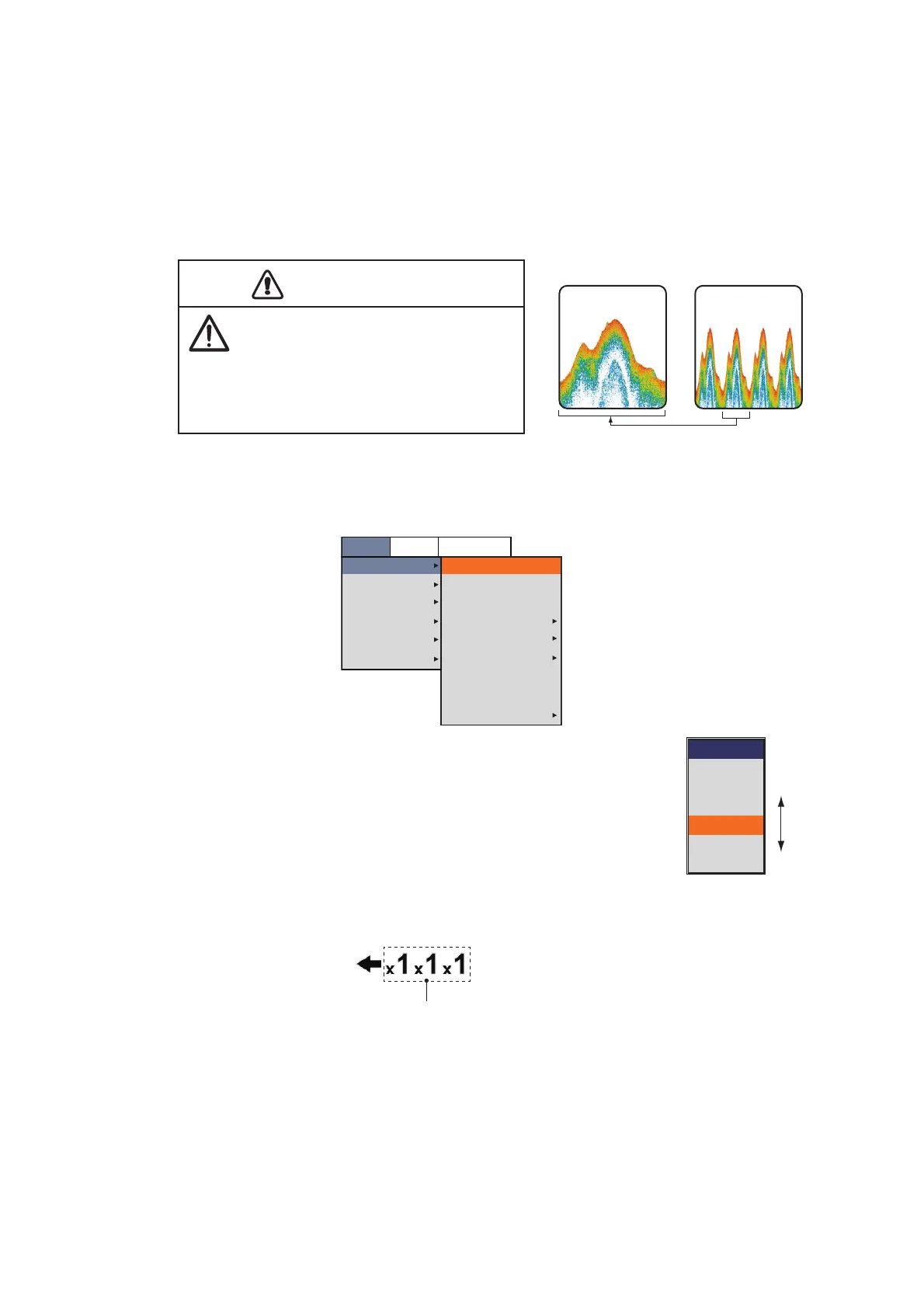
1.16 Picture Advance Speed
The picture advance speed determines how quickly the vertical scan lines run across
the screen. When setting a picture advance speed, keep in mind that a fast advance
speed will expand echoes horizontally on the screen and a slow advance speed will
contract them. A fast advance speed is useful for observing the rugged bottom closely.
A slow advance speed is useful for observing the smooth bottom.
1. Press the MENU/ESC key, then open the [Setting], [External fish finder] or [Tele-
sounder] tab.
2. Select [Sounder], then push the ENTER knob.
3. Select [Pic. Advance], then push the ENTER knob.
4. Select the picture advance speed desired, then push the EN-
TER knob.
The fractions in the window indicate the number of scan lines
produced per transmission. "1/4" is the slowest speed and “×4”
is the fastest speed. "1/4" means one scan line is produced ev-
ery four transmissions. "Stop" freezes the display and is useful
for taking a photo of the display. The current picture advance speed appears at
the upper left side of the display.
5. Press the MENU/ESC key several times to close the menu.
Fast Slow
CAUTIONCAUTION
Neither the picture nor the depth
indication is updated and when the
picture is stopped. For those reasons,
do not steer the vessel while monitoring
the picture/depth indication when the
picture is stopped.
Setting
Sounder
Display
Measurement
Alarm
Data
System
Interference
Color Erase
White Edge
Clutter
TVG
STC
Pic. Advance
Smoothing
Bottom Zone
Medium
0%
Off
x1
3
BBDS1
Telesounder
Slow
Fast
Pic. Advance
Stop
1/4
1/2
×1
×2
×4
From left:
Internal fish finder,
external fish finder,
telesounder.
Picture advance speed



 To Next Page