1. OPERATION
1-17
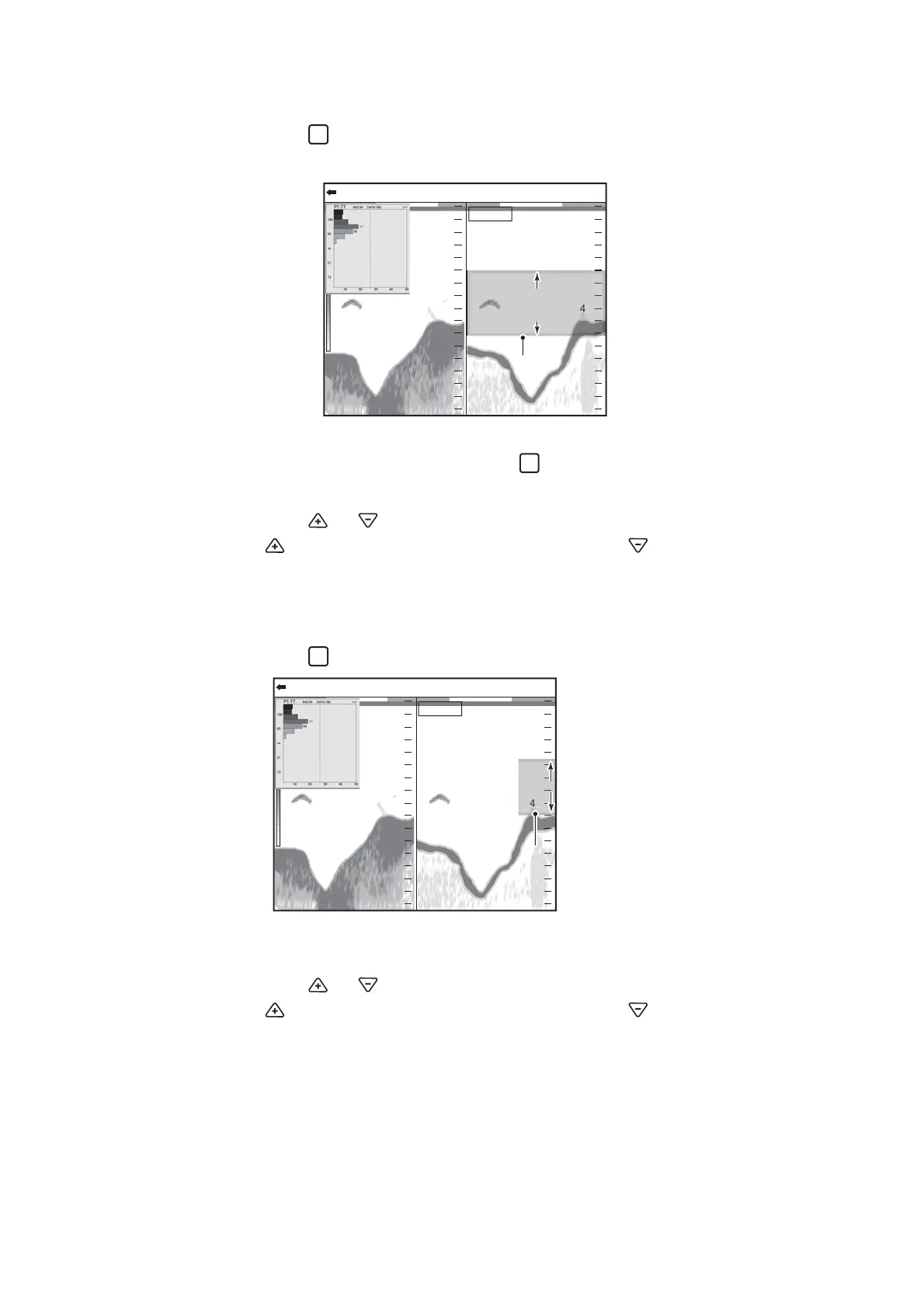
1.13.2 Measuring fish in a specific depth range
1. Press the key several times to change the measuring mode to the [Specific
Range] mode.
2. Confirm that the frame color of the fish size histogram is gray.
If the frame color is orange, press the key.
3. Move your finger across the touchpad to move the measuring marker.
4. Press the or key to adjust the measuring range.
The key increases the measuring range, and the key decreases the mea-
suring range.
1.13.3 Measuring bottom fish
1. Press the key several times to select the [Bottom Trace] measuring mode.
Note: When the depth value is not shown (“----”), the measuring marker does not
appears in the [Bottom Trace] mode. In this time, measuring area is entire area.
2. Press the or key to adjust the measuring range.
The key increases the measuring range, and the key decreases the mea-
suring range.
47.6
m
0.0
20
40
60
80
0
20
40
60
80
0
0/99
x
1
x
1
x
1
VRM 0.0
HF: 2.0LF: 2.0
Measuring
area
Measurement marker
(yellow frame)
Measurement marker
(yellow frame)
47.647.6
mm
0.00.0
20
40
6060
8080
00
2020
4040
6060
8080
00
0/99
x
1
x
1
x
1
VRM 0.0
HF: 2.0LF: 2.0
Measuring areaMeasuring area
Measurement marker
(yellow frame)
Measurement marker
(yellow frame)



 To Next Page