1. OPERATION
1-35
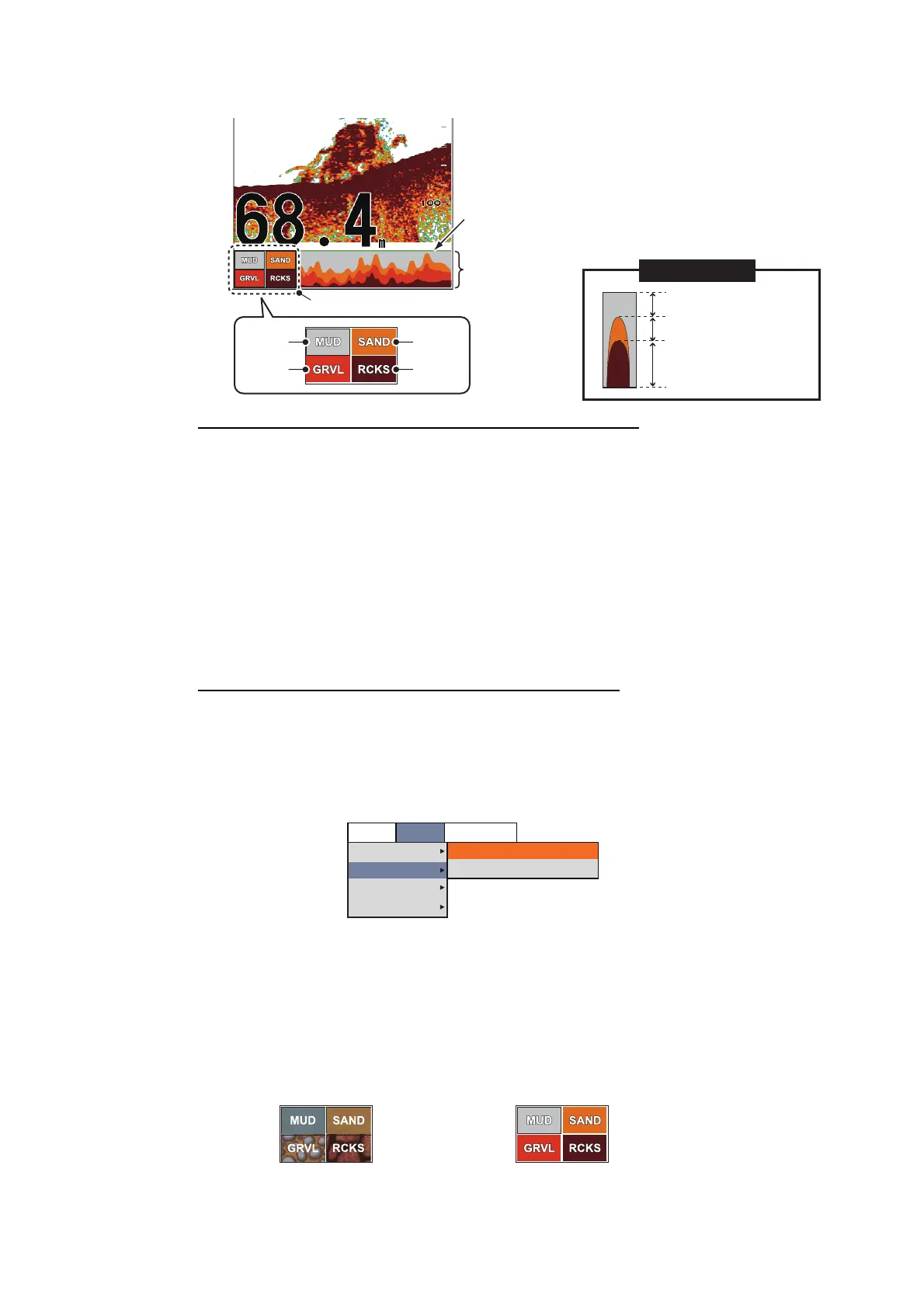
• Probability display: The most probable bottom material is indicated in proportion.
Characteristics of the bottom discrimination display
• The bottom discrimination display provides an estimate of bottom composition. Ac-
tual composition may be different.
• Operating environment:
- Depth: 5 to 100 m (16 to 328 ft)
- Speed: 10 kn or less
• This feature uses the range from the ship’s draft; therefore, enter the ship’s draft
(see page 2-10).
• Be sure that the transducer is mounted straight. Otherwise the bottom discrimina-
tion display may not function accurately.
How to activate the bottom discrimination display
Note: The RANGE and SHIFT keys, [Split Range] and [Auto Range] are inoperative
when the bottom discrimination display is activated.
1. Press the MENU/ESC key, then open the [BBDS1] tab.
2. Select [Display], then push the ENTER knob.
3. Select [Bottom Discrim], then push the ENTER knob.
4. Select [Graphic], [4 colors] or [Probability], then push the ENTER knob.
The category of the bottom hardness is shown for screen of the external fish find-
er.
5. Select [Legend], then push the ENTER knob.
6. Select [On] or [Off] to show or hide the hardness legend (at the bottom of the dis-
play), then push the ENTER knob.
Graph example
Rock
Gravel
Sand
Mud
Bottom
discrimination
display column
Probability bar
Hardness legend
Mud probability
(Approx. 25%)
Sand probability
(Approx. 25%)
Rock probability
(Approx. 50%)
Setting
Sounder
Display
Measurement
System
Bottom Discrim
Legend
Probability
On
BBDS1
Telesounder
Legend for [Graphic] Legend for [4 colors] and [Probability]



 To Next Page