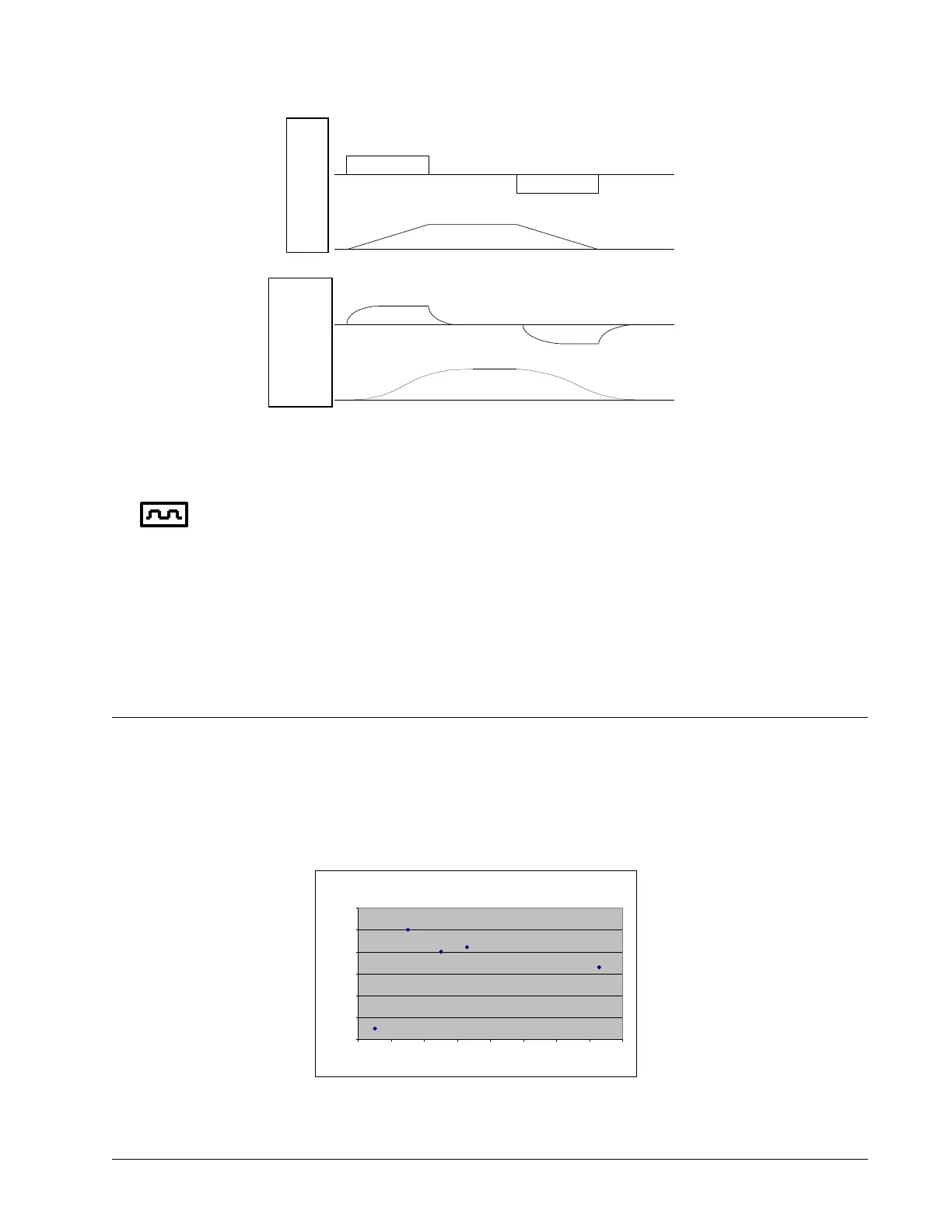
Figure 6.20: Trapezoidal velocity and smooth velocity profiles
Using the KS Command (Step Motor Smoothing):
When operating with step motors, motion smoothing can be accomplished with the command, KS.
The KS command smoothes the frequency of step motor pulses. Similar to the command IT, this
produces a smooth velocity profile.
The step motor smoothing is specified by the following command:
KS x,y,z,w
where x,y,z,w is an integer from 0.5 to 128 and represents the amount of smoothing
The smoothing parameters, x,y,z,w and n are numbers between 0.5and 128 and determine the degree of filtering.
The minimum value of 0.5 implies the least filtering, resulting in trapezoidal velocity profiles. Larger values of the
smoothing parameters imply heavier filtering and smoother moves.
Note that KS is valid only for step motors.
Homing
The Find Edge (FE) and Home (HM) instructions may be used to home the motor to a mechanical reference. This
reference is connected to the Home input line. The HM command initializes the motor to the encoder index pulse
in addition to the Home input. The configure command (CN) is used to define the polarity of the home input.
Chapter 6 Programming Motion ▫ 98 DMC-41x3 User Manual
After profile
smoothing
No smoothing
ACCELERATION
VELOCITY
VELOCITY
VELOCITY
ACCELERATION
Figure 6.21: Required XY Points
0
1000
2000
3000
4000
5000
6000
0 1000 2000 3000 4000 5000 6000 7000 8000


 To Next Page