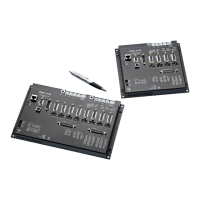
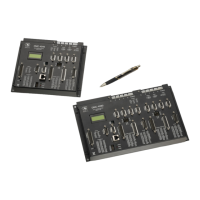
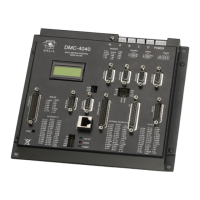
The DMC-41x3 position parameters such as PR, PA and VP have units of quadrature counts. Speed parameters
such as SP, JG and VS have units of counts/sec. Acceleration parameters such as AC, DC, VA and VD have units of
counts/sec
2
. The controller interprets time in milliseconds.
All input parameters must be converted into these units. For example, an operator can be prompted to input a
number in revolutions. A program could be used such that the input number is converted into counts by
multiplying it by the number of counts/revolution.
Instruction Interpretation
#RUN
Label
MG "ENTER # OF REVOLUTIONS";n1=-1
Prompt for revs
#rev;JP#rev,n1=-1
Wait until user enters new value for n1
PR n1*2000
Convert to counts
MG "ENTER SPEED IN RPM";s1=-1
Prompt for RPMs
#spd;JP#spd,s1=-1
Wait for user to enter new value for s1
SP s1*2000/60
Convert to counts/sec
MG "ENTER ACCEL IN RAD/SEC2";a1=-1
Prompt for ACCEL
#acc;JP#acc,a1=-1
Wait for user to enter new value for a1
AC a1*2000/(2*3.14)
Convert to counts/sec
2
BG
Begin motion
EN
End program
Hardware I/O
Digital Outputs
The DMC-41x3 has an 8-bit uncommitted output port, the DMC-4153 through DMC-4183 has an additional 8
outputs. Each bit on the output port may be set and cleared with the software instructions SB (Set Bit) and CB
(Clear Bit), or OB (define output bit).
Example- Set Bit and Clear Bit
Instruction Interpretation
SB6
Sets bit 6 of output port
CB4
Clears bit 4 of output port
Example- Output Bit
The Output Bit (OB) instruction is useful for setting or clearing outputs depending on the value of a variable, array,
input or expression. Any non-zero value results in a set bit.
Instruction Interpretation
OB1, POS
Set Output 1 if the variable POS is non-zero. Clear Output 1 if POS equals 0.
OB 2, @IN [1]
Set Output 2 if Input 1 is high. If Input 1 is low, clear Output 2.
OB 3, @IN [1]&@IN [2]
Set Output 3 only if Input 1 and Input 2 are high.
OB 4, COUNT [1]
Set Output 4 if element 1 in the array COUNT is non-zero.
The output port can be set by specifying an 16-bit word using the instruction OP (Output Port). This instruction
allows a single command to define the state of the entire 16-bit output port, where bit 0 is output 1, bit1 is
output2 and so on. A 1 designates that the output is on.
Example- Output Port
Instruction Interpretation
OP6
Sets outputs 2 and 3 of output port to high. All other bits are 0. (2
1
+ 2
2
= 6)
OP0
Clears all bits of output port to zero
OP 255
Sets all bits of output port to one.
(2
0
+ 2
1
+ 2
2
+ 2
3
+ 2
4
+ 2
5
+ 2
6
+ 2
7
)
Chapter 7 Application Programming ▫ 135 DMC-41x3 User Manual


 To Next Page