EasyManua.ls Logo

Gatekeeper Y58 - Page 122

Gatekeeper Y58
148 pages
Print Icon
To Next Page IconTo Next Page
To Previous Page IconTo Previous Page
Loading...
Y58 User Manual & Install Guide
122 of 148
Tampering
Name/Enable
DEFAULT SETTINGS:
Checkbox Unselected
Alarm Type
DEFAULT SETTINGS:
Alarm
Trigger
High Temp. Thresh
DEFAULT SETTINGS:
284° F
Temp. Increase Warn Time
DEFAULT SETTINGS:
10 Minutes
Temp. Increase Difference
DEFAULT SETTINGS:
154° F
Debounce Time multiple alarms of the same resource
active within the debounce time frame are regarded as one
alarm.
DEFAULT SETTINGS:
10 Seconds
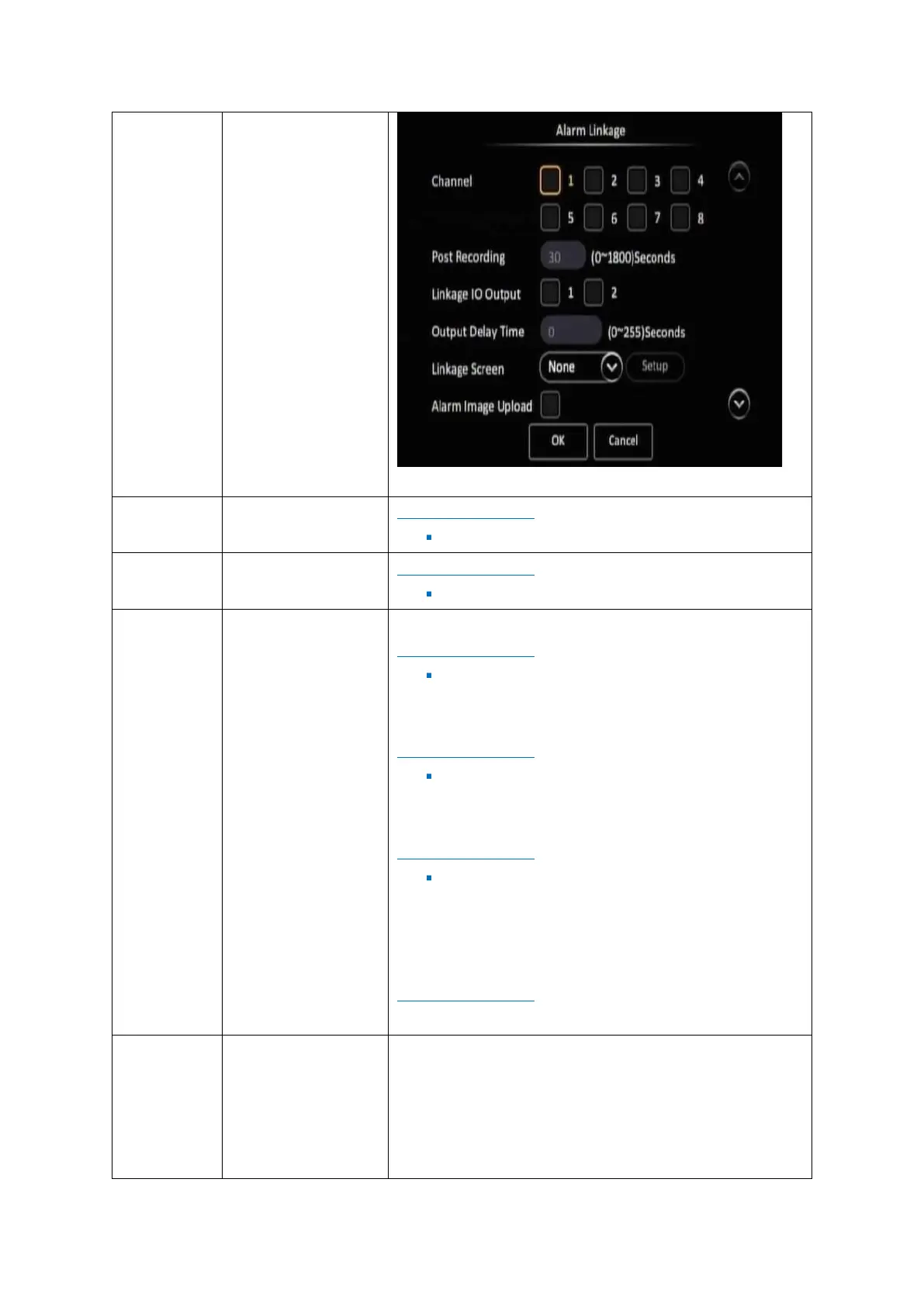
Linkage
Click the (Setup) button under Linkage to go to the Linkage
setup screen. This sets up the video display, recording and
snapshot options associated with this alarm.
The Linkage setup screen enables you to configure the
following options:

Table of Contents