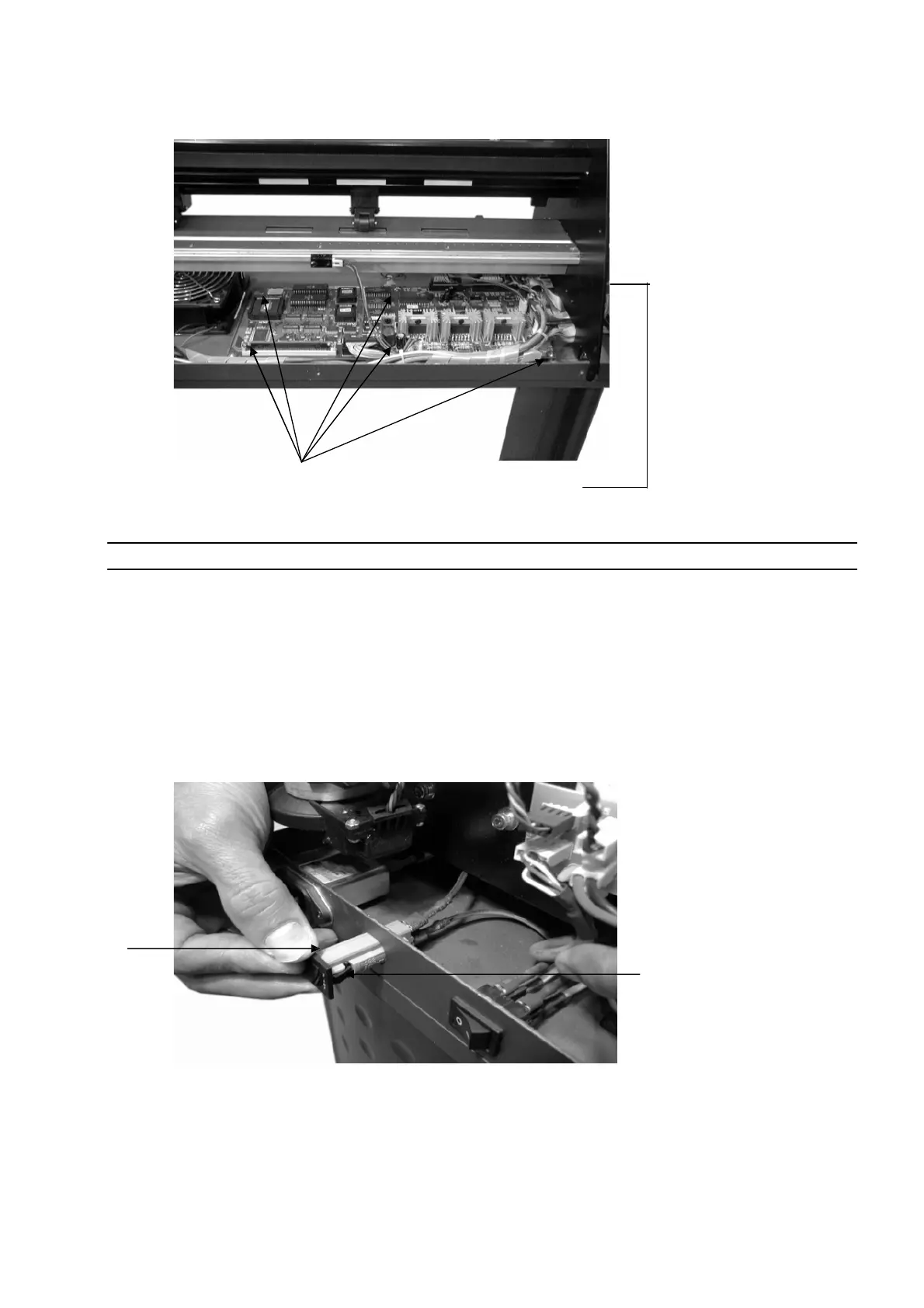
40
2.
Unscrew and remove the 5 restraining screws, and
the pop out support to completely remove the main
board.
Note: To install or replace the main board simply reverse the steps to remove it.
Replacement
of
Fuses
The Fuse pops out for easy replacement as follows:
Holding
clip
Holding clip
1. With your fingers apply equal pressure to both of the
holding clips on the Fuse housing, and push it out.













 To Next Page