EasyManua.ls Logo

GE 30522EE1 - Overview; Telephone Base Layout

GE 30522EE1
66 pages
Print Icon
To Next Page IconTo Next Page
To Previous Page IconTo Previous Page
Loading...
9
Overview
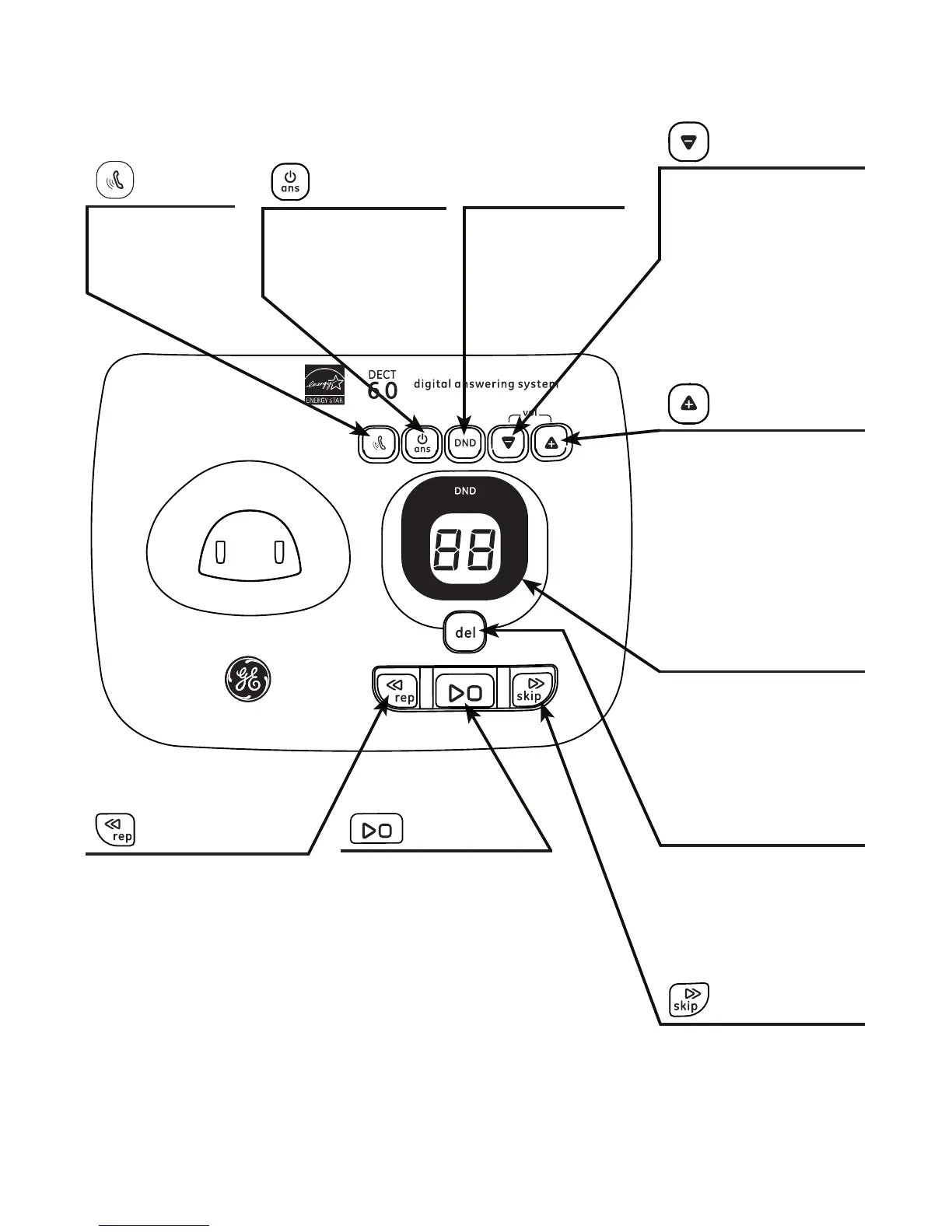
Telephone base layout
vol down
Press to decrease the
telephone base ringer
volume when in idle
mode.
Press to decrease
the volume during
playback or call
screening.
vol up
Press to increase the
telephone base ringer
volume when in idle
mode.
Press to increase
the volume during
message playback or
call screening.
ans. on/o
Press to turn the
answering system
on or o.
locator
Press to page
all system
handsets.
DND
Press to turn DND
mode on or o.
message window
Displays the number of
messages.
Displays the message
number during
playback.
repeat
Press to repeat a
message or press twice
to play the previous
message.
skip
Press to skip to the
next message.
play/stop
Press to play messages
or stop playback.
del
Press to delete the
message during
playback, or press and
hold to delete all old
messages.

Table of Contents

Related product manuals