19
Handset settings
Ringer volume
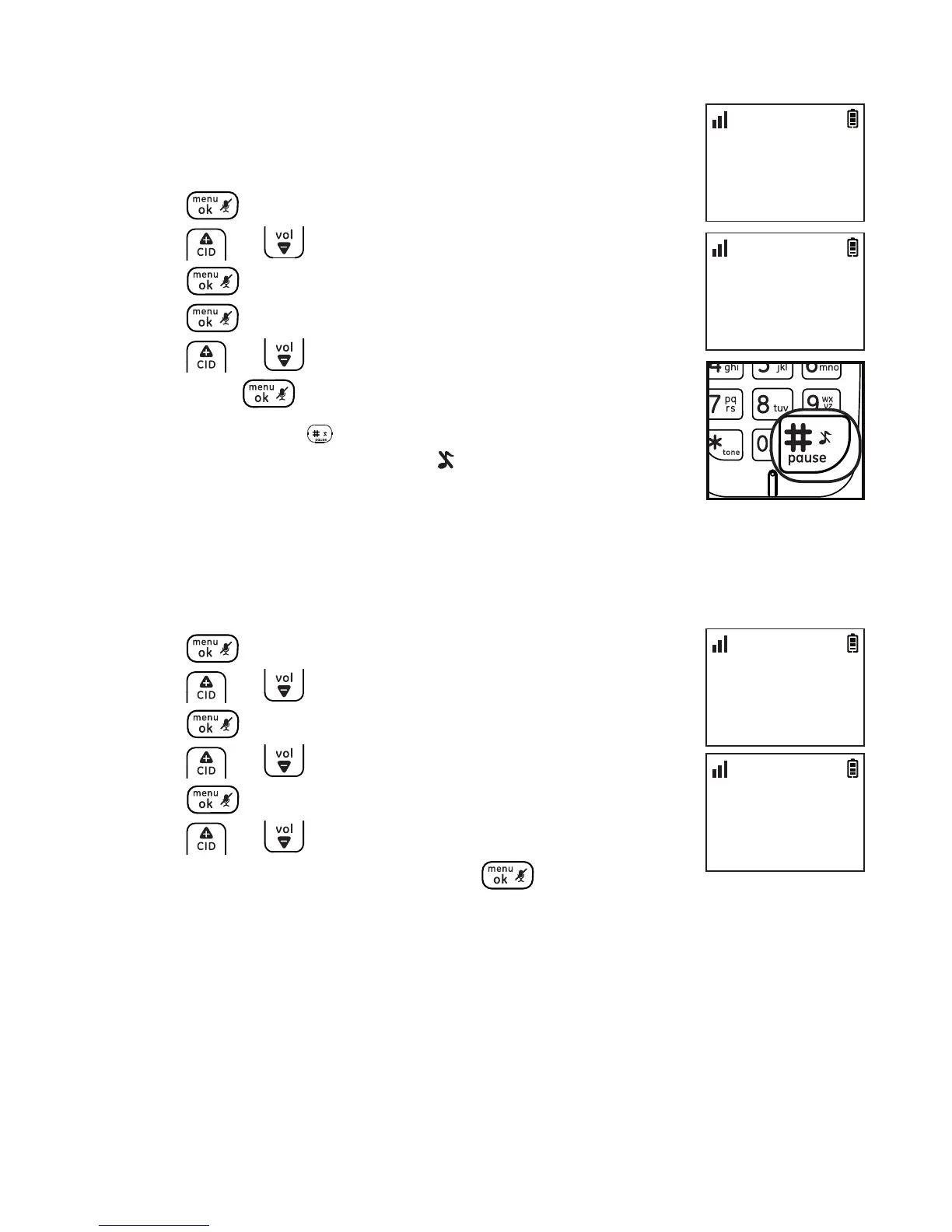
You can set the handset ringer volume from level 1 to
level 5 or turn the ringer o.
1. Press .
2. Press or to select HANDSET TONES and then
press .
3. Press again to select RING VOLUME.
4. Press or to select the desired setting and
then press to conrm.
NOTE: Press and hold the key to switch the ringer between on and
o when the handset is in idle mode. The icon displays on the screen
when ringer o feature is activated
Ringer melody
You can select from 10 ringer melodies.
1. Press .
2. Press or to select HANDSET TONES and then
press .
3. Press or to select RING MELODY and then
press .
4. Press or to select the desired setting
(MELODY 1 to 10) and then press to conrm.
HANDSET TONES
>RING VOLUME
10:30
PM
11/20
RING VOLUME
>LEVEL 2
10:30
PM
11/20
HANDSET TONES
>RING MELODY
10:30
PM
11/20
RING MELODY
>MELODY 1
10:30
PM
11/20



 To Next Page