Getting started
2
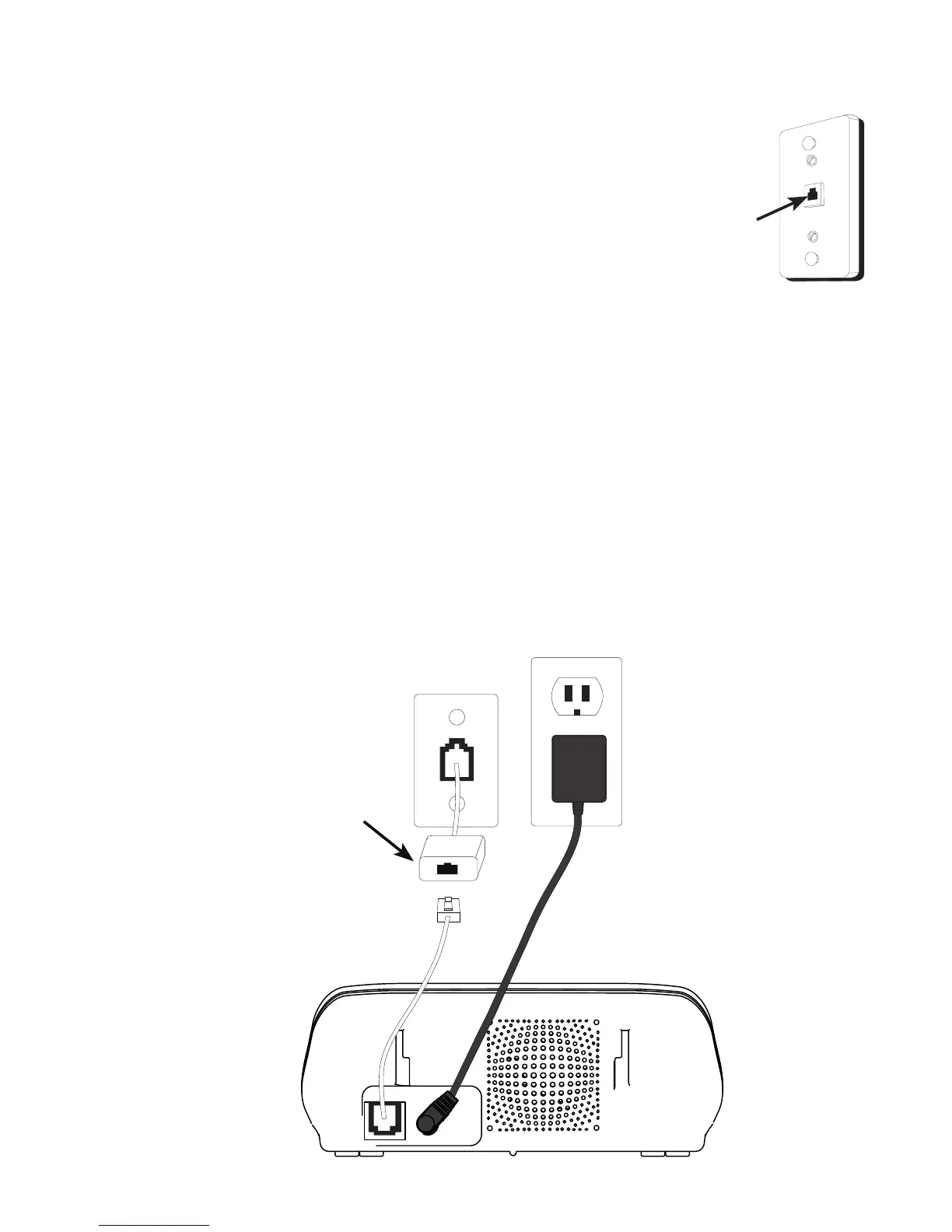
Telephone base installation
1. Plug the smaller end of the power adapter into the power jack at
the back of the telephone base.
2. Plug one end of the telephone line into the jack at the back of the
telephone base.
3. Plug the other end of the telephone line into a telephone wall jack.
4. Plug the larger end of the power adapter into an electrical outlet
not controlled by a wall switch.
DSL lter (not included)
is required if you have
DSL high speed Internet
service.
Telephone base installation
Telephone jack requirements
To use this phone, you need a RJ11C type modular
telephone jack, which might look like the one pictured
here. If you do not have a modular jack, call your telephone
service provider to nd out how to have one installed.
If you have DSL high speed Internet service, a DSL lter is
required (not included). Contact your DSL service provider
for more information about DSL lter.
Wall plate
Modular
telephone
line jack



 To Next Page