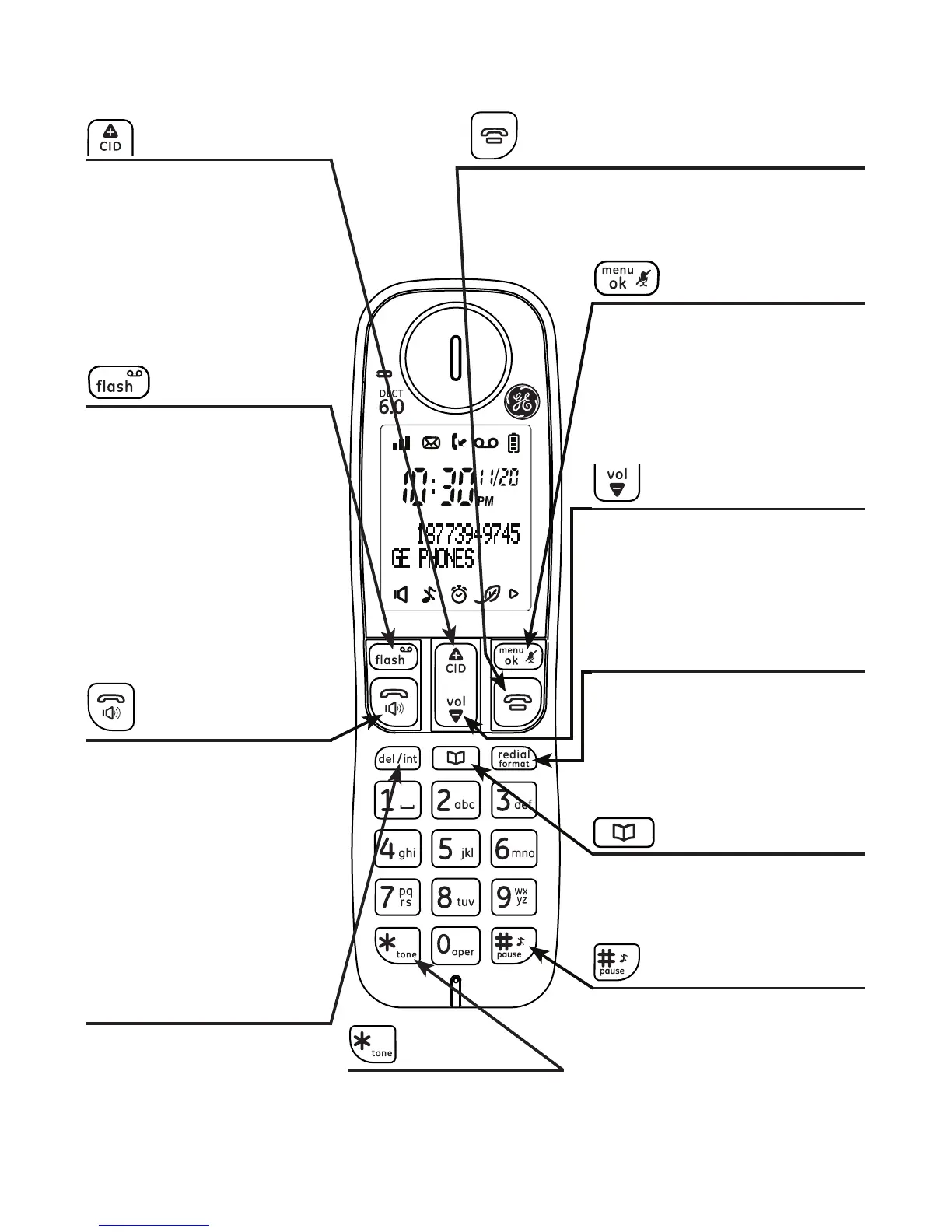
Overview
10
Handset layout
o/cancel
• During a call, press to hang up.
• During programming, press to cancel and
exit without making changes.
CID/volume up
• Press to review the call
log when the telephone
is not in use.
• While in menu, press to
scroll up.
• During a call, press
to increase the incoming
volume.
• During a call, press to
answer an incoming
call if you receive a call
waiting alert (if you
have subscribed to the
call waiting feature
from your service
provider).
• Press to access message
playback when in idle
mode.
del/int
• Press to delete the last
number or letter entered.
• Press to initiate an
intercom call or transfer
a call .
volume down
• While in menu, press to
scroll down.
• During a call, press to
decrease the incoming
volume.
menu/ok/mute
• Press to show menu.
• Press to select an item, or to
save an entry or setting.
• Press to mute a call,
press again to resume
conversation.
redial/format
• Press to review redial list.
• Press to change the
telephone number format (7
digits, 1+, or 1+ area code)
for appropriate dialing.
talk/speaker
• Press to make or answer
a call.
• Press to switch to
speakerphone during
a call or message
playback.
• During a call, press to
switch between
speakerphone and
normal handset use.
phonebook
• Press to review the
phonebook when the
telephone is not in use.
*/tone
• During a call, press
to send touch-tone
signals temporarily.
#/pause/ringer o
• Press and hold to turn the
ringer o.
• Press and hold to add a
dialing pause when dialing
or entering numbers into
phonebook.



 To Next Page