Caller ID
34
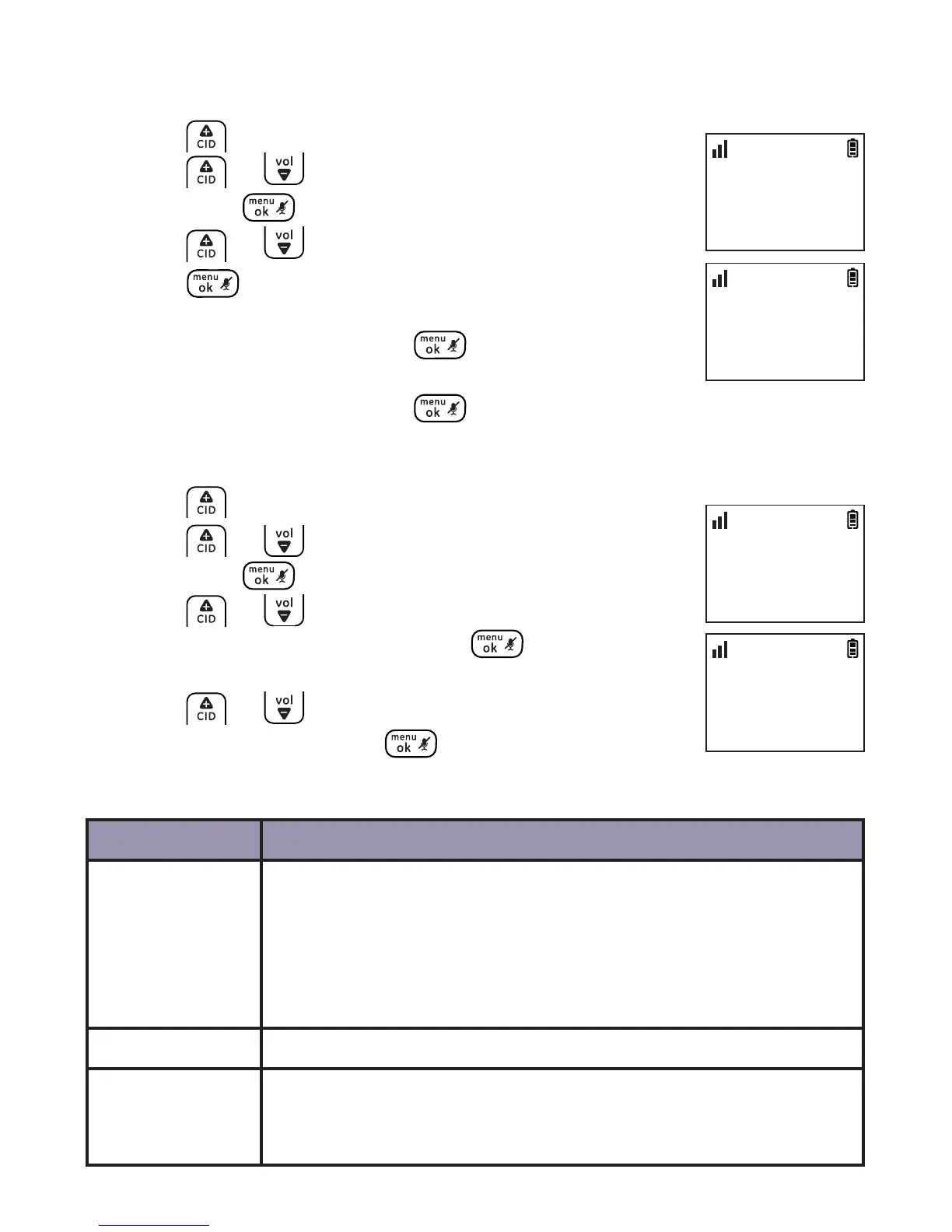
Save a number to the phonebook
1. Press .
2. Press or to locate the desired record and
then press .
3. Press or to select COPY TO PHBK and then
press .
4. Enter the name by using the dial pad keys if
necessary, and then press .
5. Edit the number by using the dial pad keys if
necessary, and then press to save.
Delete caller ID record
1. Press .
2. Press or to locate the desired record and
then press .
3. Press or to select DELETE to delete the
selected record, and then press twice.
-OR-
Press or to select DELETE ALL to delete all
records, and then press twice to conrm.
Call log display screen messages
Display When
PRIVATE The caller is blocking the name and the telephone number
is out of area.
The caller is blocking the telephone number and the name
is out of area.
The caller is blocking the name and telephone number.
OUT OF AREA The caller’s name and telephone number are out of area.
1_Voicemail A caller leaves a voicemail message or when your local
telephone service provider sends an electronic signal to
notify you of a waiting voicemail message.
CALL LIST
>COPY TO PHBK
10:30
PM
11/20
ENTER NAME
_
10:30
PM
11/20
CALL LOG
>DELETE ALL
10:30
PM
11/20
CALL LOG
>DELETE
10:30
PM
11/20



 To Next Page