Handset settings
20
Key tone
The handset can be programmed to emit a tone with each key press.
You can choose to turn this feature on or o. The default setting is ON.
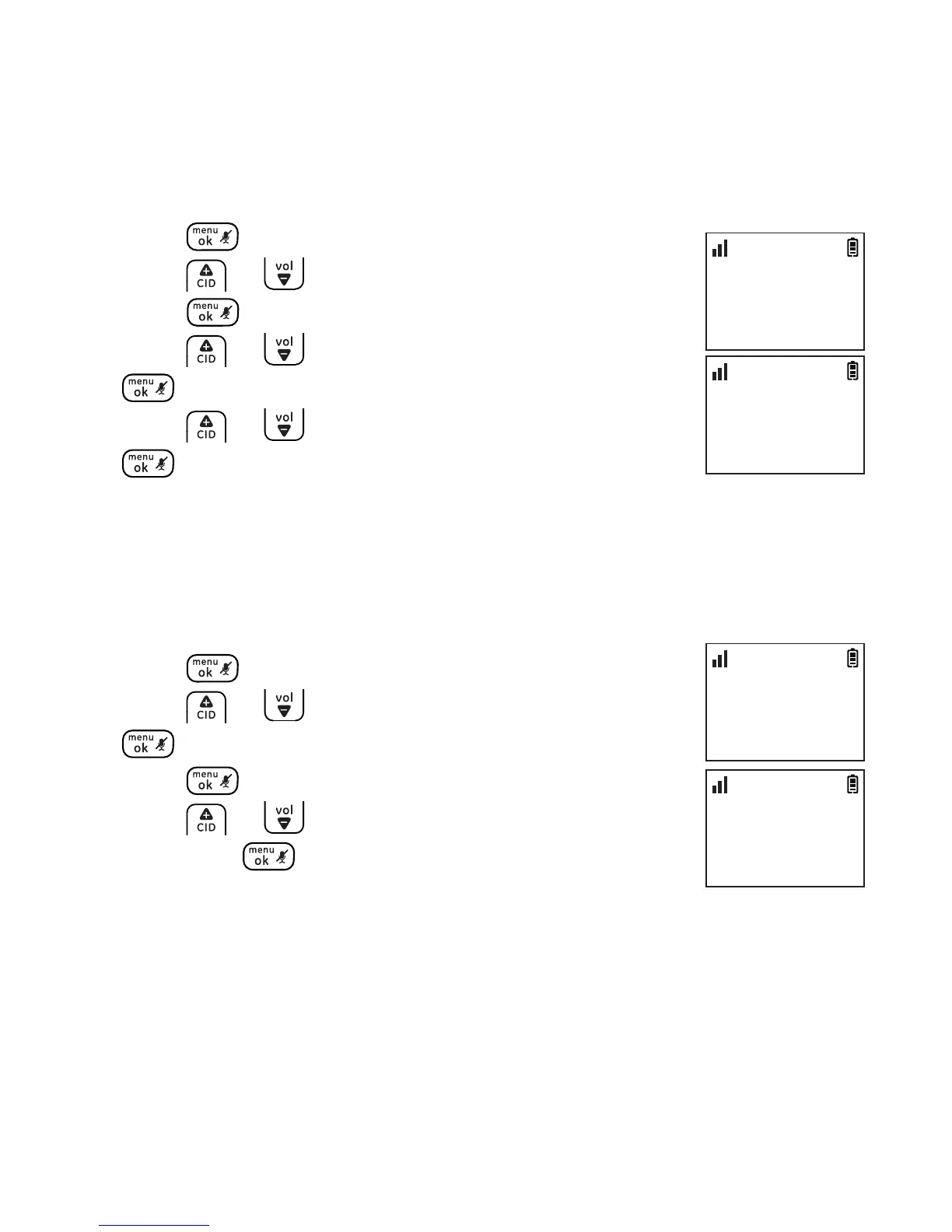
To change the key tone setting:
1. Press .
2. Press or to select HANDSET TONES and then
press .
3. Press or to select KEY BEEP and then press
.
4. Press or to select ON or OFF and then press
to conrm.
Display language
You can select ENGLISH, ESPAÑOL or FRANCIS as the display
language. The default setting is ENGLISH. To change the display
language:
1. Press .
2. Press or to select SETTINGS and then press
.
3. Press again to select LANGUAGE.
4. Press or to select the desired setting and
then press to conrm.
HANDSET TONES
>KEY BEEP
10:30
PM
11/20
KEY BEEP
>ON
10:30
PM
11/20
SETTINGS
>LANGUAGE
10:30
PM
11/20
LANGUAGE
>ENGLISH
10:30
PM
11/20



 To Next Page