GE
D
IRECTION 5535208-100, REV. 2 LOGIQ E9 SERVICE MANUAL
3 - 78 Section 3-9 - Connectivity Setup and Tips
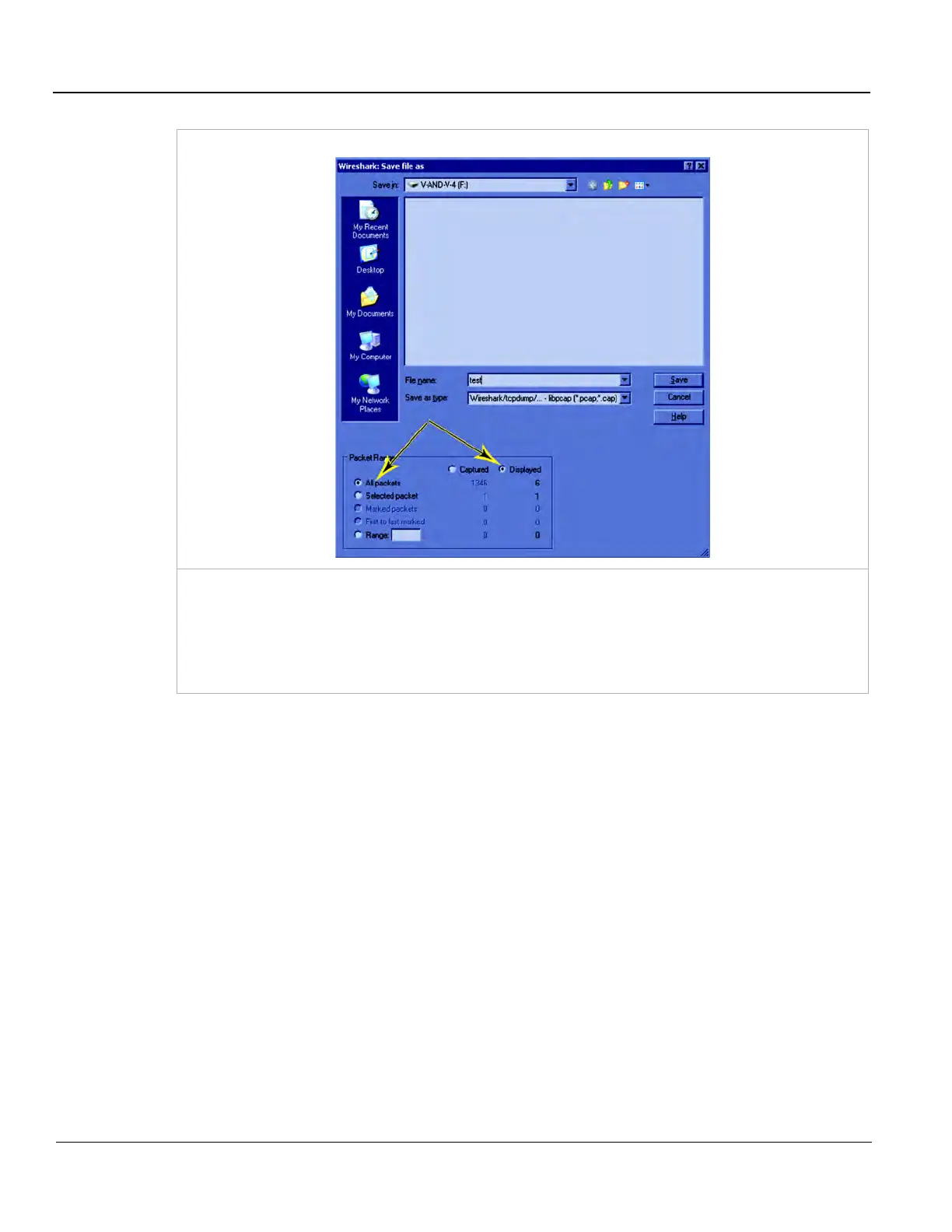
Wireshark: Save file as
To save the network traffic currently displayed, stop the capture and press File / Save As. In the
pop-up, select a destination drive or folder, name the file, select both “All packets” and “Displayed”
under Packet Range, and press Save.
This saves the DICOM traffic in a file with suffix “.pcap”, which can be analyzed by Wireshark or a
similar network sniffer.
Table 3-30 Network “Sniffer”



 To Next Page